Software license tracking in Jira: The complete guide for IT managers in 2026
Software license tracking in Jira is the most effective way to gain control over your IT budget and compliance. In this guide, we'll walk you through how to move from messy spreadsheets to a professional command center that automates renewals and reclaims wasted spend.

Colin Reed
IT Expert and Content Writer
Last Updated

The hidden cost of "SaaS sprawl" is quietly eroding IT budgets across every industry. As companies adopt more specialized tools, the complexity of managing those subscriptions grows exponentially. Many organizations now manage between 100 and 300 different applications, and without a centralized system, it's nearly impossible to keep track of who has access to what.
Spreadsheets're the traditional starting point for tracking these assets, but they fail quickly at scale. Manual updates're often forgotten, there's no built-in automation for renewals, and they offer zero visibility into actual usage. This is where Jira comes in. By moving your license management into the platform where your team already works, you can turn a passive list into an active command center.
We've seen firsthand how centralizing this data can transform IT operations. It's not just about having a list of names and numbers. It's about creating a single source of truth for your entire software stack so you can make data-driven decisions about your budget and compliance.
Why software license tracking is your biggest budget lever in 2026
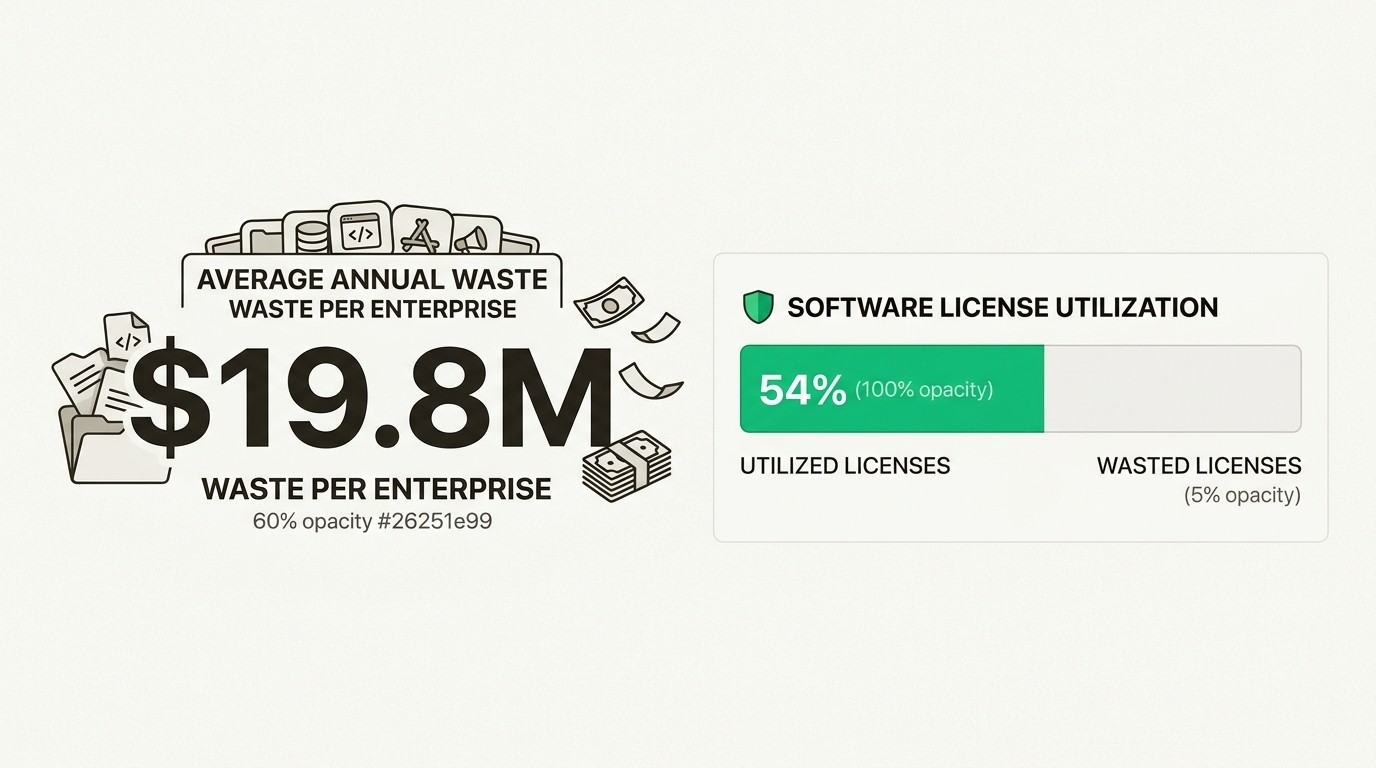
If you're looking for a way to have an immediate impact on your organization's bottom line, software license management is the place to start. The financial stakes're higher than most people realize. According to Zylo’s 2026 SaaS Management Index, the average organization wastes nearly $20 million every year on unused software licenses.
This waste happens because companies typically only use 54% of the software licenses they pay for. The rest're "ghost users" (former employees or contractors) or underutilized seats that could be reclaimed or downgraded. When you multiply those unused seats across 300+ applications, the numbers add up fast.
Beyond the direct costs, there's the massive risk of software audits. Vendors like Adobe, Microsoft, and Oracle are known for aggressive compliance audits that can result in six-figure penalties if you can't prove you're staying within your limits. Being unprepared for an audit isn't just a stressor; it's a significant financial liability.
Finally, there's the problem of Shadow IT. Zylo found that more than a third of a company's applications are purchased outside of standard IT procurement processes. These unvetted apps create security gaps and lead to redundant spending that IT managers often don't even know about until they see an expense report. Software license tracking in Jira allows you to shine a light on these hidden costs.
The two ways to track software licenses in Jira
When it comes to implementation, you generally have two paths inside the Atlassian ecosystem. Both have their merits, and which one you choose depends on your team's specific needs and budget.
The native approach with Atlassian Assets
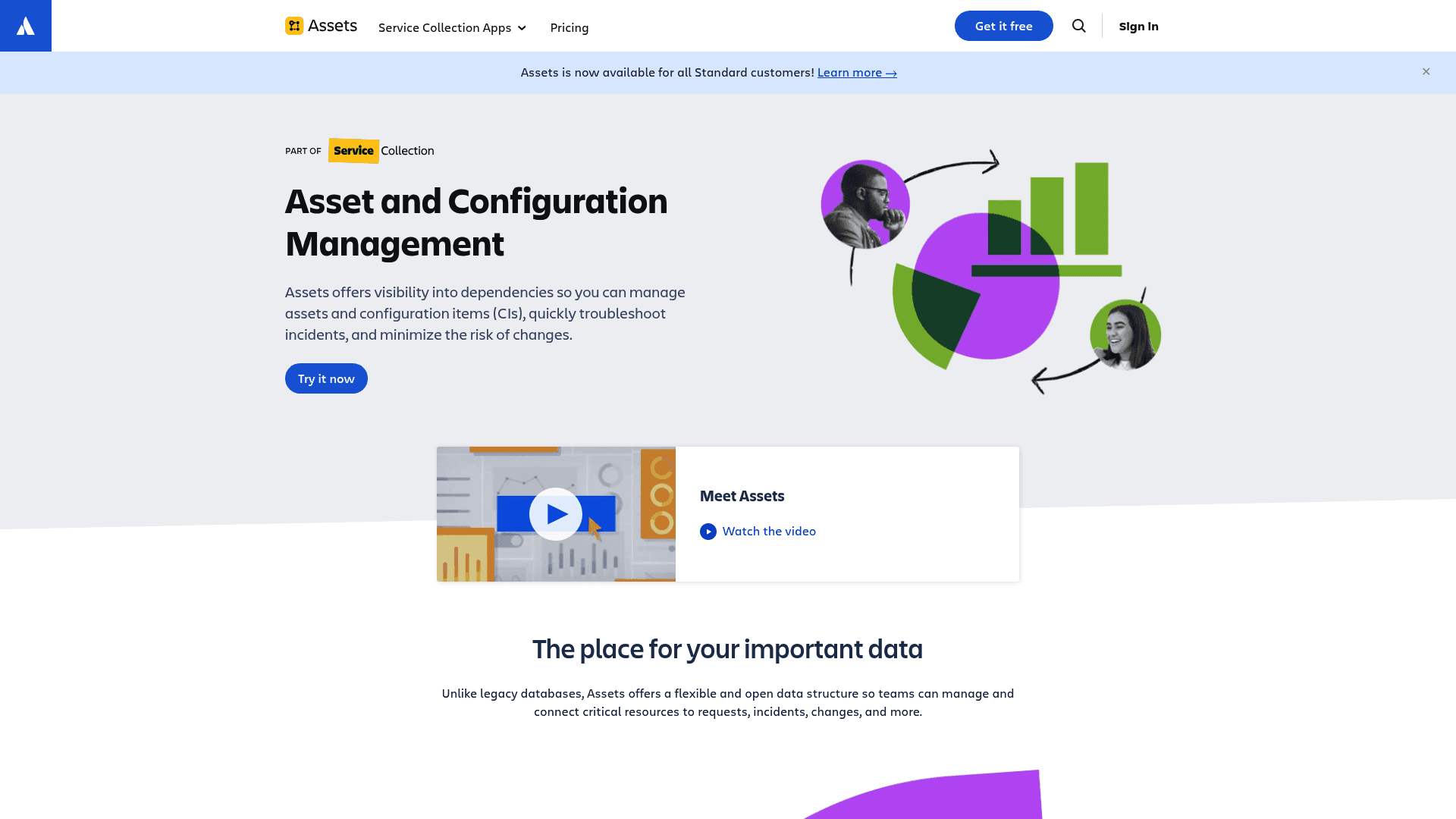
Atlassian Assets (formerly known as Insight) is the native configuration management database (CMDB) tool built into Jira Service Management (JSM). It's a powerful platform designed for enterprises that need deep dependency mapping and complex infrastructure tracking.
It's included in JSM Premium and Enterprise plans, making it a logical choice if you're already on those tiers. It allows you to build a comprehensive repository of all your hardware and software assets. However, it's important to note that Assets is designed for high-end configuration, which often means a steep learning curve and a longer implementation period.
The Marketplace app approach with Asset Management for Jira
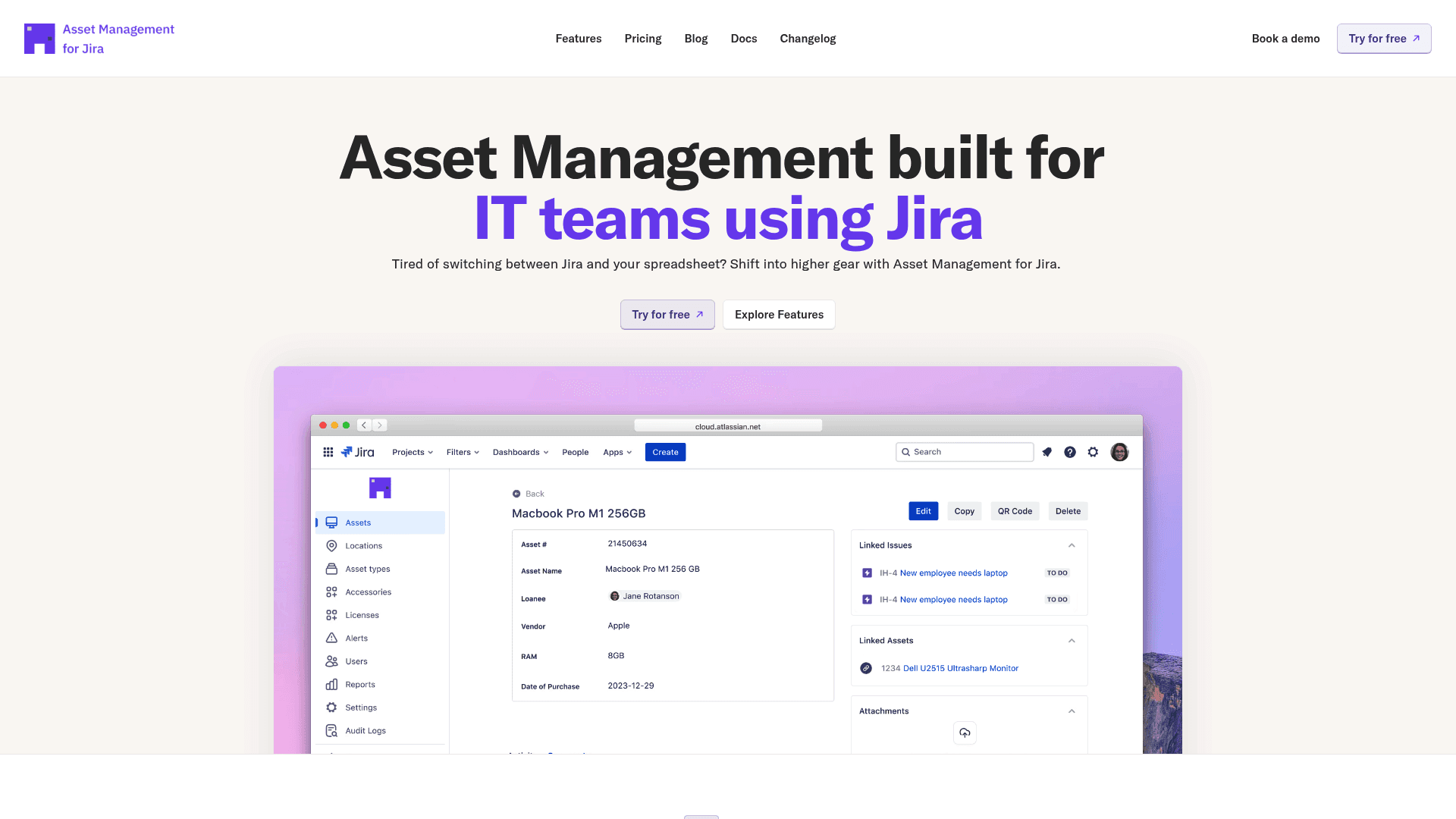
For many IT teams, the "simply powerful" choice is a specialized Marketplace app like Asset Management for Jira. We built this tool to provide a native experience that works inside any Jira plan, from Free to Enterprise, without the complexity of a full CMDB.
Our focus is on quick time-to-value and predictable pricing. While Atlassian's native Assets feature is tied to expensive JSM tiers, our app installs into your existing Jira instance and allows you to track unlimited assets for a flat monthly fee or a tiered per-user price. It's built for IT managers who want to get up and running in days, not months.
Which one you need depends on your scale. If you need to map complex technical dependencies across a global server infrastructure, JSM Assets is the tool for you. If you want a focused, easy-to-use tracker for your laptops, software licenses, and users, a dedicated app is often the more efficient path.
Key features to look for in a Jira license tracker
Regardless of which implementation path you choose, there're several non-negotiable features you need to manage your software budget effectively.
Centralized license repository: You need one place to track product names, serial numbers, purchase dates, and expiry dates. Having this data scattered across emails and PDFs is what leads to missed renewals and audit failures.
Automated renewal alerts: Moving from personal calendar reminders to proactive automation is a game-changer. Your tracker should be able to trigger Jira tasks 30, 60, or 90 days before a license expires.
License reclamation (harvesting): This is the process of identifying and deactivating inactive users. Look for a tool that can flag users who've not logged in for 90 days so you can reclaim those expensive seats.
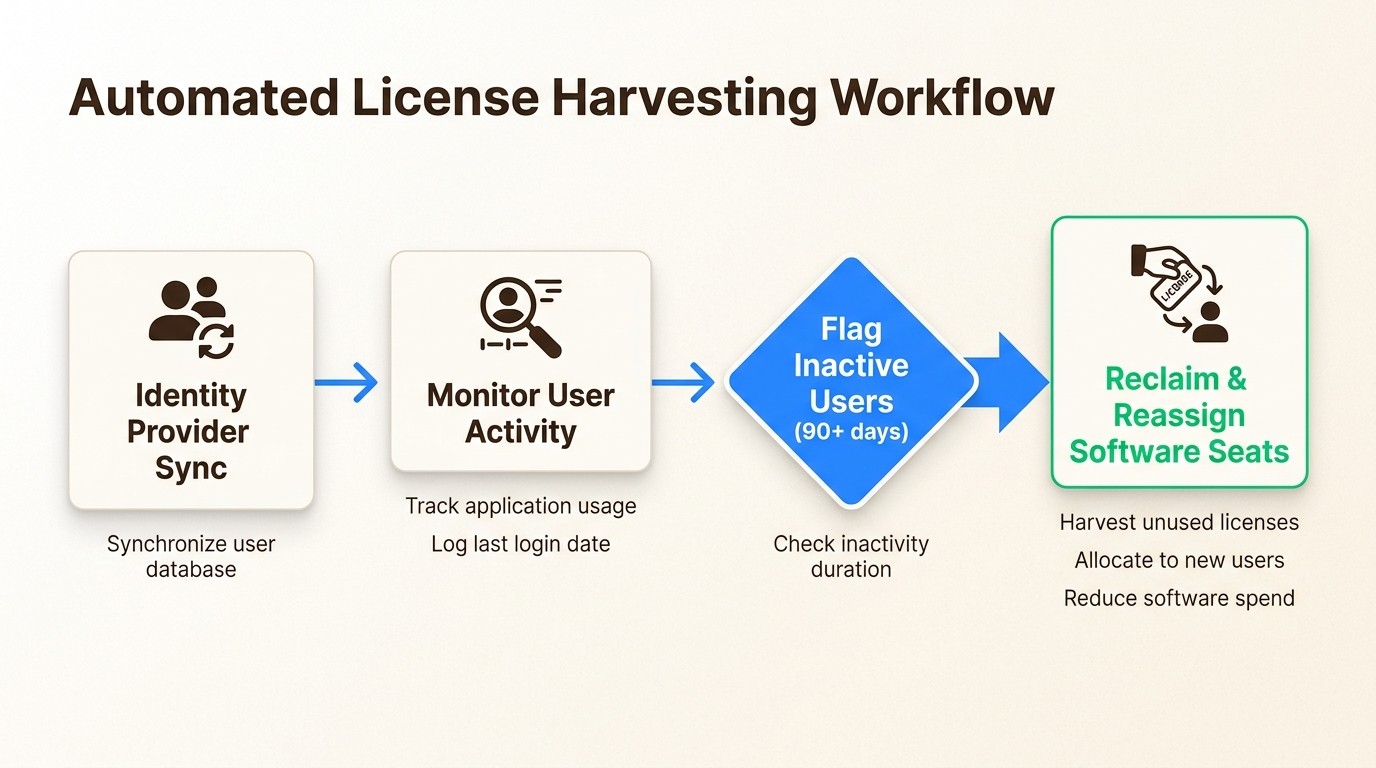
MDM and IdP synchronization: Your license data's only as good as its accuracy. Features that allow you to sync with Microsoft Intune, Jamf, or Azure AD ensure that user assignments're updated automatically when someone joins or leaves the company.
Step-by-step: How to set up license tracking in Jira
Setting up a professional tracking system doesn't have to be a multi-month project. Here's how the process works when you're using a tool like Asset Management for Jira:
Step 1: Conduct a software audit
The first step is discovery. You can't manage what you don't know you own. We recommend starting with your financial data. Review your company's expense reports and accounting ledgers from the last 12 months to identify every recurring software payment. You should also send out a brief survey to department heads to uncover any apps being used that aren't centrally managed.
Step 2: Map licenses to users and assets
Once you've your list, it's time to import it into Jira. You shouldn't just track the license itself; you should link it to the person using it and the device it's installed on. For example, you might link a seat of Adobe Creative Cloud to a specific designer's MacBook Pro. This level of detail is critical for security and for knowing exactly what equipment needs to be recovered during offboarding.
Step 3: Configure automation rules
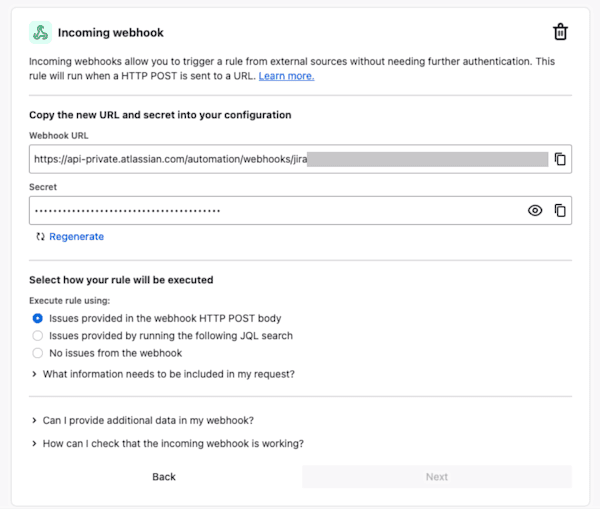
This is where you stop being reactive. Set up a scheduled trigger in Jira Automation to check your license expiry dates every week. If a renewal is coming up in 30 days, Jira should automatically create a task for the procurement team and post a notification to your IT Slack channel.
Step 4: Connect your device management (MDM)
To keep your inventory current without manual entry, connect your Jira instance to your MDM (like Microsoft Intune or Jamf). This allows your tracker to automatically see when a device is retired or when a new user is assigned, keeping your license counts accurate in real-time.
Comparing Atlassian Assets vs. Asset Management for Jira
Choosing between these two options often comes down to two factors: implementation time and the total cost of ownership.
Atlassian Assets uses a per-agent pricing model. It's bundled with JSM Premium, which starts at roughly $51.42 per agent per month. While this seems convenient if you're already on that plan, you must also consider the object limits. JSM Premium includes 50,000 objects, but if you exceed that, you'll start paying consumption fees per object.
Asset Management for Jira (AMFJ) takes a different approach. We offer predictable per-user pricing that scales with your team, not your inventory. You can track unlimited hardware and software assets without worrying about hitting a cap or seeing a surprise increase on your bill.
Factor | Atlassian Assets (JSM Premium) | Asset Management for Jira (AMFJ) |
|---|---|---|
Availability | JSM Premium or Enterprise only | Any Jira Cloud plan (Free to Ent) |
Pricing | ||
Setup Time | High (Requires CMDB configuration) | Low (CSV imports and MDM sync) |
Best For | Enterprises with complex CMDB needs | IT teams wanting a "simply powerful" tracker |
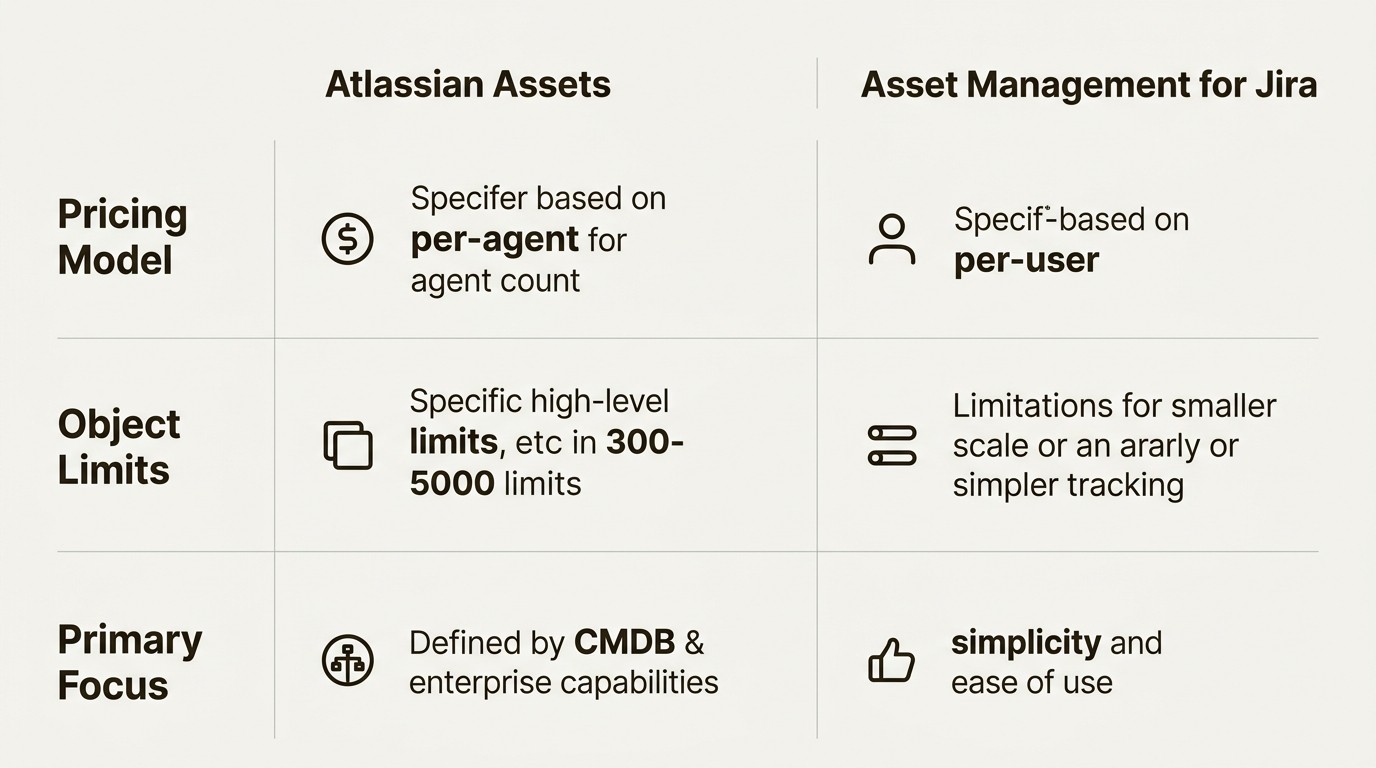
Bottom line? If you're a large enterprise that needs to map how every server connects to every database, JSM Assets is the industry standard. But for the majority of IT managers who want an accurate, automated way to track their laptop fleet and software spend, Asset Management for Jira offers a faster and more cost-effective path.
3 strategic workflows for IT managers
Once your tracking system's live, you can implement workflows that deliver measurable ROI back to the business.
The offboarding recovery workflow
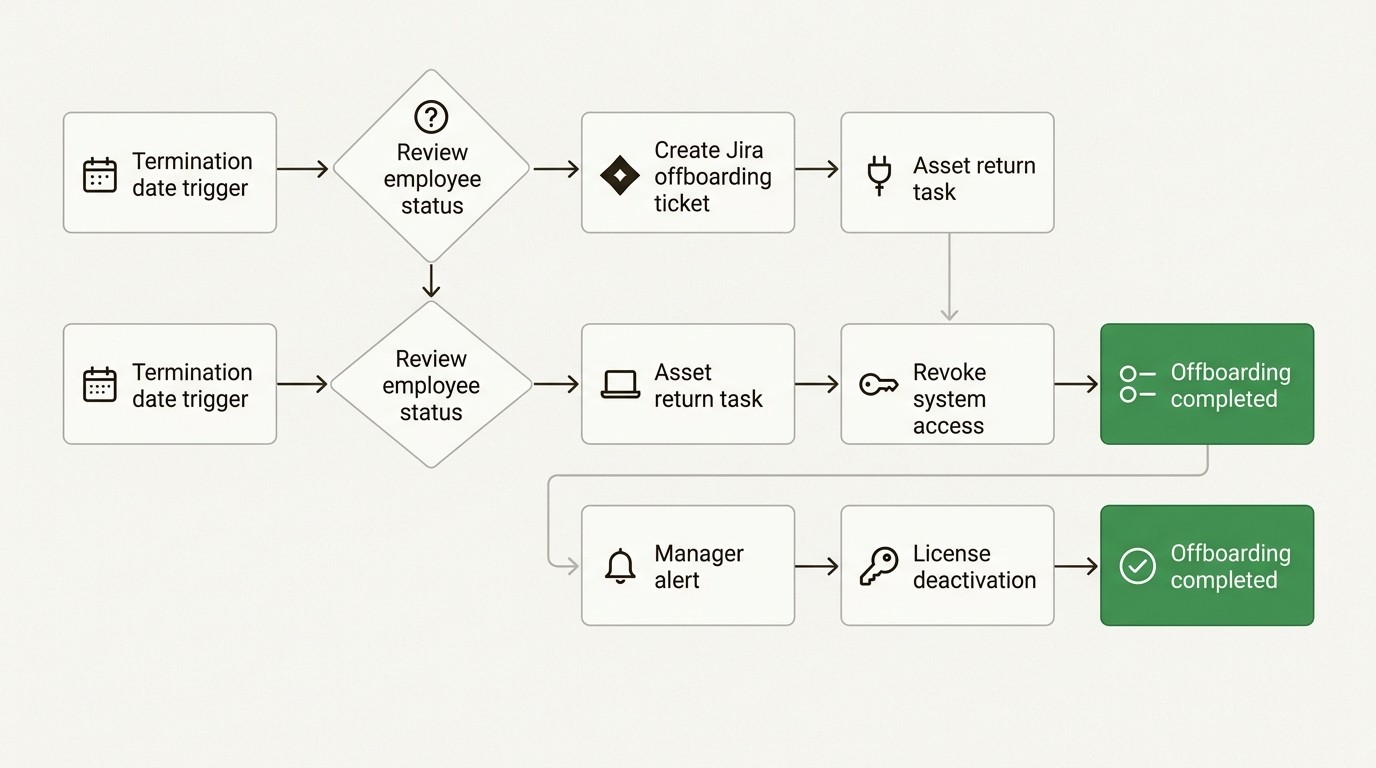
When an employee leaves, equipment and licenses are often forgotten. We've found that companies using an integrated tracker achieve a 98% equipment recovery rate. By automating an "Offboarding Checklist" in Jira, you can ensure that every license seat's reclaimed and every laptop's returned before the final paycheck's issued. For more on this, see our it asset recovery offboarding checklist.
The rightsizing workflow
Not everyone needs the "Pro" or "Premium" version of every app. By reviewing your license usage data once a quarter, you can identify users who only need basic functionality and downgrade their seats. This simple bit of "rightsizing" can often save a company 15-20% on their software spend without impacting productivity.
The audit-ready report
The next time an auditor from Microsoft or Adobe asks for your licensing position, you shouldn't have to spend two weeks in a spreadsheet. With a proper tracker, you can generate a full compliance report in about 5 minutes. This speed demonstrates "good faith tracking" to auditors, which can often help reduce the scope of an audit. You can learn more about this in our guide to asset management reporting.
Start tracking your software licenses in Jira today
Every month you delay implementing a tracking system's a month where your organization's likely wasting money on unused software. SaaS sprawl's a real challenge, but it doesn't have to be an unmanaged one.
By using Jira as your command center, you can centralize your budget, automate your renewals, and protect your company from audit risk. Whether you choose a native CMDB or a specialized app like Asset Management for Jira, the most important step's simply getting started.
If you want a native, easy-to-use solution that works with any Jira plan, we invite you to start a free 30-day trial of Asset Management for Jira. Stop the waste and take control of your IT budget today.
For a deeper look at your options, check out our comparison of the best software license management tools for Jira.
Frequently Asked Questions
How does software license tracking in Jira help with IT audits?
Software license tracking in Jira provides a centralized, timestamped record of all your license assignments and purchase history. When an auditor asks for proof of compliance, you can generate a report in minutes that shows you are within your limits, which significantly reduces the risk of penalties.
What is the benefit of using a specialized app for software license tracking in Jira versus a spreadsheet?
Unlike a spreadsheet, a specialized app for software license tracking in Jira offers automated renewal alerts, integration with device management tools like Intune, and real-time visibility into usage. This eliminates the human error associated with manual updates and ensures your data is always current.
Can software license tracking in Jira handle both cloud and on-premise licenses?
Yes, software license tracking in Jira is designed to handle all types of entitlements. You can track traditional on-premise license keys alongside modern SaaS subscriptions, providing a single source of truth for your entire software portfolio.
How does automated license reclamation work with software license tracking in Jira?
Automated license reclamation uses data from your identity provider or usage logs to identify users who have not accessed an application for a set period (e.g., 90 days). The system can then flag these seats for removal, allowing you to save money by not paying for unused software license tracking in Jira.
Is software license tracking in Jira suitable for small IT teams?
Absolutely. In fact, small teams often benefit the most from software license tracking in Jira because it automates the tedious administrative tasks that would otherwise take up hours of their week. It provides the same enterprise-grade visibility and budget control without the need for a dedicated asset manager.
What integrations are most important for successful software license tracking in Jira?
For successful software license tracking in Jira, you should look for integrations with your Mobile Device Management (MDM) tools like Intune or Jamf, and your Identity Provider (IdP) like Azure AD. These connections ensure that your user list and device inventory are automatically synced.



