AssetIT vs Asset Management for Jira: An honest comparison in 2026
Looking for the best asset management tool for Jira? We break down AssetIT vs Asset Management for Jira (AMFJ) to help you choose the right automation for your team.

Colin Reed
IT Expert and Content Writer
Last Updated

If you work in IT, you know the headache of "SaaS sprawl." Your team uses one tool for tickets, another for documentation, and yet another to track who actually has that expensive MacBook Pro that just went missing. It often leads to constant context switching and a fragmented view of your infrastructure.
Many teams start by tracking hardware and software in a spreadsheet. It works for a while, but it's a manual process that's prone to error. Before you know it, your records are outdated, and you're buying new equipment because you can't find the spares sitting in a storage room somewhere.
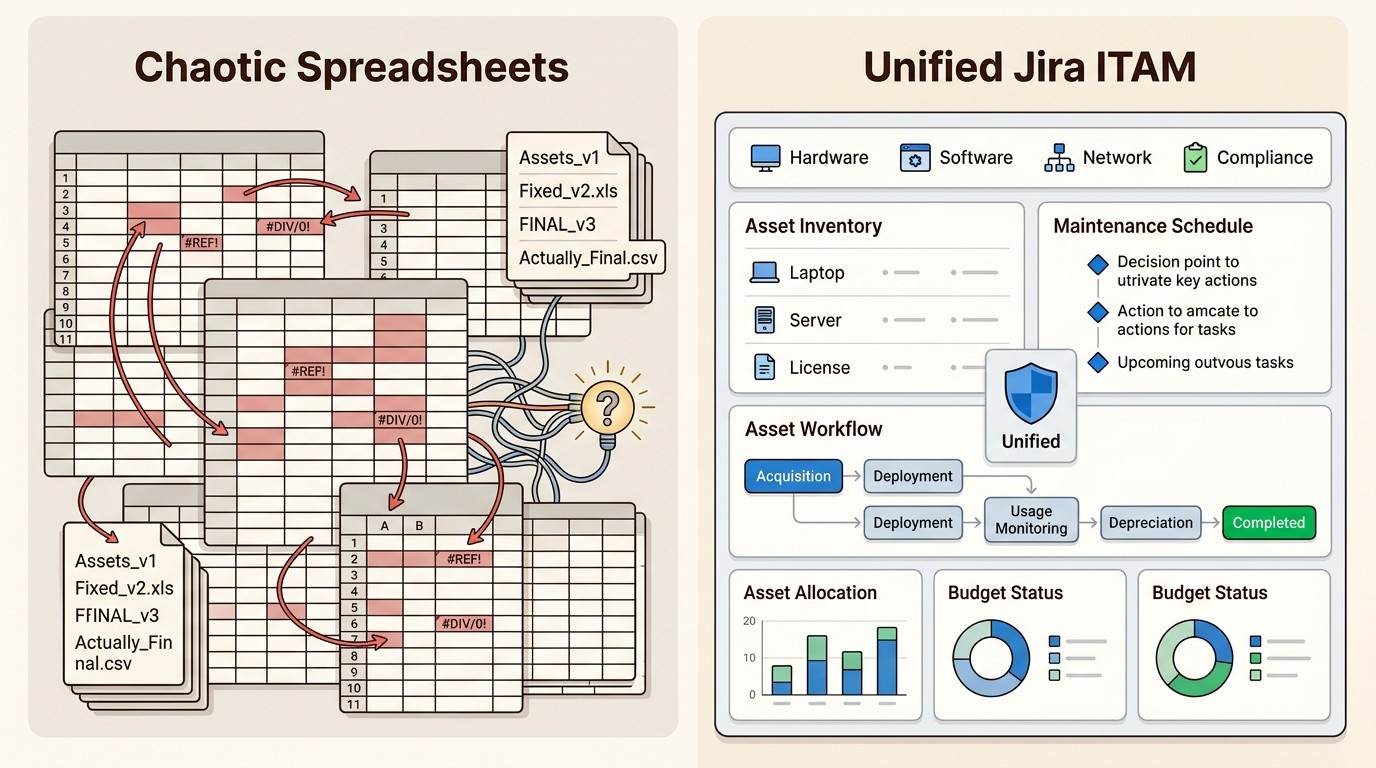
The logical next step is to move that data into Jira. While Atlassian offers a built-in feature called Assets (formerly Insight), it's only available on Jira Service Management Premium and Enterprise plans. For many teams, the cost is too high and the learning curve is too steep for basic IT asset management (ITAM) needs.
Native Jira apps like AssetIT and Asset Management for Jira allow your asset data to live exactly where you work, making it usable in JQL filters, gadgets, and automation rules without the complexity of a full-scale CMDB.
What is AssetIT?
AssetIT is a specialized ITAM app for Jira developed by DevSamurai. It's designed to be a user-friendly way for organizations to track their physical hardware, software licenses, and consumables directly within the Jira interface.
The app's philosophy focuses on simplicity and accessibility. It's built for teams that want to get up and running quickly without a long configuration period. AssetIT categorizes resources into common groups like Assets, Accessories, Licenses, and Components, providing a structured but flexible environment for inventory tracking.
One of its most notable features is the reservation and loan system, which allows users to book equipment themselves. This is particularly useful for teams managing a pool of "loaner" laptops or specialized hardware that needs to be shared across departments.
What is Asset Management for Jira (AMFJ)?
Asset Management for Jira (AMFJ) is our native Jira application designed to make Jira the single source of truth for your IT processes. We built it with a focus on being "simply powerful," providing enterprise-grade automation without the administrative overhead of more complex tools.
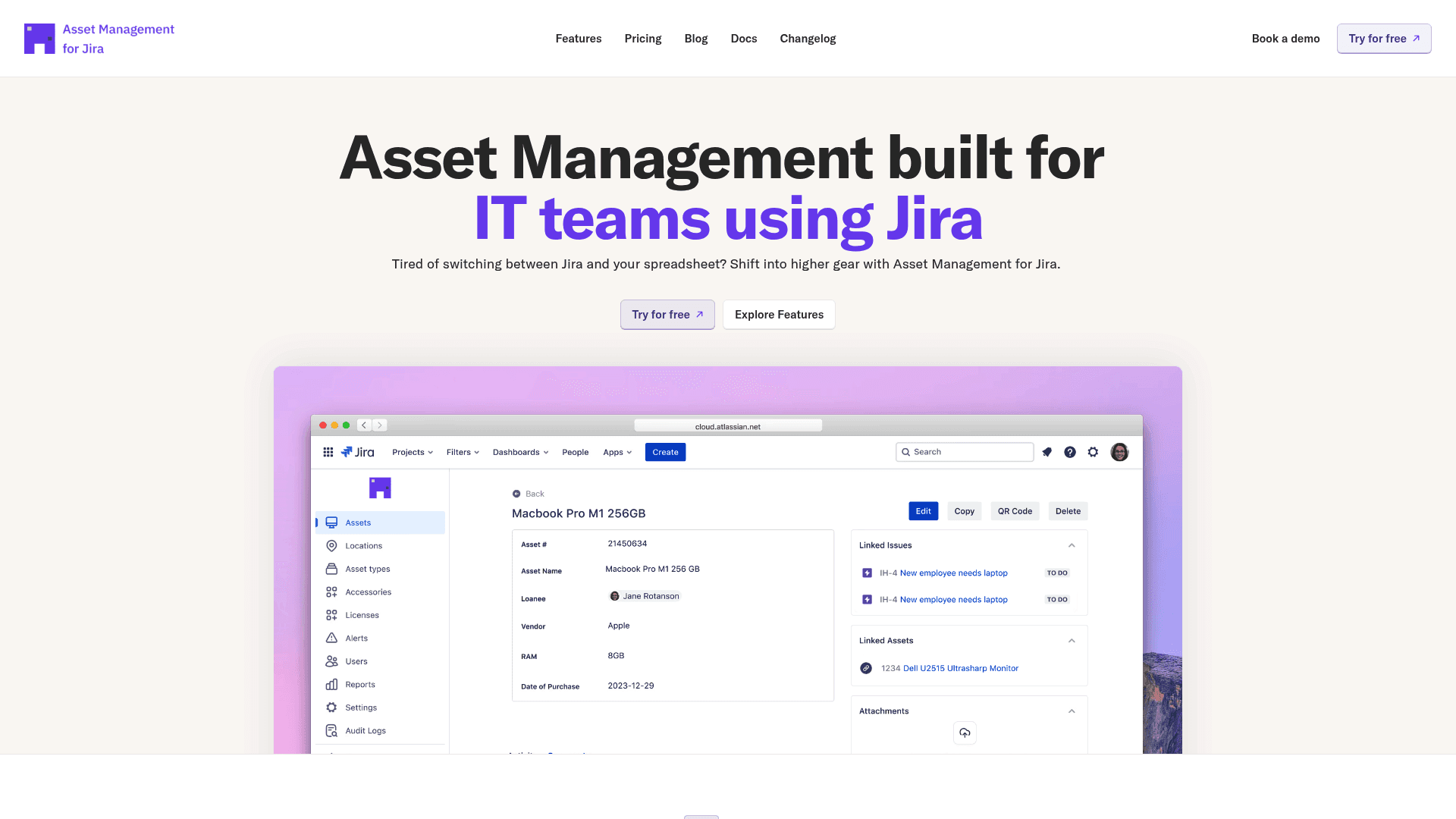
Our core focus is on eliminating manual data entry. We know that IT teams are busy, so we prioritized deep integrations with the tools you already use. Asset Management for Jira syncs automatically with Mobile Device Management (MDM) platforms like Microsoft Intune, Jamf Pro, and Kandji.
The impact of this automation is measurable. We've found that our simply powerful IT asset management software helps teams resolve support tickets 34% faster by putting a device's full history right at the technician's fingertips. In fact, it can reduce the time spent gathering device information by up to 96%.
As an Atlassian Gold Marketplace Partner with Cloud Fortified status, we ensure our tool meets the highest standards for security and reliability.
How we conducted this comparison
To provide a fair look at these two popular Jira plugins, we evaluated them across four key areas:
Integration Depth: How well the tool automates data collection from external sources like MDM systems.
Ticket Context: The quality of information provided to support agents directly within Jira tickets.
Tracking Capabilities: The features available for managing the physical lifecycle of assets (loans, QR codes, etc.).
Reporting and Compliance: How easily the tool generates data for audits and decision-making.
Feature comparison: AssetIT vs Asset Management for Jira
Both tools offer native Jira experiences, but they approach the "automation vs. manual" balance differently. Let's break down the specific features that set them apart.
Integration depth and automation
This is the biggest differentiator between the two apps. Asset Management for Jira is built for teams that want to set it and forget it. We provide automatic, daily syncing with Intune, Jamf Pro, and Kandji. This means when a new device is enrolled in your MDM, it appears in Jira automatically with its full specs and user assignment.
AssetIT has traditionally relied more on manual entry and CSV importing. While they have recently released an Asset Importer capability to bring in data from systems like Intune and Jamf, it is currently handled as a separate capability rather than being natively built into the core experience of the main app.
Ticket linking and contextual support
Both apps allow you to link assets directly to Jira tickets, which is a massive upgrade over looking up serial numbers in a separate tab. When a user submits a ticket, the relevant device can be attached automatically, giving the agent instant context.
In Asset Management for Jira, we call this "Contextual Support." When an agent opens a ticket, they don't just see the device name. They see the full device history, including previous tickets and maintenance records. This historical context often reveals recurring issues that might otherwise be missed.
AssetIT also provides a linked assets panel that works across Jira Service Management, Jira Work Management, and Jira Software. It allows agents to see what hardware is assigned to the reporter without leaving the issue.
Tracking, accountability, and hardware loans
If your team manages a lot of temporary equipment, AssetIT has a very robust reservation system. It allows for asset booking, where users can request items for specific dates and administrators can approve or check them in.
We handle this through our Asset Checkout System, which manages hardware loans with automated tracking and return reminders. Both tools offer QR code functionality, allowing technicians to scan a label on a device using a mobile phone to quickly update its status or location.
Reporting and audit readiness
Asset Management for Jira focuses on making you audit-ready in minutes. Our built-in reports allow you to drill down into inventory accuracy, asset valuation for insurance, and license compliance. We provide a fully searchable audit log that tracks every change made to an asset over time, which is essential for meeting compliance standards like SOC 2 or HIPAA.
AssetIT includes a custom report builder that gives you flexibility in how you visualize your data. You can select specific fields and export your findings to Excel, CSV, or PDF formats for sharing with stakeholders.
Pricing and value for money
When comparing costs, it's important to look at the "time to value" and the labor savings from automation.
AssetIT pricing
AssetIT is very attractive for very small teams. They offer a permanent free plan for up to 10 users that includes all features. For larger teams, they use a tiered per-user model.
Number of Users | Monthly Pricing per User |
|---|---|
Up to 10 | Free (Flat) |
11-100 | |
101-250 | |
251-1000 | |
1000~2500 |
Asset Management for Jira pricing
We offer simple, transparent pricing with no setup fees or hidden costs. Like AssetIT, we scale based on your Jira user count, and we include unlimited assets in every plan.
While our per-user cost for larger teams can be slightly higher than AssetIT's base tiers, the value comes from the automation savings. For a 500-employee company, the time saved on manual inventory updates and ticket information gathering can result in over 3,050 in annual labor cost savings.
Choosing the right asset management tool for your Jira instance
So, which one should you choose? Bottom line? Both of these apps are a massive improvement over spreadsheets, but they serve slightly different needs.
Choose AssetIT if:
You are a startup or a very small team (under 10 users) and need a free solution.
Your primary pain point is managing hardware loans and reservations.
You prefer a high degree of manual customization for your reporting.
Choose Asset Management for Jira if:
You need deep, automatic sync with MDM tools like Intune, Jamf, or Kandji.
You want to reduce support ticket resolution time through automated device context.
You need a robust audit trail and automated alerts for compliance.
You want a tool that scales with your IT support volume without adding manual work.
For more information on making the right choice, see our ultimate guide to choosing a Jira asset management plugin.
Frequently Asked Questions
Does AssetIT vs Asset Management for Jira offer a better free plan for small teams?
AssetIT offers a permanent free plan for up to 10 users, while Asset Management for Jira offers a 30-day free trial for all users and a flat $10/month rate for the first 10 users.
Can you automate inventory sync in AssetIT vs Asset Management for Jira?
Asset Management for Jira has built-in, native MDM syncing for Intune, Jamf, and Kandji. AssetIT recently added an Asset Importer capability for these systems, but it's handled as a separate setup from the core app.
Which tool is better for hardware loans in AssetIT vs Asset Management for Jira?
AssetIT has a very specialized reservation and booking system that allows for user-led reservations. Asset Management for Jira handles this through an automated Asset Checkout System with return reminders.
Do both AssetIT vs Asset Management for Jira support QR code scanning?
Yes, both tools allow you to generate and scan QR codes using a mobile device to update asset information or perform lookups on the go.
Is there a limit on the number of assets you can track in AssetIT vs Asset Management for Jira?
Both apps allow you to track unlimited hardware, software, and license assets regardless of which pricing tier you are on.