Beyond the sticker price: The true asset tracking cost and how to control it
Uncover the true asset tracking cost, from hidden expenses to software fees. Learn how integrated asset management in Jira helps you gain control and cut IT spending.

Colin Reed
IT Expert and Content Writer
Last Updated
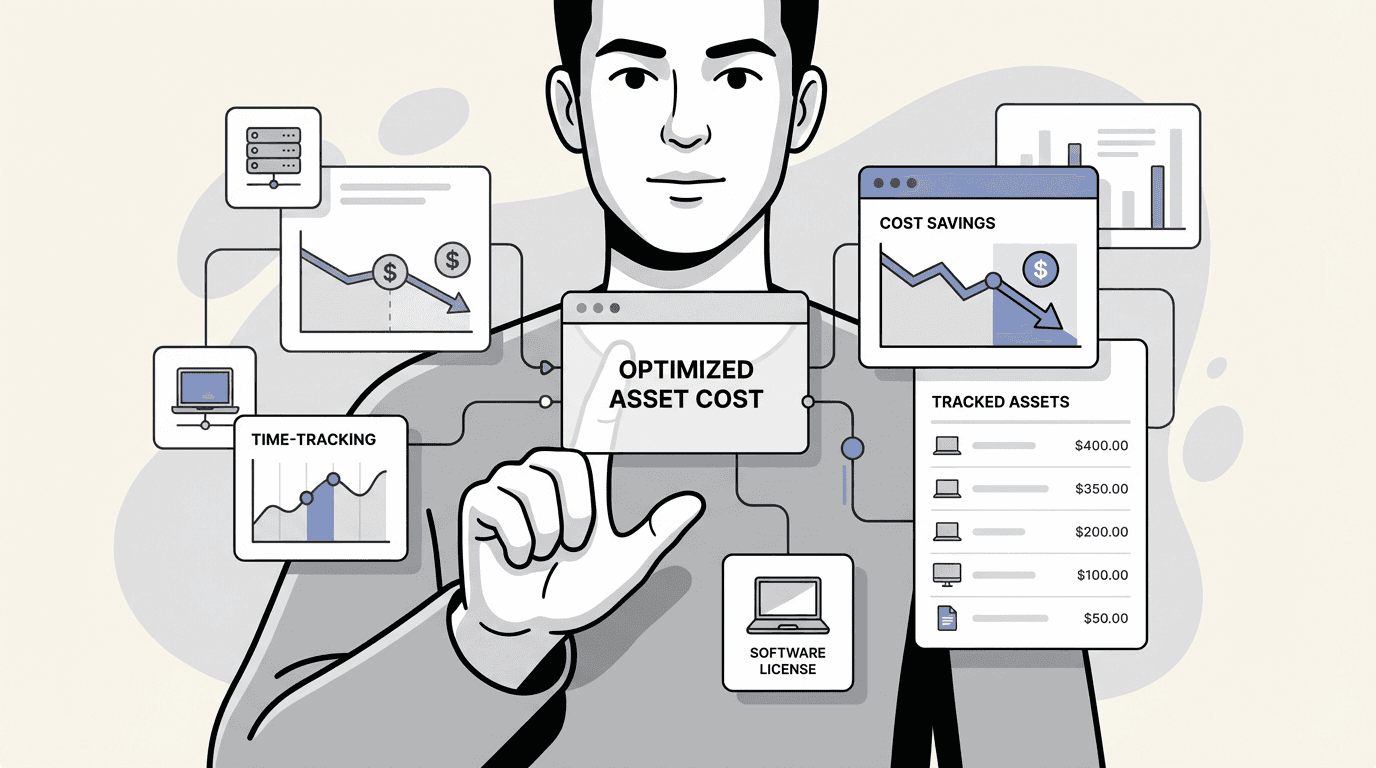
Many organizations find their IT budgets are difficult to manage. Spending on new equipment and software can feel unaccounted for due to the "cost iceberg" problem: the software subscription is the visible tip, while many hidden expenses exist below the surface.
The price tag on an asset tracking tool is only a small part of the puzzle. The real asset tracking cost is found in day-to-day operational inefficiencies: lost hardware, unused software licenses, buying stuff you already own, and the countless hours your team spends just trying to find things.
This guide explains the total cost of poor IT asset management. We will walk through a clear, practical framework for getting a handle on your spending and show you how to make your IT budget work smarter, not harder, by bringing asset tracking right into your daily workflows in Jira.
The hidden costs of inadequate IT asset management
When you do not have a central system for your IT assets, organization can be challenging. Equipment gets scattered, records get outdated, and "invisible" costs start to pile up, quietly bloating your budget. Spreadsheets are a common fix for many, but they are a temporary solution at best. They are manual, instantly out of date, and a breeding ground for errors. As the following graphic illustrates, the most significant costs are often the ones you don't see.
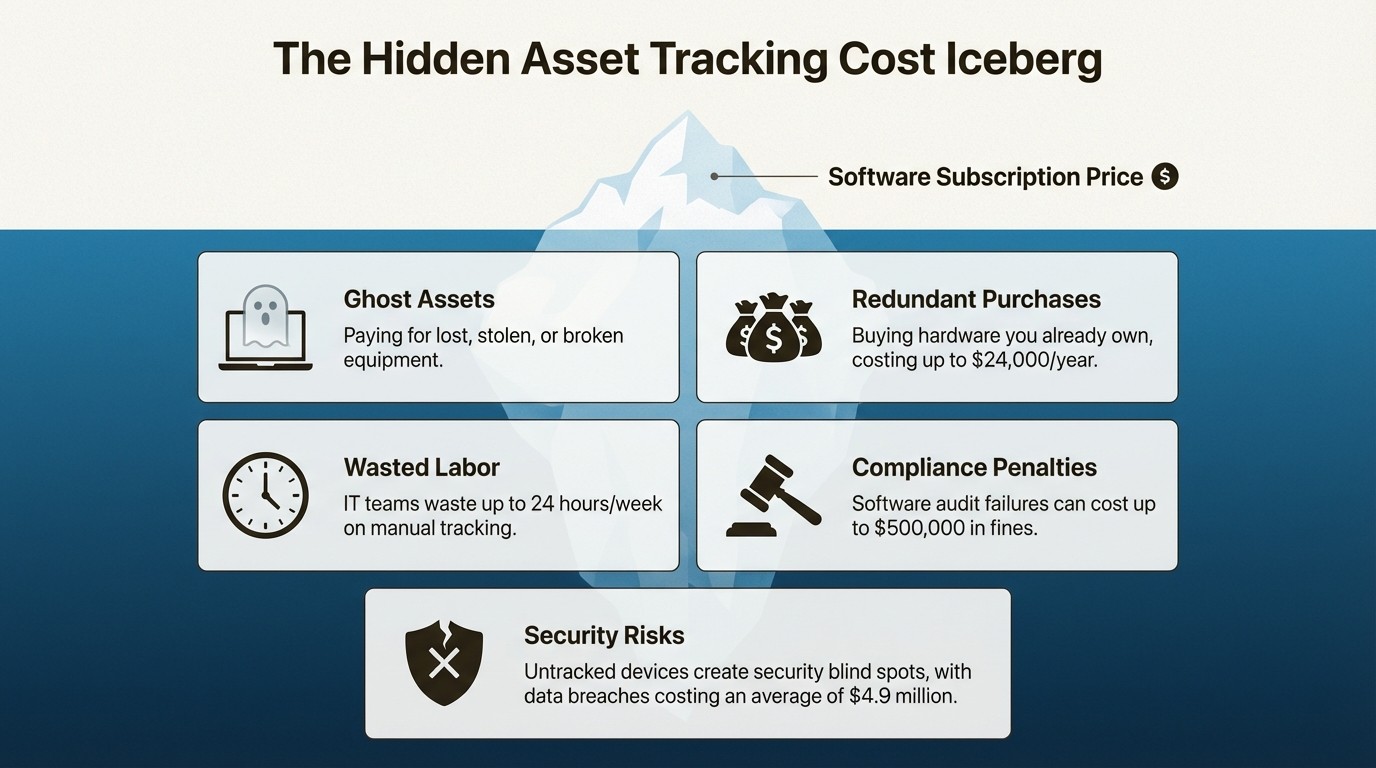
Here is a look at the hidden costs that can impact your budget:
Ghost Assets: These are the phantoms of your inventory. They show up on your books but are actually lost, stolen, or broken. You might still be paying insurance, taxes, or even support contracts for this non-existent equipment. It is like paying rent for an apartment you cannot live in.
Redundant Purchases: Your team needs five new laptops for new hires. Do you have any in a storage closet? Who knows. It is easier to just buy new ones. But buying just five extra laptops a quarter at $1,200 each adds up to a staggering $24,000 per year in completely avoidable spending.
Wasted Labor: Your IT staff's time is valuable, but how much of it is spent on low-value, manual tasks? Some teams waste up to 24 hours a week just hunting for equipment or manually piecing together inventory reports. That is more than half of a full-time position spent on work that could be automated.
Compliance Penalties: Failing a software audit can be a direct and significant cost. Non-compliance can lead to penalties of up to $500,000. Even government agencies are not immune; NASA reported $20 million in software fines over five years because of poor asset management.
Security Risks: An unmanaged device is a security blind spot that can be exploited. With the global average cost of a data breach hitting $4.9 million, a single untracked laptop with a former employee is both a lost asset and a massive liability.
How integrated asset management in Jira helps control costs
The solution is to create a single source of truth that connects your asset data to your team's actual work. For teams that use Jira for service management, a native tool like Asset Management for Jira can be beneficial. It reduces the need for application switching and places crucial data within the team's primary workspace.
Here is how it helps you get those hidden costs under control.
Gain complete asset visibility
You cannot manage what you cannot see. When your inventory is a mystery, you have no way of knowing what equipment is available, which leads you to buy things you already have.
A centralized, real-time inventory gives you a complete picture of all your hardware, software, and accessories. By integrating with tools your team already uses like Microsoft Intune, Jamf, and Kandji, Asset Management for Jira keeps your inventory in sync automatically. This reduces the need for manual updates.
The result is that before a manager clicks "approve" on a new purchase request, they can do a quick 30-second search to find and reassign available equipment. This one simple step helps companies slash redundant purchases, saving a typical company around $42,000 a year.
Achieve continuous software license compliance
Software audits can be challenging, and the penalties for non-compliance are significant. Without a clear, active way to track your licenses, it is almost impossible to prove you own the rights to all the software installed on your network.
You need a way to actively manage your software licenses by tracking what you own, monitoring who is using it, and finding unused seats that are costing you money. Asset Management for Jira has dedicated license management features that create a clear, audit-ready trail of all your software.
Instead of panicking and spending weeks digging through old invoices, you can generate a complete compliance report in minutes. This proactive approach helps companies avoid an average of $347,000 per audit in fines and legal fees.
Implement proactive lifecycle management
Replacing equipment only when it breaks can lead to expensive emergency orders, frustrating downtime for your team, and a budget that is impossible to predict.
By linking assets directly to Jira tickets, you can use data to manage the entire asset lifecycle, from the day you buy it to the day you retire it. You can track repair histories, monitor performance, and get automatic alerts for things like expiring warranties.
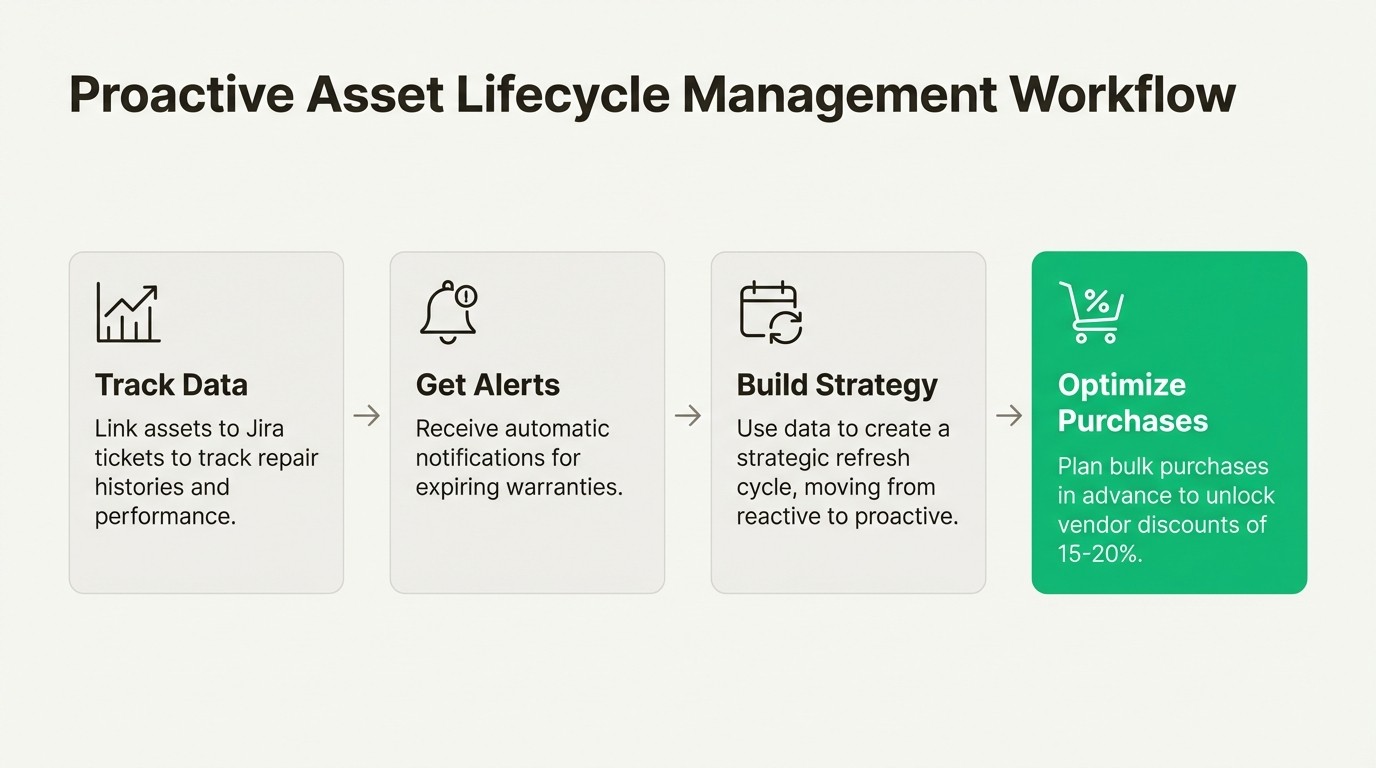
This data allows you to build a strategic refresh cycle. You can plan for bulk purchases ahead of time, which can unlock vendor discounts of 15-20%. You can shift from reactive firefighting to proactive, data-driven planning.
Accelerate IT support and reduce downtime
Support agents can spend a significant amount of time, sometimes up to 45 minutes per ticket, just gathering basic device information from users before they can even start to solve the problem.
When a user's assets are automatically linked to their Jira tickets, the support agent can instantly see the device's model, configuration, repair history, and warranty status without ever leaving Jira.
This immediate context lets teams resolve tickets 34% faster. The time spent gathering information is reduced by 96%, from 45 minutes down to just two. That frees up your support team to solve more problems and deliver a better experience.
The measurable ROI of controlling asset tracking cost
Putting a solid asset management strategy in place inside Jira is not just about being more organized; it delivers real, measurable results that directly impact your bottom line. For a typical 500-employee company, the savings add up incredibly fast.
Cost Reduction Area | Annual Savings |
|---|---|
License Optimization | $58,000 |
Redundant Purchase Elimination | $42,000 |
IT Support Efficiency | $143,000 |
Asset Tracking Time Savings | $63,000 |
Equipment Loss Reduction | $129,000 |
Total Addressable Savings | $475,000+ |
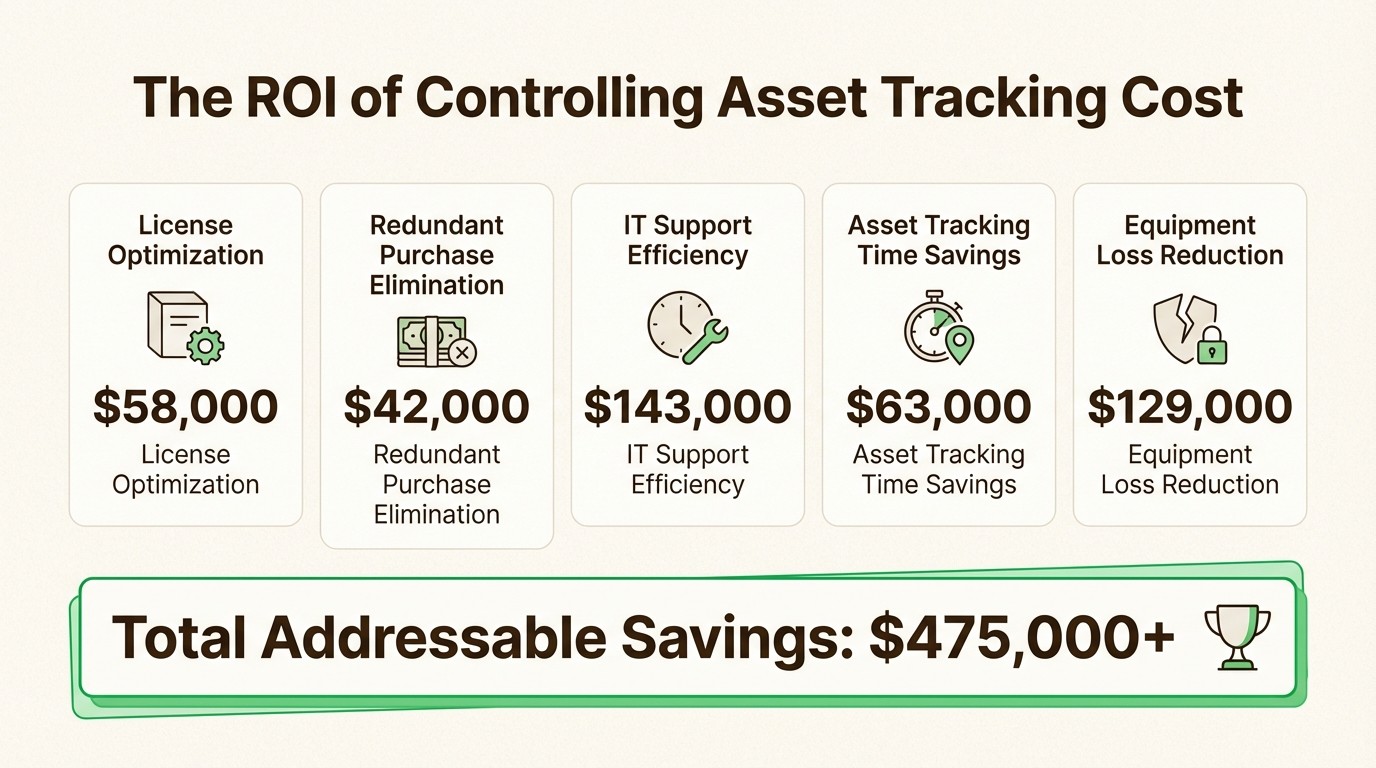
Beyond these direct savings, getting control of your assets completely transforms your budget planning. It goes from an estimation-based process to a straightforward, data-driven exercise. This typically tightens up budget variance from a chaotic ±25-35% down to a much more manageable ±5-8%.
Practical applications: Common IT scenarios
Let's look at how this works in a few everyday situations where those hidden costs often appear.
Scenario 1: The surprise software audit
Without Asset Management: The IT team may scramble for weeks trying to find old purchase orders and manually count software installations. They inevitably miss things, leading to fines.
With Asset Management for Jira: You can generate a complete, audit-ready compliance report in a few minutes and confidently prove you have the right licenses for every installation.
Scenario 2: Onboarding a new team
Without Asset Management: You assume you need to buy all new equipment. You place expensive rush orders to get everything on time, probably buying hardware that is already sitting in a storage closet.
With Asset Management for Jira: You check your real-time inventory. You find available laptops and monitors you can redeploy, then make a single, planned purchase for what is left, maybe even getting a bulk discount.
Scenario 3: Employee offboarding
Without Asset Management: A departing employee's laptop can be forgotten. If it is never returned, it becomes a total loss and a security risk.
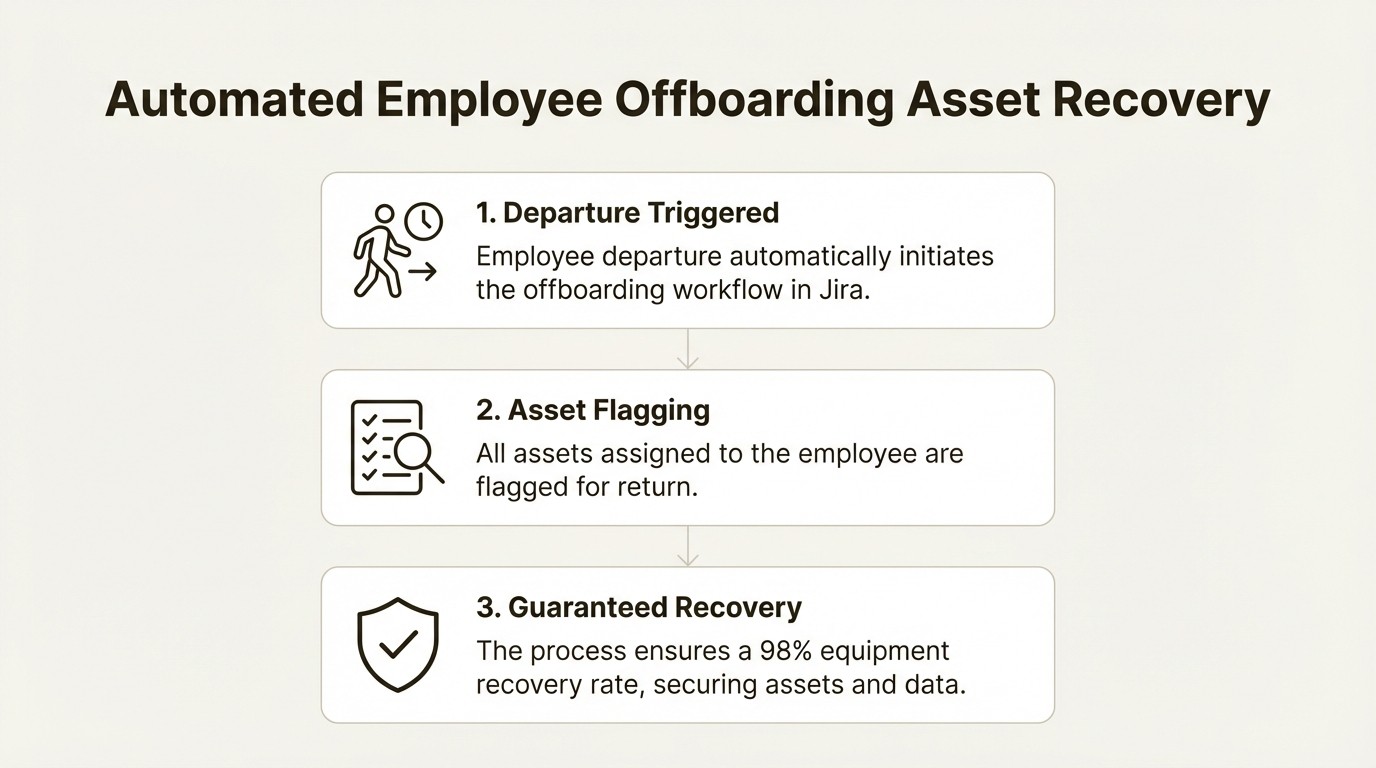
With Asset Management for Jira: An automated offboarding workflow flags all assigned assets for return. This simple process helps you achieve a 98% equipment recovery rate and keeps company data safe.
Your next steps to control asset tracking cost
True control over your asset tracking cost is not about finding the lowest-priced tool on the market. It is about eliminating the hidden costs of inefficiency, waste, and risk that are impacting your budget. Visibility is key, and the an effective way to get it is by integrating your asset data directly into your team's core workflows.
Visualizing how these concepts come together can provide even more clarity. The following video explores how effective asset tracking and cost management work in practice, highlighting the key to improving efficiency and reducing expenses.
If your team uses Jira, managing your assets there is a direct path to controlling costs. It helps stop hidden expenses from draining your budget and provides a clearer view of your IT spending.
Start a free trial of Asset Management for Jira
Frequently Asked Questions
Q1: How can integrating asset management into Jira lower my overall asset tracking cost?
A1: By centralizing your asset data within Jira, you eliminate wasted time searching for equipment, prevent buying things you already own, and automate manual tasks. This directly reduces the labor and redundant purchase components of your total asset tracking cost.
Q2: What are the biggest hidden factors that inflate the asset tracking cost for most companies?
A2: The biggest hidden factors are "ghost assets" (lost or broken gear still on the books), redundant purchases, wasted IT labor on manual tracking, and hefty fines from software audits. These often dwarf the price of the tracking software itself.
Q3: Does the initial software price reflect the true asset tracking cost?
A3: Not at all. The software subscription is just the tip of the iceberg. The true asset tracking cost includes all the operational waste from not having a good system, like lost productivity, security risks, and compliance penalties.
Q4: How does proactive lifecycle management help control the asset tracking cost?
A4: Instead of reacting when things break (which is expensive), proactive management lets you plan for replacements, buy in bulk for discounts, and track repair histories. This data-driven approach significantly lowers the maintenance and replacement part of your asset tracking cost.
Q5: Can a tool like Asset Management for Jira really impact my asset tracking cost if I have a small team?
A5: Absolutely. Even for small teams, the time saved from manual tracking and the money saved by avoiding just one or two redundant laptop purchases can deliver a positive ROI. It helps control your asset tracking cost regardless of company size.



