A Practical Guide to IT Inventory Management Software in 2026
Ditch the spreadsheet. Our 2026 guide to IT inventory management software covers key features, benefits, and how to choose the right tool for your team.

Colin Reed
IT Expert and Content Writer
Last Updated

Tracking company assets in a spreadsheet can be challenging. It can be difficult to maintain accurate records when managing multiple versions of a file, leading to potential data conflicts. This approach can result in misplaced equipment, unexpected audit fees, and wasted time locating assets.
This guide explains the function of IT inventory management software, its importance for modern teams, and key features to consider when selecting a tool. The right software helps centralize asset information and integrates with a team's existing workflow. For teams that use Jira, a native tool like Asset Management for Jira can help keep all asset information in one place.
What is IT inventory management software?
At its core, IT inventory management software is a central system for tracking a company's technology assets throughout their lifecycle, from procurement to disposal. It provides a single source of information to answer questions such as:
What assets does the company own?
Where is a specific asset located?
Who is the current user?
What is the warranty status?
This method differs from spreadsheets, which require manual updates and can be prone to human error. Spreadsheets lack automation and can be difficult to manage as employees join, leave, and exchange equipment. This visual comparison highlights the key differences.
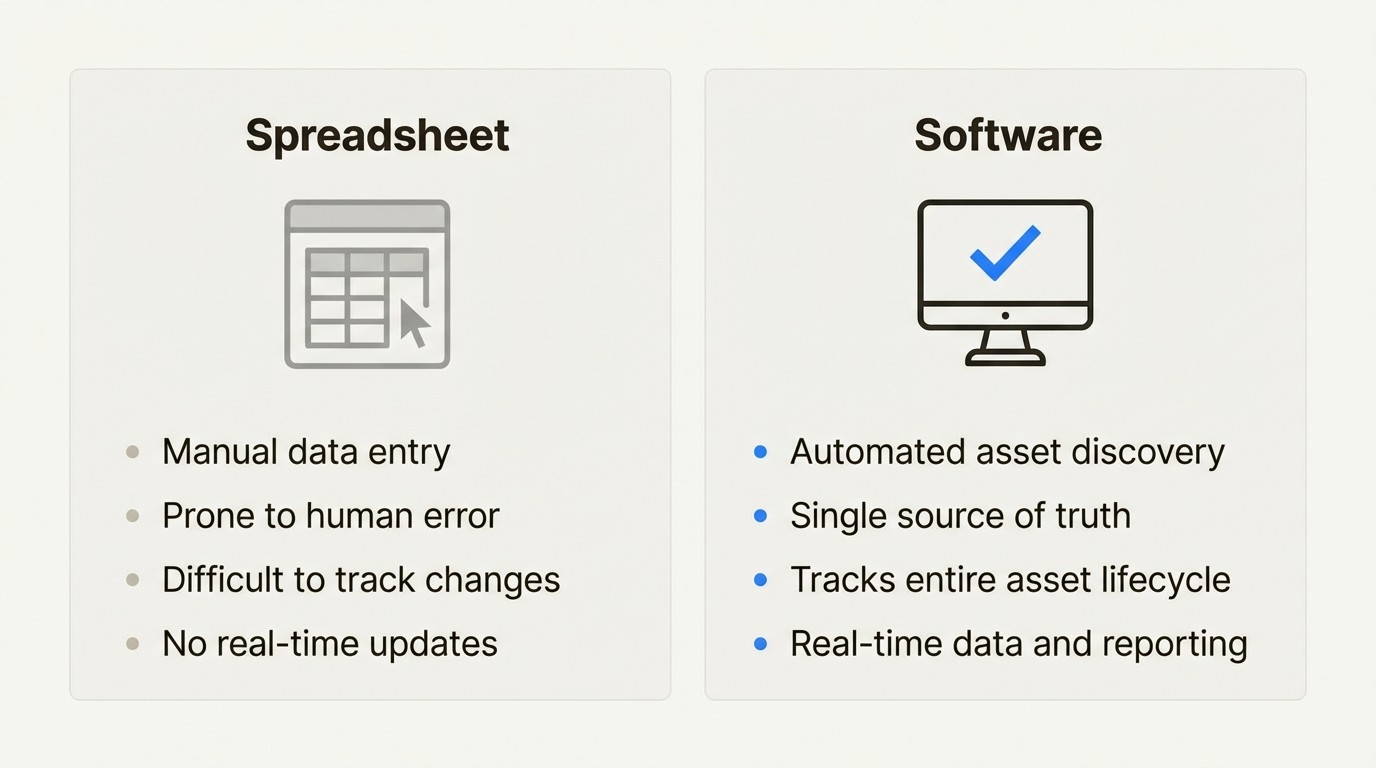
Another related term is IT Asset Management (ITAM). While inventory management focuses on the operational tracking of physical and digital assets, ITAM has a broader scope that includes financial and contractual aspects. Many modern inventory tools incorporate ITAM functionalities to provide a complete view of the asset landscape.
Core components of effective IT inventory management software
A capable tool does more than list assets; it automates routine tasks and provides insights that can help manage costs. Here are some features to look for.
Automated asset discovery
Manually entering asset details is time-consuming and can lead to errors. Effective software automates asset discovery to build and maintain an accurate, real-time inventory. Common methods include:
Agent-based scanning: A small software agent installed on devices reports hardware specifications, installed software, and other details.
Network scanning: The tool scans the network to find and identify connected devices without an agent, such as printers, servers, and switches.
Integrations: The software connects with other IT systems, such as Mobile Device Management (MDM) platforms or Identity Providers (IdP), to sync asset and user data automatically.
For example, solutions like Asset Management for Jira maintain up-to-date device information by integrating with MDM tools like Microsoft Intune, Jamf Pro, and Kandji. This automated approach can significantly reduce manual data entry.
Centralized inventory and lifecycle management
The objective is to establish a single source of truth for all asset information. When teams across departments, from the help desk to finance, access the same accurate data, operations can become more efficient. This is where lifecycle management is important. It involves tracking an asset through its entire journey:
Procurement: The purchase of the asset.
Deployment: Assigning the asset to a user.
Maintenance: Any repairs or updates performed.
Retirement: The secure disposal or recycling of the asset.
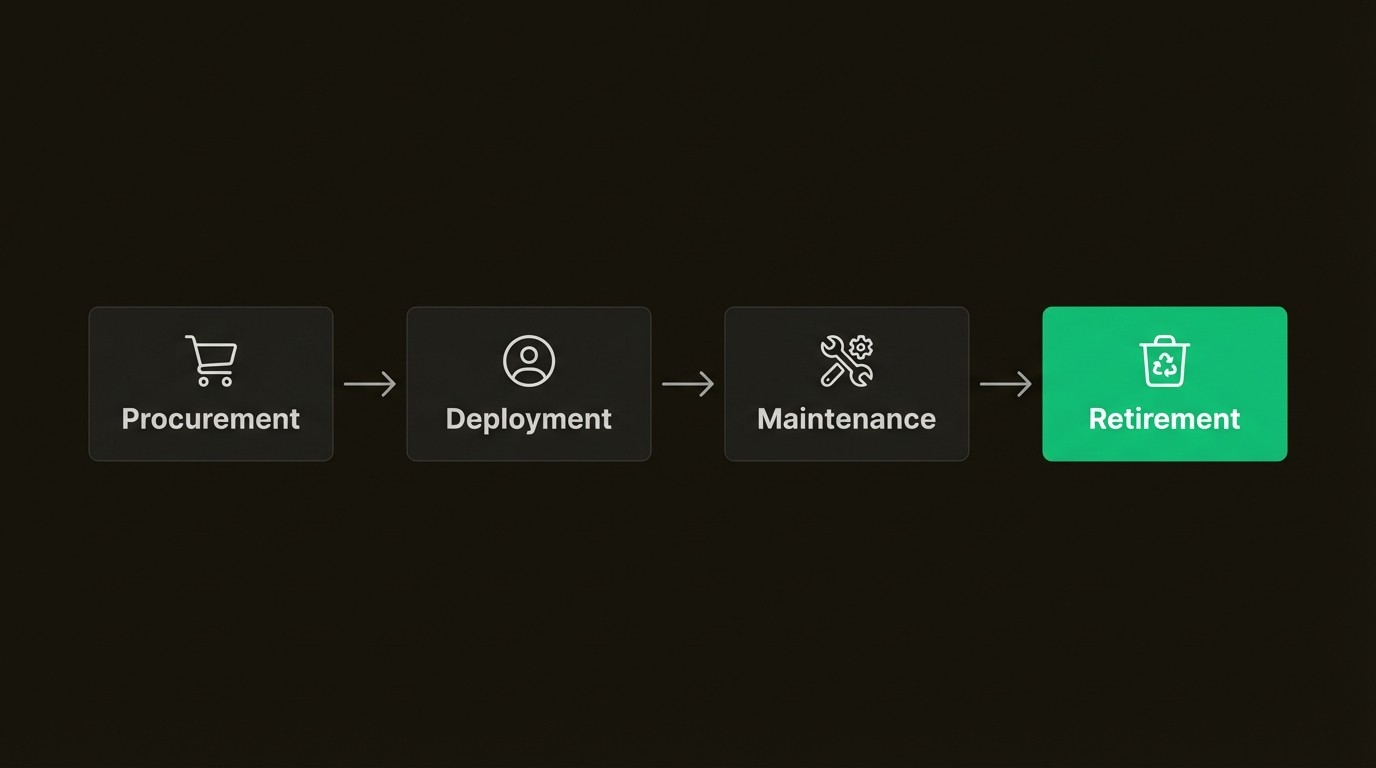
Tracking the full lifecycle helps with replacement planning, understanding the total cost of ownership, and ensuring data is securely wiped from old devices. This allows for a more proactive approach to asset management.
Software license management and compliance
Software audits are a common concern for IT departments. Vendors perform audits to verify that an organization's software usage complies with its licensing agreements. Non-compliance can result in significant penalties.
An inventory tool helps manage this by:
Creating a central repository for all purchased software licenses.
Tracking the number of installed licenses against the number owned.
Sending alerts for upcoming license expirations or renewals.
Maintaining compliance readiness can save organizations time and help prevent penalties. According to some reports, these penalties can average over $347,000 per audit.
How IT inventory management software improves IT support
Accurate asset information can help IT departments operate more efficiently and cost-effectively.
Faster ticket resolution
Consider a common support scenario where a user reports a slow laptop. A support agent might spend the initial part of the conversation gathering basic information like the device model, serial number, and OS version.
With an integrated system, this process can be streamlined. A support tool built into a service desk like Jira can display a user's assigned assets directly within a support ticket. The agent can immediately see the laptop's age, specifications, warranty status, and repair history.
This immediate access to context can lead to a 34% faster ticket resolution on average. It can also reduce the time spent gathering basic device information by up to 96%. For teams using Jira, an integrated solution like Asset Management for Jira provides this functionality within the Jira environment.
Reduced equipment loss
Lost equipment is a common issue, particularly with hybrid work models and employee turnover. A device is assigned, an employee departs, and the asset is not returned.
IT inventory software addresses this with features like clear asset assignments, a check-in/check-out system for loaner equipment, and automated offboarding checklists. Companies implementing these systems report an average 60% reduction in lost equipment and can increase their recovery rate from departing employees to 98%.
Optimized IT spending
Organizations may purchase new equipment when suitable assets are already available but un-tracked. Without a clear view of existing inventory, redundant purchases can occur.
With a real-time inventory, this can be avoided. Before approving a purchase request, a manager can search the inventory for available assets for redeployment. An unused device might be in storage or assigned to a contractor whose project has ended.
This practice of checking inventory first can contribute to an overall IT cost reduction of 20-35%. For a typical mid-sized company, this can translate to savings of over $250,000 annually.
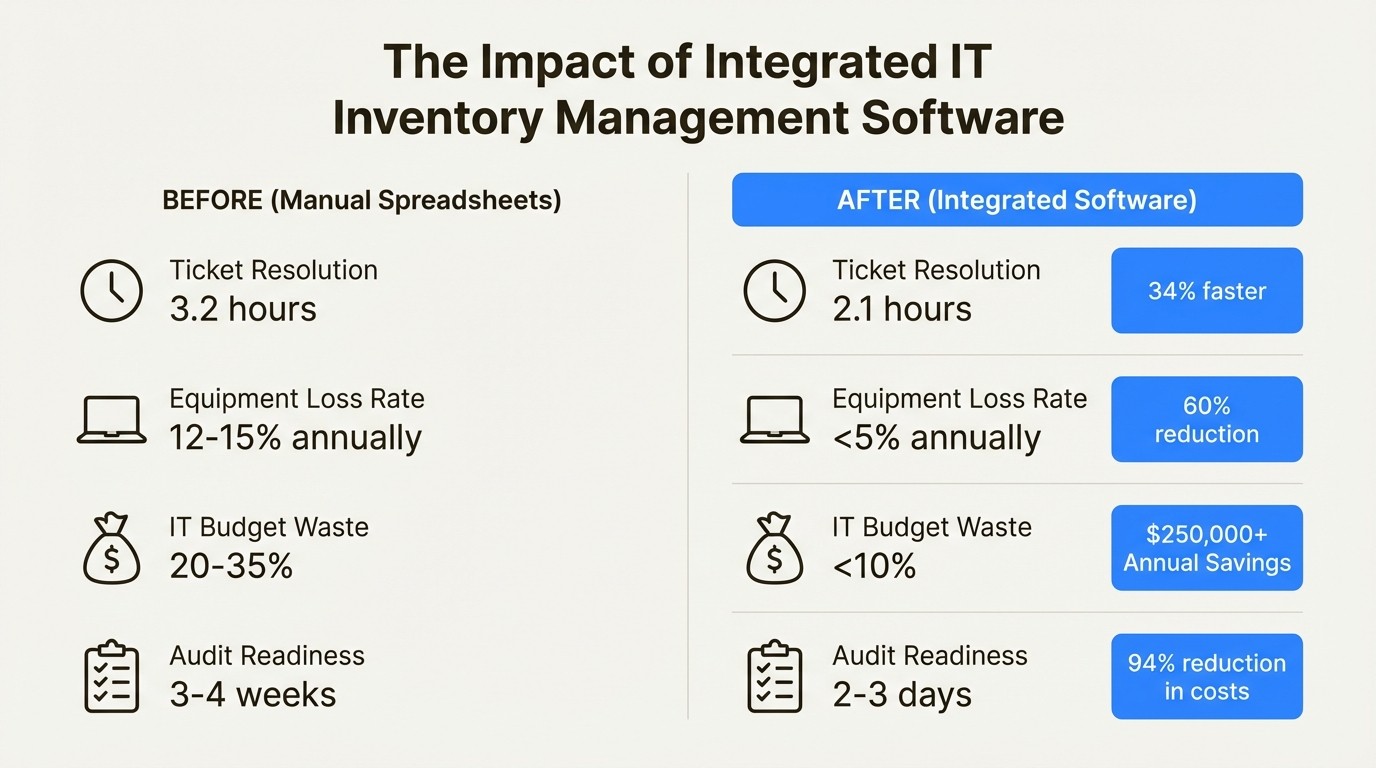
Here’s a quick look at how things can change:
Metric | Before (Spreadsheets) | After (Integrated Software) | Impact |
|---|---|---|---|
Ticket Resolution | 3.2 hours (avg) | 2.1 hours (avg) | 34% faster |
Equipment Loss Rate | 12-15% annually | <5% annually | 60% reduction in lost assets |
IT Budget Waste | 20-35% of total budget | <10% of total budget | $250,000+ average annual savings |
Audit Readiness | 3-4 weeks of manual work | 2-3 days of report generation | 94% reduction in audit costs |
How to choose IT inventory management software
With many options available, here are a few key factors to consider when selecting a tool.
Integration capabilities
A tool is most effective when it is adopted by the team. If a team primarily uses a platform like Jira for service requests and project tracking, requiring them to switch to a separate asset tool can add steps to their workflow. This can create friction and may impact data consistency.
For this reason, a native solution is often a practical choice. For teams on Jira, a tool like Asset Management for Jira functions as part of the Jira platform itself. Users can manage assets, link them to tickets, and run reports using familiar Jira Query Language (JQL) without leaving their primary workspace. This provides a different user experience compared to tools that sync data from an external platform.
Ease of use
IT inventory tools vary in complexity. Some systems, like Atlassian's Assets feature included with Jira Service Management Premium, are comprehensive Configuration Management Databases (CMDBs). They offer powerful features but may require significant upfront configuration, schema development, and training.
Other tools are designed for a more streamlined setup. For example, a solution like Asset Management for Jira is designed to help teams get started quickly. Users can import existing assets via a CSV file or connect an MDM tool to build an inventory rapidly. As the IT Director at Drips noted, users appreciate its "lightweight nature, customization capabilities, and fast time to value."
A comparison of popular software options
Here is a brief comparison of a few popular tools in the market.
Feature | Asset Management for Jira | |||
|---|---|---|---|---|
Best For | Teams seeking native Jira integration and ease of use. | Budget-conscious teams with technical expertise for self-hosting. | Organizations needing deep, agentless network discovery. | Enterprises needing a full-fledged CMDB inside Jira. |
Jira Integration | Native; uses custom fields, JQL, and automation. | Via a third-party Marketplace app; not native. | Syncs data into JSM Assets via an app; requires JSM Premium. | Native; included in Premium/Enterprise plans. |
Setup Complexity | Quick setup with CSV import or MDM sync. | Requires server setup and maintenance for self-hosted version. | Requires network and integration configuration. | Requires object schema and workflow configuration. |
Pricing Model | Tiered per user; starts at $10/month. | Free (self-hosted) or paid cloud plans from $39.99/month. | Per asset; Starter plan is $199/month. | Bundled with JSM Premium plans (starting at $51.42/agent/month). |
For a more detailed look at some of the top tools available, this video breaks down four popular inventory management software options that can help your business stay organized and efficient.
This video review breaks down four of the top IT inventory management software options to help you choose the best solution for your business.
Moving beyond spreadsheets
Transitioning from manual inventory tracking is a key step for a modern IT department. The right IT inventory management software provides the visibility needed for efficiency, the automation to save time, and the data to make informed financial decisions. It helps move from a static spreadsheet to a dynamic, single source of truth for all technology assets.
The most suitable tool is one that fits into a team’s daily workflow. If a team already manages IT services in Jira, a logical step is to bring asset management inside Jira as well.
Ready to see the difference for yourself? You can see how Asset Management for Jira works and streamline your operations with a free 30-day trial.
Frequently Asked Questions
Q1: What is the main benefit of using dedicated IT inventory management software over a spreadsheet?
A1: The primary benefit is automation. The software automatically discovers and tracks your assets, which reduces human error and saves hours of manual data entry. It also provides a real-time, single source of truth that a spreadsheet cannot easily match.
Q2: How does IT inventory management software help with security?
A2: It helps by tracking the entire lifecycle of an asset. You know who has what device, and when it's time to retire an asset, the software can enforce offboarding checklists to ensure data is securely wiped. It also helps track software versions to ensure systems are patched against vulnerabilities.
Q3: Can small businesses benefit from IT inventory management software?
A3: Yes. Even small teams can lose track of laptops, monitors, and software licenses. The right software helps prevent redundant purchases, reduces equipment loss, and prepares the business for growth. Many tools, like Asset Management for Jira, offer affordable plans that scale with your team.
Q4: What should I look for when choosing IT inventory management software for a team that uses Jira?
A4: Look for a native solution. A tool that operates inside Jira, rather than just syncing with it, will offer a smoother user experience. This allows your team to link assets directly to tickets and use familiar JQL queries without leaving their main workspace.
Q5: How long does it typically take to implement IT inventory management software?
A5: It varies by system. Complex systems can take weeks or months to implement. However, more user-friendly tools can be operational within a day. Solutions that allow you to import assets via a CSV file or sync with existing device management tools offer the fastest implementation time.
Q6: Does IT inventory management software track software licenses too?
A6: Yes, that is a key feature. It centralizes all your license information, tracks installations against purchases, and provides alerts for renewals. This helps your organization stay compliant and avoid potential fines during a software audit.



