Asset Tiger: An in-depth overview
An in-depth overview of Asset Tiger, covering its key features, usability, integrations, and pricing to see if this free asset management tool is right for you.

Colin Reed
IT Expert and Content Writer
Last Updated
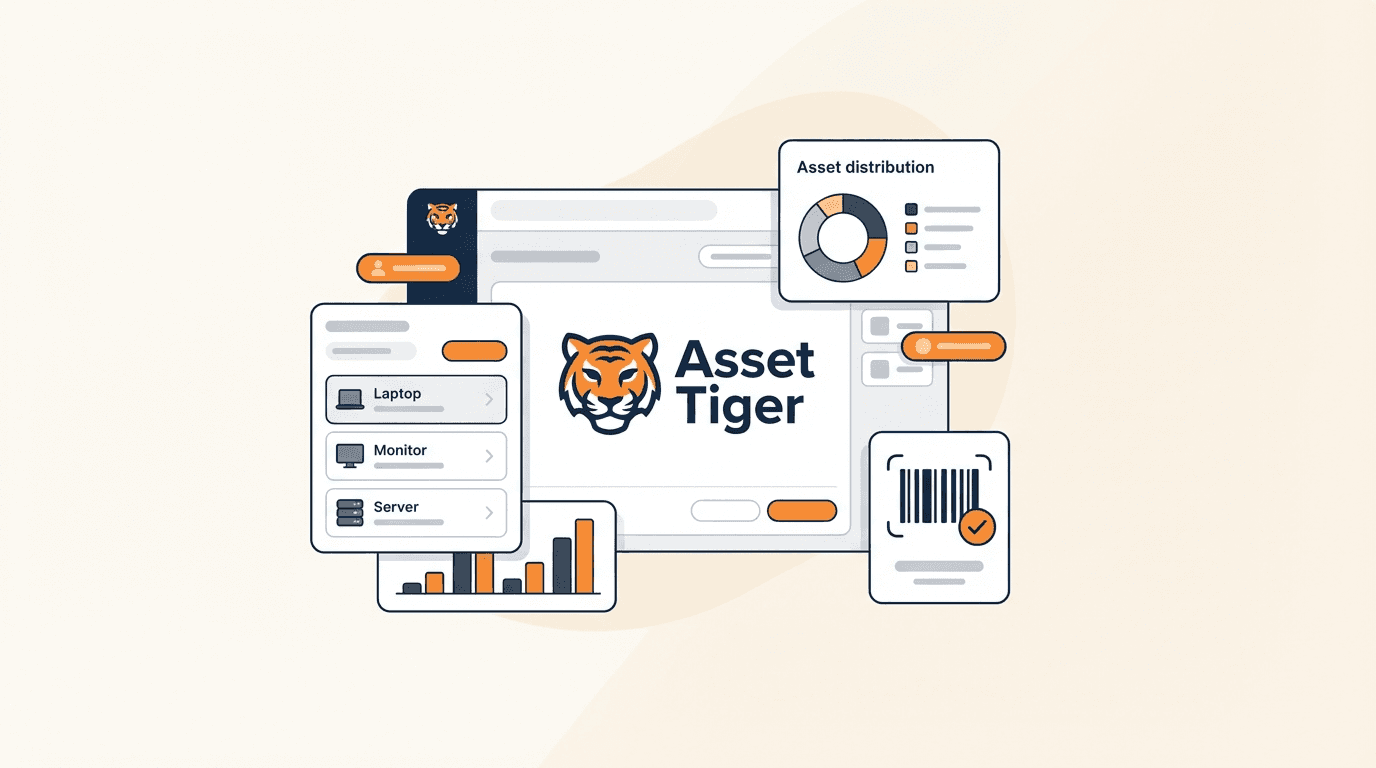
Moving from managing assets with spreadsheets to a dedicated asset management system is a significant step. It can seem like a large project, but the result can make daily operations easier. If you're at that point, you've probably come across Asset Tiger. It's a popular, budget-friendly tool that many small and mid-sized organizations consider for their first asset tracking setup.
It’s a straightforward tool with a competitive price point, including a free starting tier. But is it the right tool for your team, especially if you're in IT or support and work primarily within Jira?
That’s what we’re here to unpack. This article will give you a detailed look at Asset Tiger’s features, pricing, and its limitations for certain use cases. We’ll examine what it does well and where it may not meet the needs of teams requiring integrated tools that communicate with each other.
What is Asset Tiger?
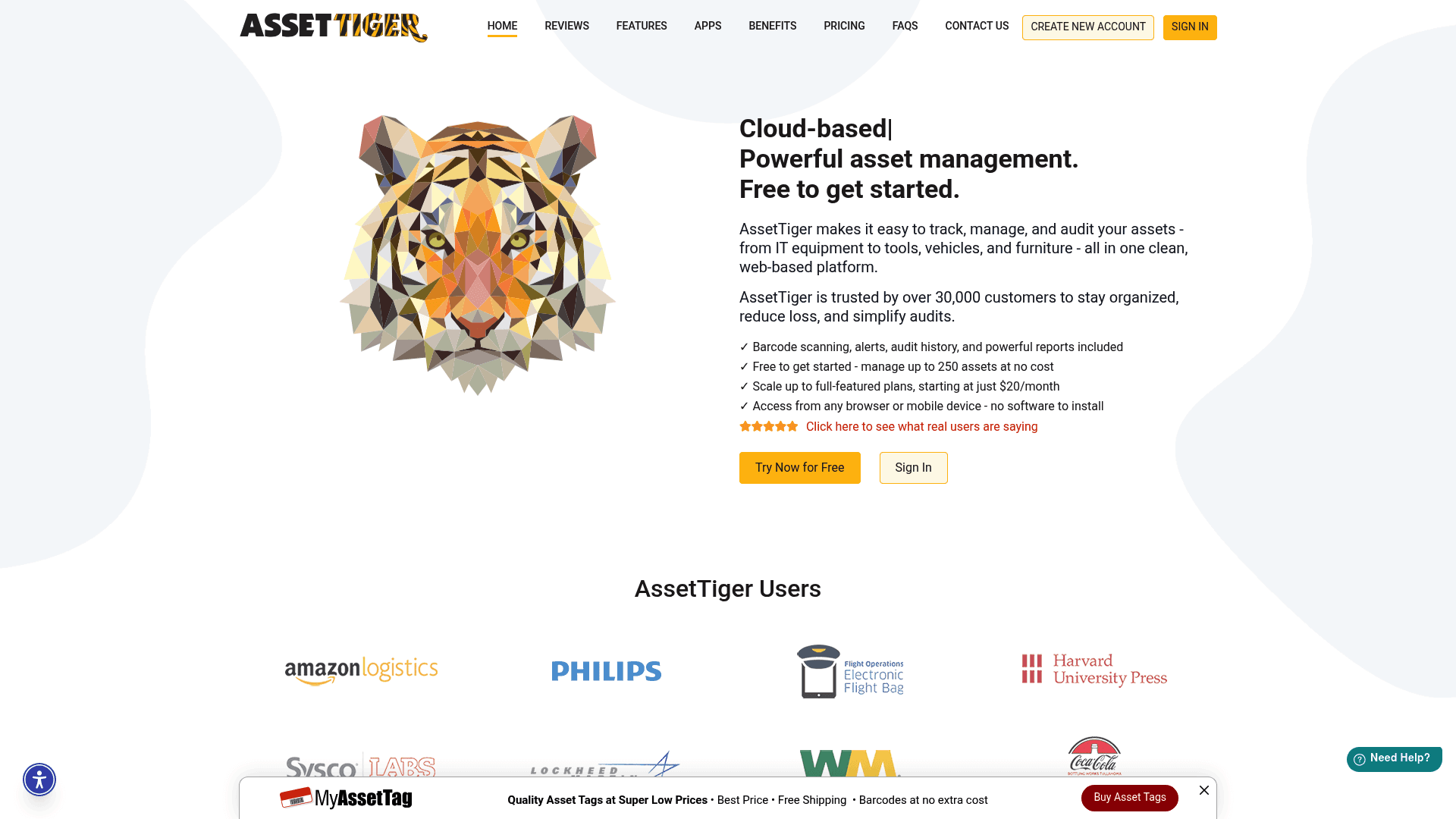
Asset Tiger is a cloud-based tool built to help organizations keep tabs on their physical items, such as IT gear, company cars, office furniture, and tools. It's a product from MyAssetTag.com, a major online seller of asset tags, and it functions as a complementary offering to their main business.
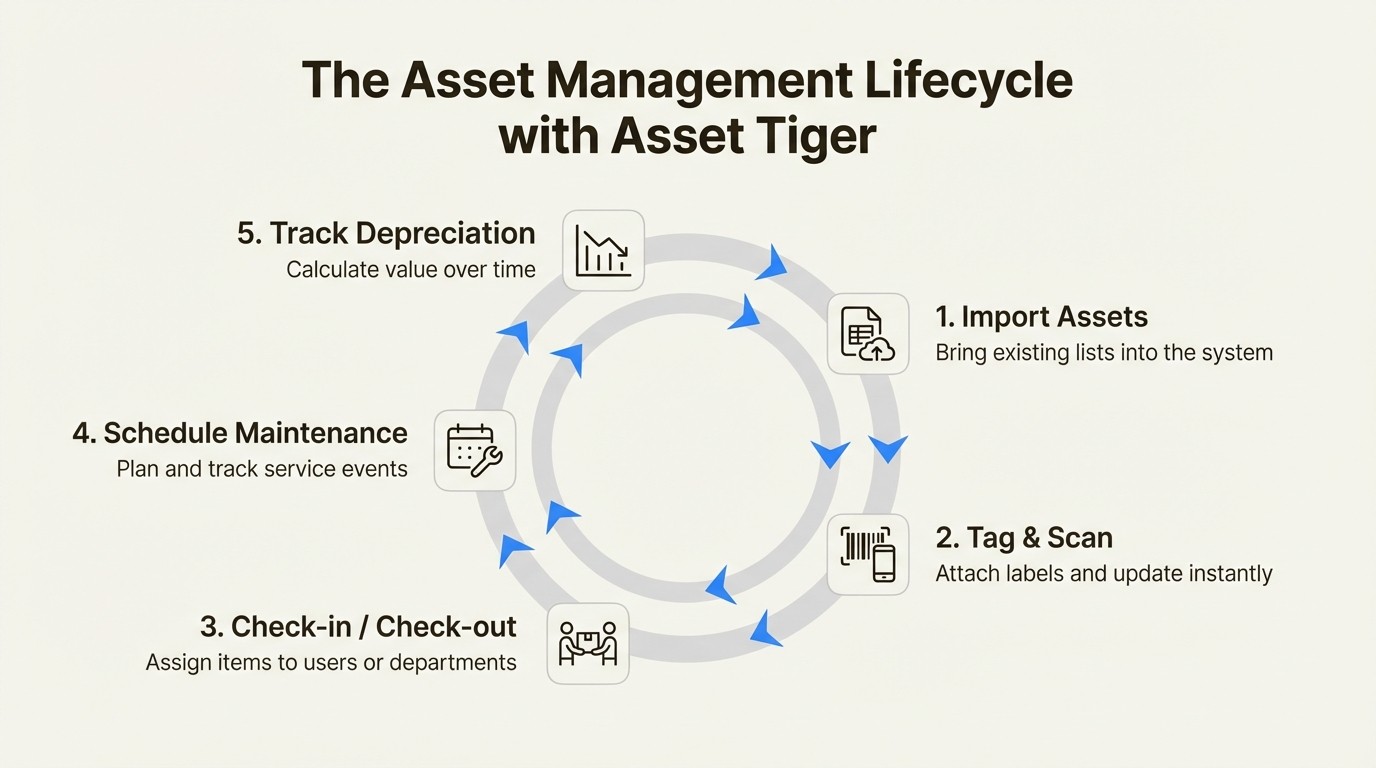
Its core function is to be a central database for everything your company owns. You can import your existing asset lists from a spreadsheet, add new items as they are acquired, and use a mobile app to scan barcodes for updates. It helps you see who has what, schedule maintenance, and calculate depreciation.
A key feature, and one reason it gets mentioned in user reviews, is its free plan. You can track up to 250 assets without payment, which is a useful starting point for any small business or non-profit looking to move beyond spreadsheets without an upfront investment.
A closer look at Asset Tiger: Key features and usability
Asset Tiger delivers a solid set of features for basic asset tracking. However, a deeper look reveals where a standalone tool can present challenges for teams who need their workflows to be connected.
Asset tracking and management in Asset Tiger
At its core, Asset Tiger provides a complete check-in and check-out system, so you know who has a specific laptop or piece of conference gear. You can schedule maintenance, set up email alerts for expiring contracts or licenses, and let employees reserve assets they need.
The barcode scanning feature, which runs through their mobile app, is useful for making quick updates when you're not at your desk. You can scan a tag on a piece of equipment and instantly see its status or check it out to someone new.
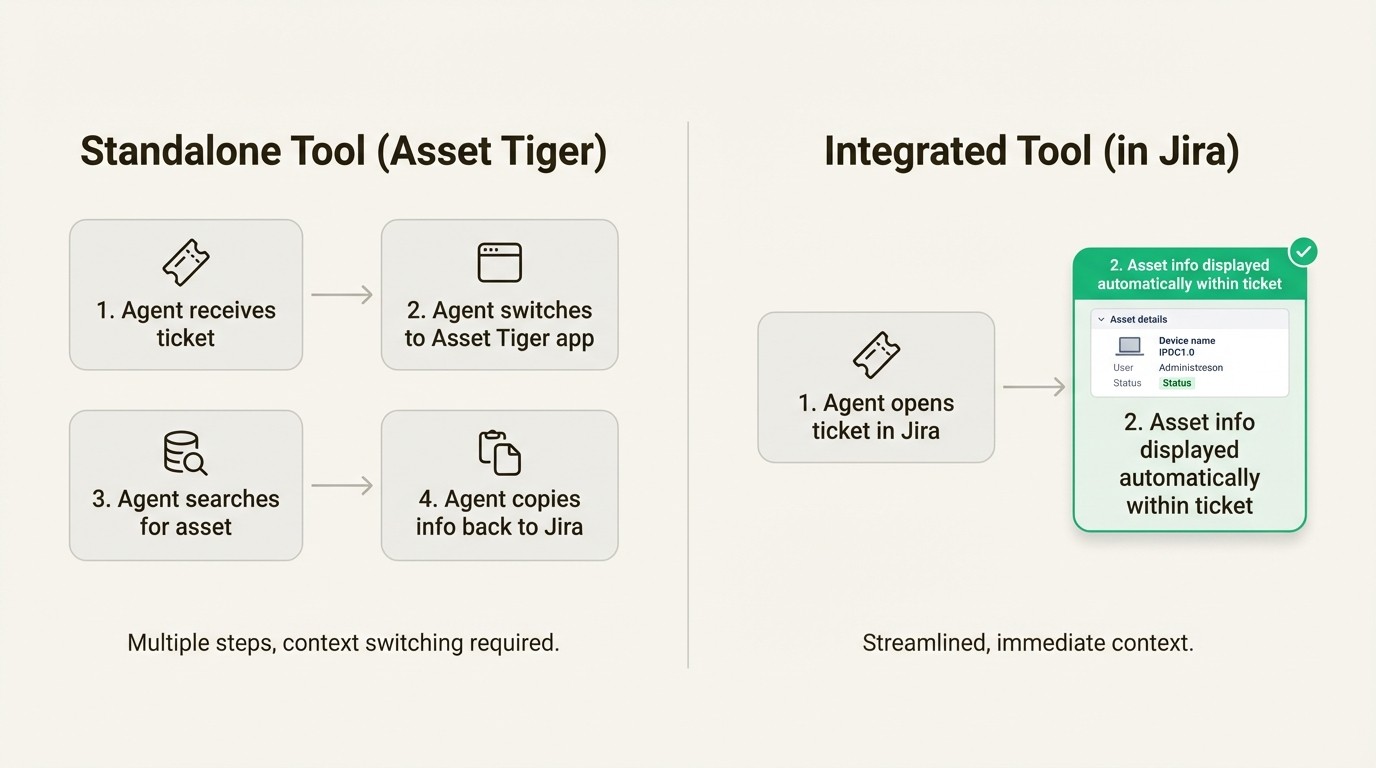
This is where IT teams should consider their workflow. While it tracks who has what, the process operates separately from other IT and support platforms. This standalone approach means a support agent working on a ticket has to switch applications, log into Asset Tiger, and search for the user's device just to get basic info. It's a process that requires switching between applications for every support request. For teams that work primarily in Jira, an integrated solution like Asset Management for Jira links assets directly to support tickets, providing agents with immediate context.
Reporting and customization with Asset Tiger
When it comes to asset reporting, Asset Tiger offers a good amount of flexibility. It comes with a set of predefined reports that cover common needs, like asset status, depreciation schedules, and check-out history. If those aren’t enough, you can build and save your own custom reports to analyze the data as you see fit.
It also allows you to add custom fields to your asset forms. This is a crucial feature for any organization, as it lets you track the specific details that matter to you, whether it’s a particular software build, a purchase order number, or a unique department code.
The Asset Tiger mobile app and user interface
The mobile app, available for both iOS and Android, is a core part of the Asset Tiger experience, especially for teams managing physical inventory. It’s what makes on-the-go barcode scanning and asset updates possible. User reviews on the App Store (3.3 stars) and Google Play (3.8 stars) have received mixed feedback. People find it useful for quick check-outs and field updates, but many also point out some challenges.
Some users report issues such as the app being glitchy or slow, frequent login problems that require solving a CAPTCHA, and historical issues with the camera struggling to focus while scanning barcodes. While the web interface is fine for basic tasks, a challenging mobile experience can be a key factor for teams who need to make frequent updates away from their desks.
Asset Tiger integrations and security considerations
For many IT teams, a tool's value is enhanced by its ability to connect with other systems. An asset management system that plugs into the rest of your IT toolchain can be very useful. This is an area where potential users should evaluate their needs.
Integration capabilities of Asset Tiger
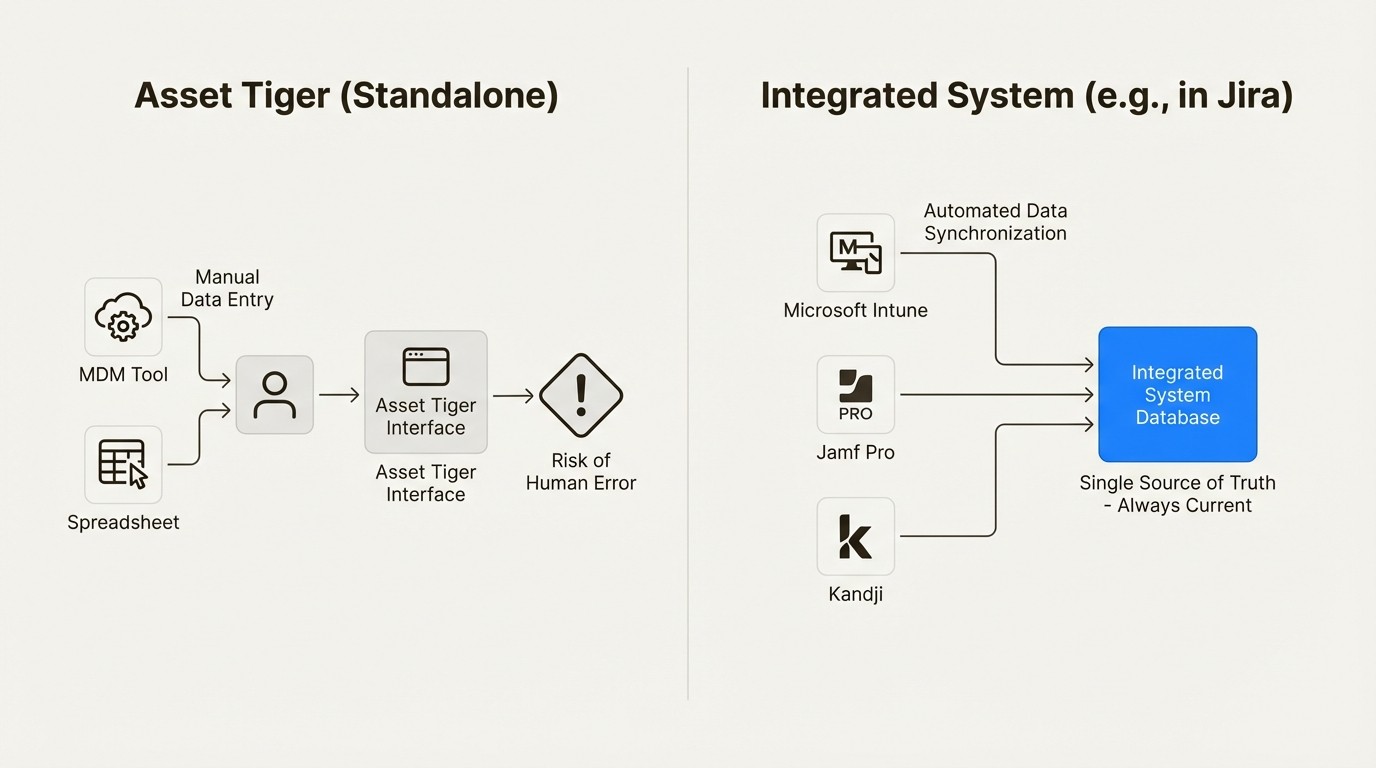
Asset Tiger is designed as a standalone system and does not offer integrations with third-party systems. All asset information must be entered and updated manually from inside the tool itself. There's no API, no webhooks, and no pre-built connectors.
For an IT team, this is a significant consideration. It means that asset data is managed within the platform. You can't automatically sync device information from your Mobile Device Management (MDM) tools, link assets to tickets in your help desk, or automate workflows between systems. This requires manual data entry, which takes time and can increase the chance of human error.
This approach differs from native tools like Asset Management for Jira, which is built to operate inside Jira. It is designed to connect with other tools, syncing devices, users, and assignments from MDMs like Microsoft Intune, Jamf Pro, and Kandji. This creates a single source of truth that stays current without requiring manual updates, ensuring your support team always has accurate information.
Security measures in Asset Tiger
Asset Tiger provides standard security features. It uses SSL encryption to protect data in transit and hosts its services in secure, PCI-compliant data centers. These are solid, essential measures for any cloud service.
However, it does not include some advanced security controls found in other enterprise-level tools. For example, third-party analysis notes that Asset Tiger does not include custom user roles. This means you have to set permissions for each user one by one, instead of assigning them to a predefined role like "Technician" or "Manager." This can become a significant administrative task as your team grows.
By comparison, tools designed for specific ecosystems, like Asset Management for Jira, may offer different security features. For example, its Advanced Edition includes Role-Based Access Controls (RBAC), giving you fine-tuned control over who can see and do what. As an Atlassian Gold Partner, it is also Cloud Fortified and participates in Atlassian's bug bounty program, reflecting security standards for that platform.
Understanding Asset Tiger pricing and plans
Asset Tiger’s pricing is a key aspect of its appeal, especially its free tier. Here’s a full breakdown of their plans.
The Asset Tiger free plan
The free plan is quite generous. It lets you track up to 250 assets with access to all the core features. For a very small business, a startup, or a non-profit just beginning with asset management, this is a useful, risk-free way to get organized.
Asset Tiger paid subscription plans
Once you grow beyond the free plan, Asset Tiger offers a variety of yearly subscriptions based on the number of assets you need to track. A key benefit here is that all paid plans include unlimited users and unlimited cloud storage, which keeps things simple.
It’s also worth mentioning that while Asset Tiger is owned by MyAssetTag.com, you no longer get a free subscription just for buying tags. However, linking a tag purchase can get you a free month of service.
Here are the current plans, according to their official pricing page:
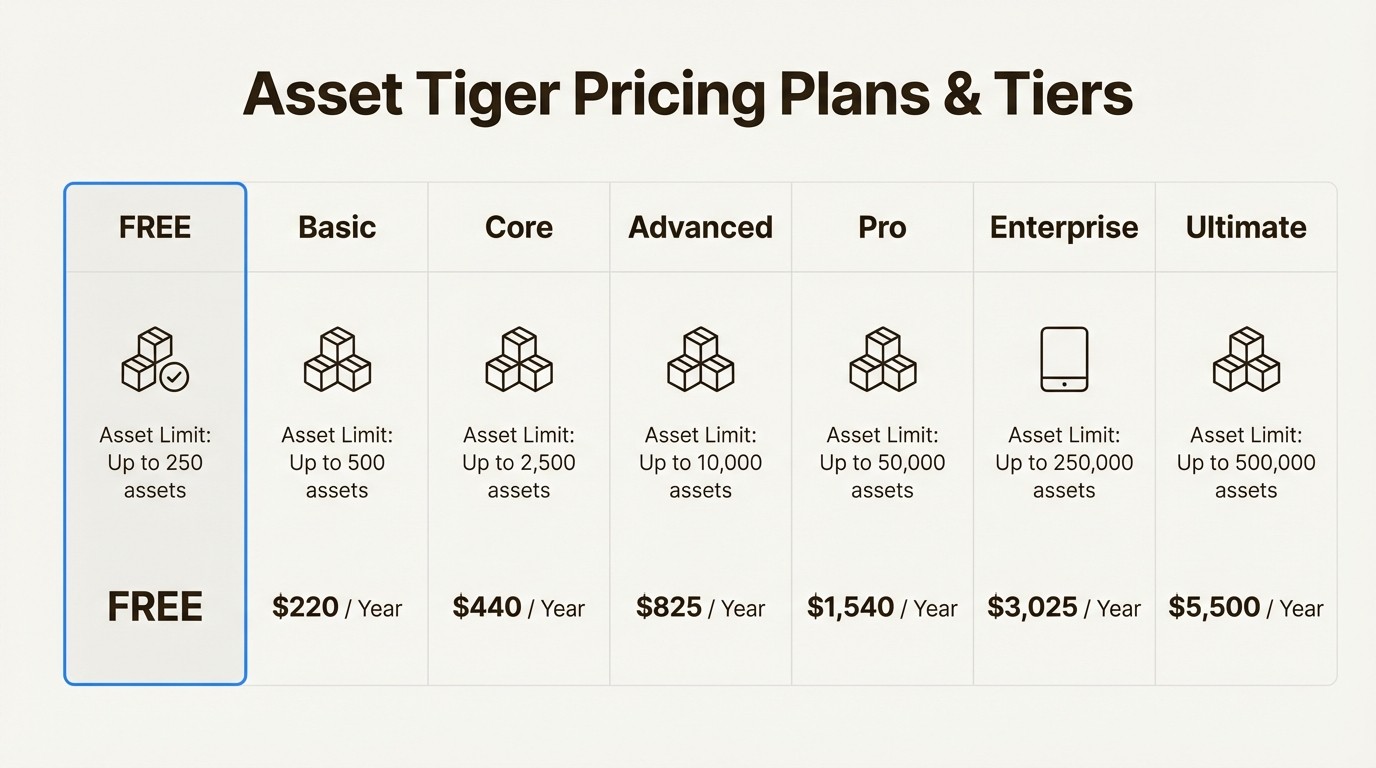
Plan Name | Asset Limit | Subscription Price (Yearly) |
|---|---|---|
Free | Up to 250 assets | FREE |
Basic | Up to 500 assets | $220 / Year |
Core | Up to 2,500 assets | $440 / Year |
Advanced | Up to 10,000 assets | $825 / Year |
Pro | Up to 50,000 assets | $1,540 / Year |
Enterprise | Up to 250,000 assets | $3,025 / Year |
Ultimate | Up to 500,000 assets | $5,500 / Year |
Evaluating the value of Asset Tiger
Based on price alone, Asset Tiger is a very competitive option for simple, standalone asset tracking.
It is also helpful to consider the total cost of ownership, not just the subscription price. A standalone tool can introduce other costs related to time spent switching between applications or correcting manual data entry errors. An integrated tool can offer returns by streamlining workflows and saving IT teams time.
Is Asset Tiger the right tool for your team?
Asset Tiger is a budget-friendly choice for small to mid-sized organizations that need a simple, standalone system to track physical assets. If your team is not heavily reliant on an integrated IT tool stack and just needs a central list of what you own, it’s a great place to start.
However, for IT and support teams, its limitations should be considered. The lack of third-party integrations is a primary factor for teams that require connected systems, as it creates data silos that lead to manual work. The limited security controls, like the absence of role-based access, and the user-reported issues with the mobile app are also important things to weigh.
If your team works in Jira for service requests, incident management, and daily tasks, the manual effort of constantly moving between systems may impact efficiency. The need to switch contexts, manage separate data, and the lack of automated workflows can ultimately slow your team down.
From simple tracking to integrated asset management
Asset Tiger is a solid tool for basic inventory needs. But modern IT teams often need more than just a list of their equipment; they need asset intelligence built directly into their daily workflows.
For teams that want to resolve tickets faster, automate data syncing, and make smarter, data-driven decisions, a native solution is another option to consider. For teams looking for a native Jira solution, Asset Management for Jira is one option that provides these capabilities within the Jira workspace.
For a more in-depth look at how Asset Tiger works in practice, this demonstration video provides a comprehensive walkthrough of the platform. It covers everything from the initial setup and asset import process to daily operations like checking items in and out, helping you visualize how it might fit into your team's routine.
This video demonstration provides a comprehensive walkthrough of the Asset Tiger platform, from initial setup to daily operations.
Frequently asked questions
Q1: What is Asset Tiger best used for?
A1: Asset Tiger is ideal for small to mid-sized organizations that need a simple, standalone system for tracking physical assets like furniture, tools, or a small amount of IT equipment. It's a great starting point if you're moving away from spreadsheets and don't require integration with other IT systems.
Q2: Is Asset Tiger really free?
A2: Yes, Asset Tiger has a free plan that allows you to track up to 250 assets with full features. If your inventory grows beyond that, you'll need to upgrade to one of their paid yearly subscription plans.
Q3: What are the biggest limitations of Asset Tiger for IT teams?
A3: The primary limitation for certain teams is its lack of integrations. Asset Tiger can't connect with help desk software like Jira or device management tools like Microsoft Intune. This creates isolated data, requires a lot of manual entry, and can slow down support workflows.
Q4: Can Asset Tiger integrate with Jira?
A4: No, it cannot. Asset Tiger is a standalone application with no API or pre-built connectors, meaning it can't share data with Jira. This is an important consideration for IT and support teams who rely on Jira for ticketing and operations.
Q5: How does the Asset Tiger mobile app perform?
A5: The mobile app is functional for its main purpose of barcode scanning and on-the-go updates. However, user reviews on both the App Store and Google Play frequently mention issues like glitches, slow performance, login problems, and difficulty with the barcode scanner.
Q6: Is Asset Tiger a good choice for managing software licenses?
A6: You can use Asset Tiger to track basic information like license expiry dates. However, it's not designed for comprehensive software license management. It lacks the features to track installations, monitor compliance, or integrate with device management tools to see what software is actually in use.



