Snipe IT vs Asset Tiger: A no-nonsense comparison
A no-nonsense comparison of Snipe IT vs Asset Tiger for IT leaders. We break down features, pricing, and support to see which is right for you.

Colin Reed
IT Expert and Content Writer
Last Updated

Managing a company's IT assets with a spreadsheet can become a significant challenge. While it may seem manageable at first, spreadsheets can quickly become outdated and difficult to track, leading to uncertainty about asset ownership and audit readiness. This lack of visibility can be costly. Without a clear view of assets, companies may overspend by 20-35% annually on unnecessary hardware and software.
For teams looking to move beyond spreadsheets, Snipe-IT and AssetTiger are often two of the first options considered. They are both popular, well-regarded, and have free starting points, which makes them an appealing first step into proper asset management.
Deciding which tool is right for your team involves more than comparing feature lists; it requires evaluating how each fits into your workflow. This article breaks down which tool is suitable for different types of teams. It also explores what to do when your needs evolve beyond basic inventory, as significant value can be gained when asset data is integrated with the tools you use every day.
What is Snipe-IT?

Snipe-IT is a tool that was built by IT professionals for IT professionals. It’s a free, open-source asset management system that’s been around for over a decade and is supported by a community of more than 330 contributors. It was made with IT in mind.
At its heart, Snipe-IT is all about power and control. It's primarily designed to be self-hosted, which means you install and run it on your own server (usually a LAMP stack). This gives you total command over your data, security, and any customizations, especially if you're comfortable working with its robust JSON REST API.
This makes Snipe-IT a great choice for tech-savvy teams, particularly in organizations with tight budgets but available IT staff to handle the hosting and setup. It's more than a simple inventory list; it has specific modules for things IT teams genuinely care about, like software licenses, consumables, and components. The check-in and check-out system is straightforward and works well for managing who has what hardware.
What is AssetTiger?
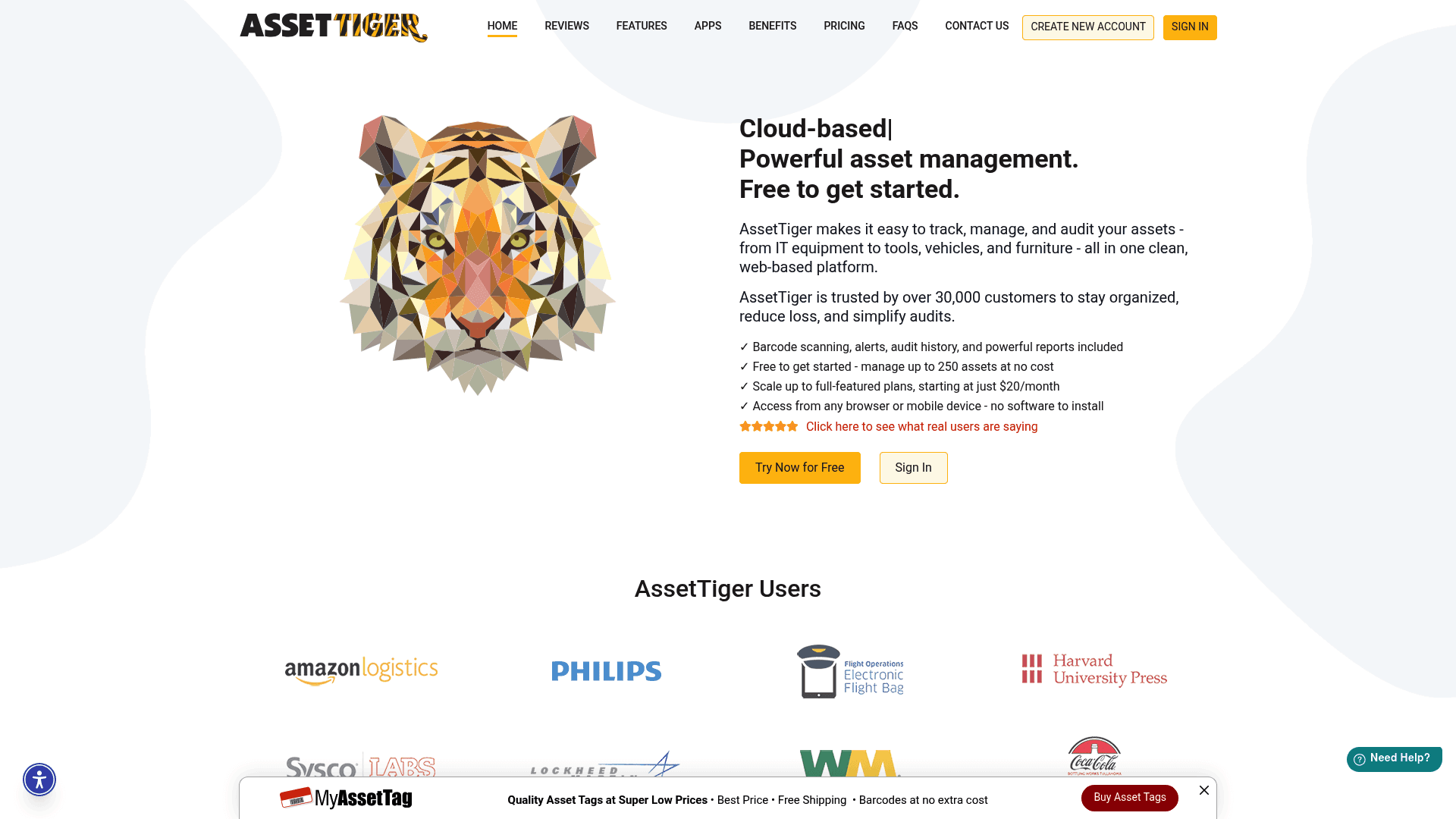
A screenshot of the AssetTiger homepage, highlighting its features for the Snipe IT vs Asset Tiger debate.
While Snipe-IT offers a high degree of control and customization, AssetTiger is designed as a straightforward, cloud-based option. It’s a cloud-based asset tracking tool that's completely free for 250 assets, which is a massive plus for smaller teams or anyone just dipping their toes into asset management.
Its whole identity is built around simplicity. There’s no setup, no servers to manage, and no code to touch. You just sign up and you're good to go. This makes it incredibly easy to use, even for people outside of IT, like in facilities or operations. The platform was created by the folks at MyAssetTag.com, so it connects smoothly with their services if you also need physical barcode labels.
AssetTiger’s features are all about straightforward physical asset tracking. It's great at check-in/check-out, scheduling maintenance, and scanning barcodes with its dedicated mobile app for iOS and Android. Since it's a general-purpose tool, you can use it to track everything from laptops and servers to company cars and office chairs. Plus, every plan, including the free one, comes with unlimited users, which is a nice bonus.
Snipe-IT vs. Asset Tiger: A feature comparison
While both tools aim to improve organization, they are designed for different types of users and have different approaches. Here’s a practical look at the key differences you'll want to consider.
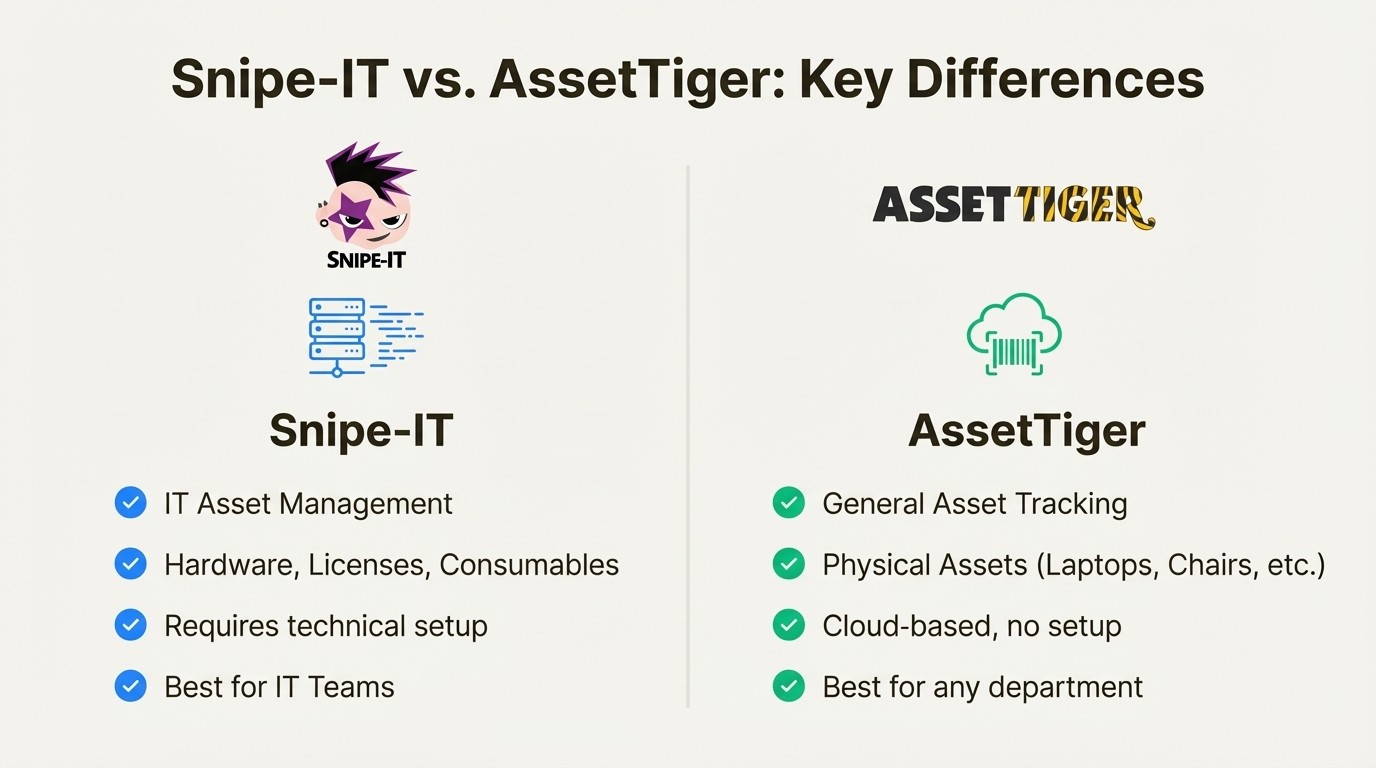
An infographic comparing the core differences in the Snipe IT vs Asset Tiger matchup, showing Snipe-IT is for technical IT and AssetTiger is for general use.
Asset tracking features
Both platforms cover the basics, but they have distinct areas of focus.
Tracking Method: Both Snipe-IT and AssetTiger use barcodes and QR codes for tracking physical items. The main difference here is mobility. AssetTiger provides a dedicated mobile app that simplifies scanning assets, whether they're out in the field or tucked away in a storage closet. Snipe-IT offers a mobile-responsive web interface, which is functional, but not quite the same as a purpose-built native app. Neither tool offers advanced tracking like GPS, so they're best for managing assets through check-ins and check-outs.
IT vs. General Assets: This is a big one. Snipe-IT is proudly built for IT departments. It has specific modules to manage the lifecycle of licenses, consumables, and components. You can track how many seats you have for a software license, who they're assigned to, and when they expire. AssetTiger is more of a generalist. It can track a software license, but it treats it as a generic "contract" with a renewal date, lacking the dedicated compliance features IT teams need for audits.
Data Input & Automation: Both tools rely on manual data entry or bulk CSV imports to get you started. This is fine for the initial setup, but keeping everything updated can become a real chore. Snipe-IT has a clear advantage for technical teams with its powerful JSON REST API. If you have the development resources, you can write custom scripts to pull in data from other systems automatically. Neither platform offers out-of-the-box discovery to find devices on your network or sync with device management tools.
Reporting: You can get useful reports from both. Snipe-IT's reporting is geared toward IT needs, giving you quick access to information on license compliance, asset depreciation, and activity logs. AssetTiger’s reporting is also flexible, but it focuses more on general operational needs like maintenance schedules, asset value, and location tracking.
Feature | Snipe-IT | AssetTiger |
|---|---|---|
Primary Focus | IT Asset Management (Hardware, Licenses) | General Physical Asset Tracking |
Tracking Method | Barcodes, QR Codes (Manual Scans) | Barcodes, QR Codes (via Mobile App) |
License Management | Yes, dedicated module with tracking | Tracks as a "Contract," no dedicated feature |
Consumables Tracking | Yes, a key feature | Not natively supported |
Data Input | Manual, CSV Import, REST API | Manual, CSV Import |
Mobile App | No dedicated app, but mobile-responsive web | Yes, for iOS and Android with scanning |
Deployment, support, and scalability
This is where you'll find the biggest philosophical difference between the two platforms.
Deployment: Snipe-IT is, above all, a self-hosted application. To use the free version, you need a server and the technical skill to install, configure, and maintain it. This is a huge benefit for organizations that want total control over their data, but it's a dealbreaker for teams without those resources. While Snipe-IT does offer paid cloud hosting, its roots are firmly in the DIY camp. AssetTiger, in contrast, is 100% cloud-based. You just sign up and start adding assets. It’s far simpler.
Support Model: The support options reflect their deployment models. With Snipe-IT's free plan, support comes from the community on forums like GitHub and Discord. The community is active and helpful, but you're ultimately responsible for solving your own problems. If you want direct, one-on-one help, you need to purchase a support package, which starts at $449 per year. AssetTiger offers email support to all users, even those on the free plan, which is a great perk.
Scalability & Cost: On paper, Snipe-IT's free version is limitless; you can add as many assets and users as you want. In practice, you're limited by your server's performance. As your database grows, you'll need to scale your hardware. AssetTiger gives you a generous 250 assets for free and then scales up in predictable, paid tiers. When comparing costs, don't forget to factor in the total cost of ownership for Snipe-IT, which includes server costs, maintenance time, and your team's labor.
The integration gap
A key consideration for IT teams is how asset management tools integrate with their existing workflows. While both Snipe-IT and AssetTiger are effective at creating a central inventory, they operate as standalone systems. This means the asset inventory is separate from the environments where IT teams often work, such as a service desk tool like Jira.
This creates the "context-switching" problem. A user submits a ticket saying their laptop is slow. To do their job, your support agent has to:
Leave Jira.
Open a new tab and log into Snipe-IT or AssetTiger.
Search for the user or the device's serial number.
Look through the asset record for warranty info, purchase date, and past issues.
Switch back to Jira to finally start working on the problem.

A workflow diagram illustrating the inefficient process of switching between tools, a key issue in the Snipe IT vs Asset Tiger discussion when considering integrations.
Each step is a small interruption, but across hundreds of tickets, it adds up to a huge amount of wasted time. What if all that data was available right inside Jira?
This is why tools like Asset Management for Jira were created. It is designed to address this challenge for teams that use Jira as their service desk. Instead of creating another separate system, it brings your asset data directly into your existing workflows.
Here’s what that looks like in practice:
A native experience: This isn't just a link to an external tool. Asset data shows up in custom fields directly on your Jira issues. This lets you use asset information in your queues, automation rules, and reports without ever leaving Jira.
Automated syncing: Forget about manual CSV uploads. It connects directly with device management tools you're probably already using, like Microsoft Intune, Jamf Pro, and Kandji. This keeps your device data up-to-date automatically.
Faster resolutions: When all the important context—the device model, warranty status, and past issues—is right there in the ticket, support teams can resolve issues up to 34% faster. They can spend their time solving problems instead of hunting for information.
Pricing comparison
It's important to remember that "free" rarely means zero cost, especially with business software.
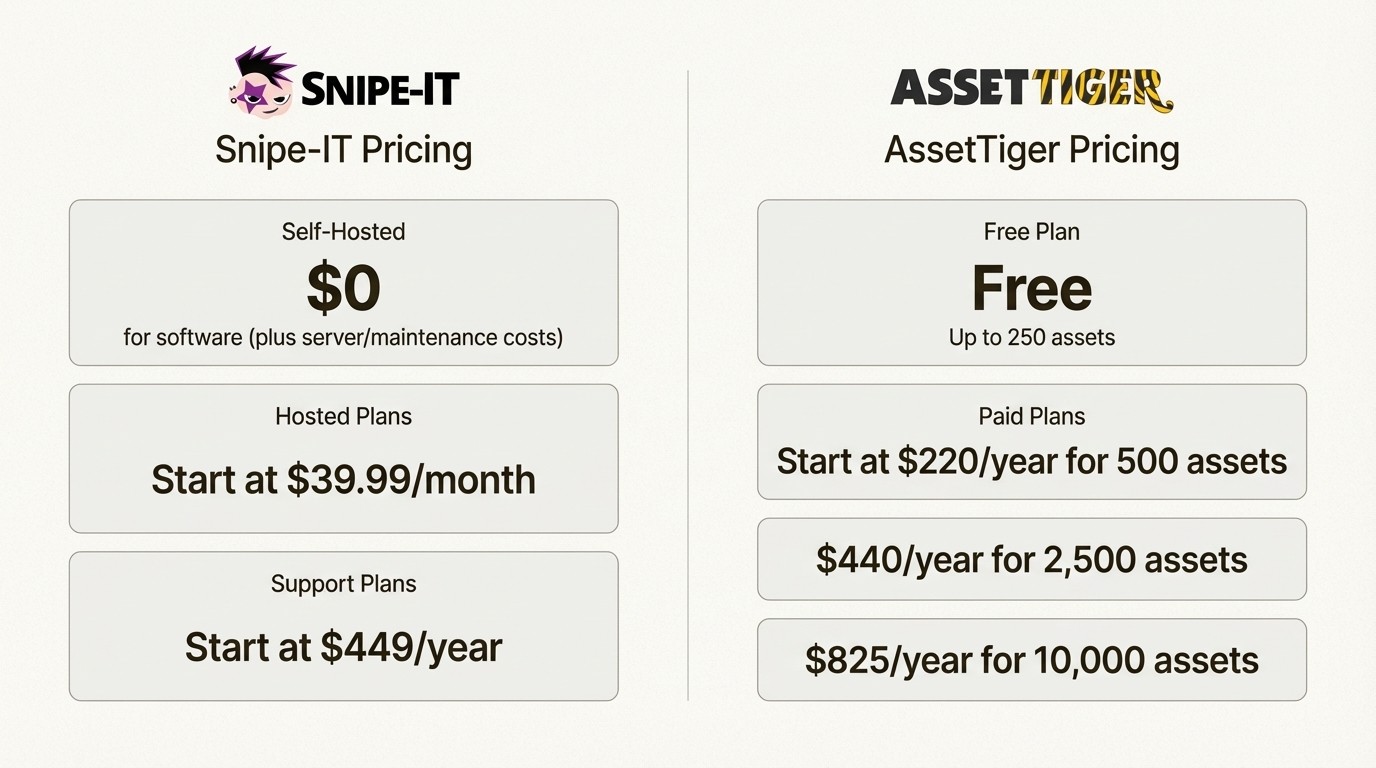
Snipe-IT Pricing:
Self-Hosted Plan: The software is $0, but you're responsible for server costs, ongoing maintenance, security patches, and the hours your team spends managing it.
Hosted Plans: If you want them to handle it for you, paid plans start at $39.99/month for their Basic cloud-hosted plan, which covers unlimited assets and users.
Support Plans: For self-hosted users, this is a separate purchase. Basic support is $449/year for email assistance. Enterprise support, which includes API help, is $4,999/year.
AssetTiger Pricing:
Free Plan: This is their biggest selling point. It’s completely free for up to 250 assets with unlimited users.
Paid Plans: Pricing is straightforward and scales with your asset count. It starts at $220/year for 500 assets. From there, 2,500 assets cost $440/year, and 10,000 assets cost $825/year. All paid plans include unlimited users.
The takeaway here is that AssetTiger's pricing is simple and predictable, making it a great option for teams with smaller inventories. Snipe-IT can be very cost-effective at a larger scale if you have the in-house technical expertise to manage it, but you have to be realistic about the total cost of ownership.
Which tool should you choose?
It really depends on your team’s technical skills, your budget, and what you need to track.
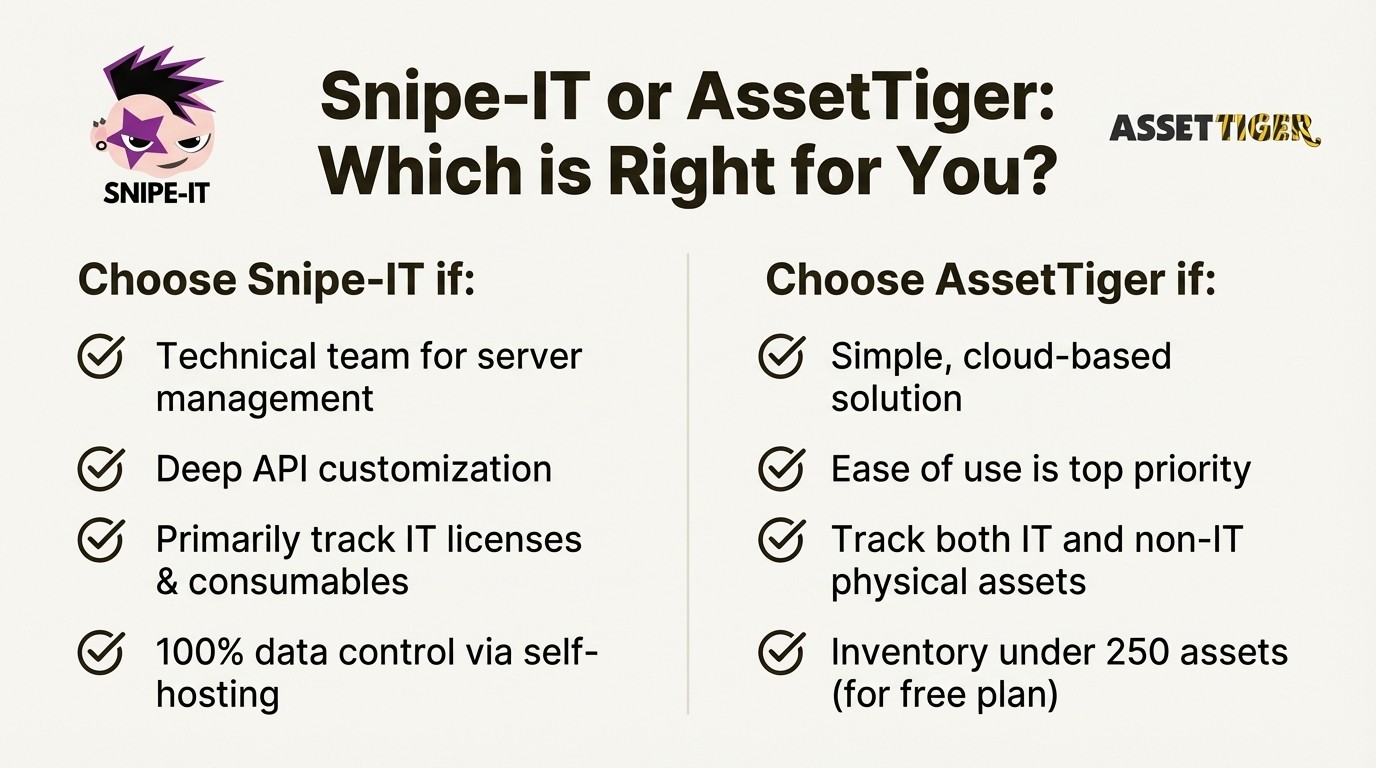
Choose Snipe-IT if: You have a technical team that's comfortable managing a web server. You need deep customization through a REST API, you want to self-host for complete control over your data, and your main goal is tracking IT hardware, software licenses, and consumables on a tight budget.
Choose AssetTiger if: You need a dead-simple, cloud-based solution that's ready to use in minutes. You're tracking a mix of IT and non-IT physical assets, your inventory is under 250 items (or you have a small, predictable budget), and ease of use is your number one priority.
However, if the goal is to integrate asset data directly into the IT support process for increased efficiency, another approach may be beneficial. This is where a natively integrated solution offers a different advantage, as its data is not separate from the service desk.
Integrating asset management with Jira
Moving from a spreadsheet to a dedicated asset management tool is a positive step. Further efficiency can be achieved by connecting asset information directly to IT workflows.
If your team is already using Jira for service management, the most efficient solution is one that lives right inside Jira. It eliminates separate systems, ends context-switching, and gives your team the information they need, right when they need it. Asset Management for Jira is built to be that logical next step for teams looking to level up their ITAM strategy and make their asset data work for them.
Ready to stop juggling tabs and start closing tickets faster? See how you can manage your assets directly in Jira with a free 30-day trial of Asset Management for Jira.



