The ultimate guide to choosing a Jira asset management plugin
Discover the best Jira asset management plugin to replace messy spreadsheets. Our guide compares top tools to help you streamline ITAM and resolve tickets faster.

Colin Reed
IT Expert and Content Writer
Last Updated
Your team pretty much lives in Jira, right? It’s the command center for everything from squashing bugs to rolling out new features. But what about all your IT assets? Chances are, the laptops, software licenses, and monitors are tracked in a spreadsheet somewhere, totally cut off from your team's actual workflow.
This disconnect is more than just a minor annoyance; it’s a huge time-waster. When an IT support ticket lands, a simple question like, "What laptop does this person have?" can turn into a 15-minute hunt through outdated files. That’s time your team could be using to solve real problems instead of playing detective.
A Jira asset management plugin connects your assets to your work, creating a single source of truth right inside the tool your team already uses daily. This guide will walk you through what these plugins are, why they’re so important for modern IT teams, the key features to look for, and how the top options compare.
What is a Jira asset management plugin?
Simply put, a Jira asset management plugin is an app you install into your Jira instance. It lets you build a complete, searchable database of all your company's equipment, from physical hardware like laptops to digital assets like software licenses.
The real value, though, is linking those assets directly to Jira issues. When a user submits a ticket about their laptop acting up, their assigned gear is automatically displayed right there in the ticket. No more asking for serial numbers or digging through spreadsheets. Your support team gets the context they need instantly so they can get to work faster.
This is a massive improvement over the usual alternatives:
Spreadsheets: They’re full of human errors, outdated the moment you hit save, and have zero connection to your service desk.
Standalone ITAM tools: These are often overly complex, expensive, and force your team to constantly switch between different systems, which kills focus.
A native plugin like Asset Management for Jira turns Jira into the central hub for all things IT. It ensures your asset data is always relevant, easy to find, and usable right where your team is already working.
Why use a Jira asset management plugin instead of a spreadsheet
While spreadsheets are familiar, they can create friction and financial risk behind the scenes. Manual tracking methods often lead to three common challenges for IT teams. Here’s a breakdown of how a dedicated plugin solves these challenges:
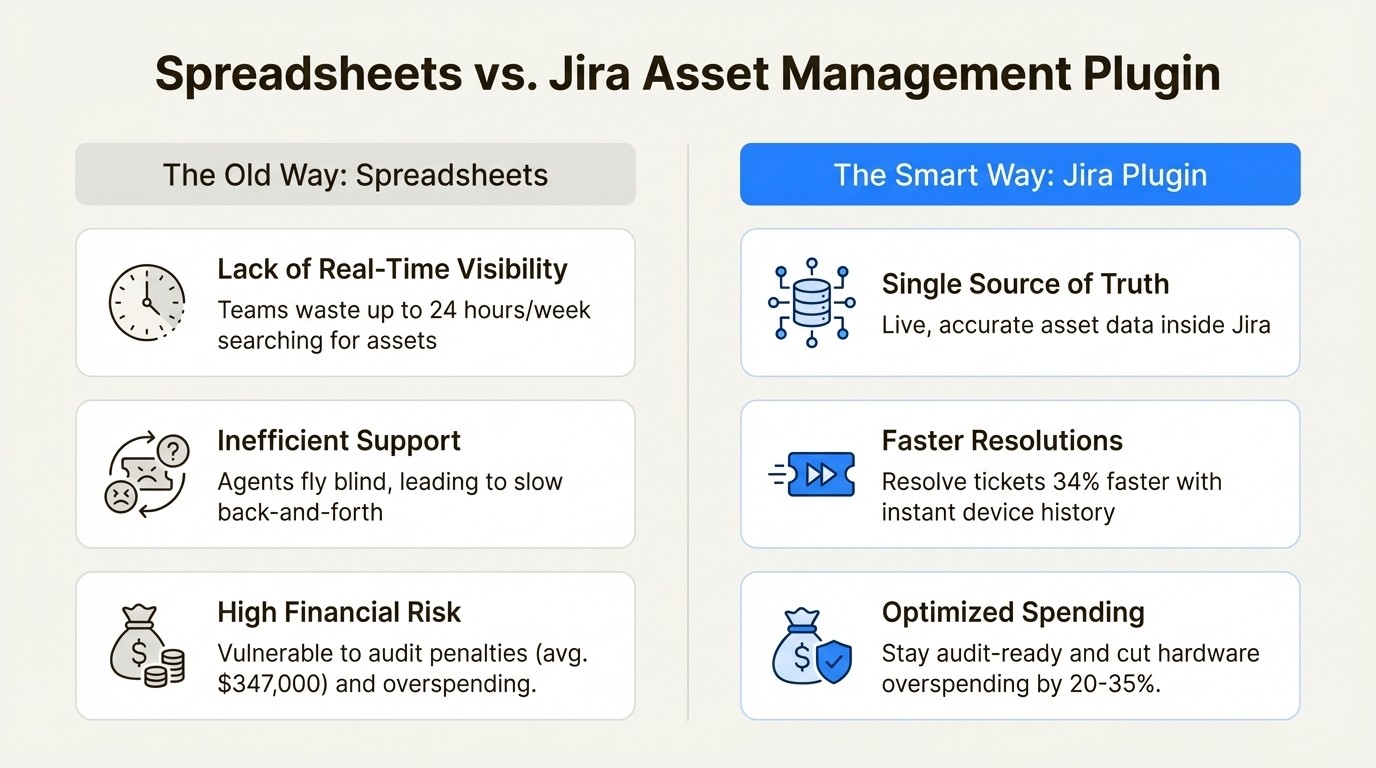
Lack of real-time visibility and control
A spreadsheet can't tell you where an asset is at this very moment. This uncertainty leads to wasted time and causes you to spend money you don't need to.
IT teams using manual tracking can waste up to 24 hours a week just looking for assets or updating records. That’s more than half of a full-time employee’s week spent on administrative tasks. This lack of visibility makes it impossible to do a quick audit, plan for new hires, or know if you have spare equipment in storage. In fact, organizations often overspend on IT by 20-35% just because they buy new gear they already own but can’t find.
Inefficient IT support processes
When asset data isn't linked to tickets, your support agents are flying blind. They have to start every conversation by asking the user for basic information, which the user often doesn't know.
This back-and-forth is a huge bottleneck. Teams with integrated asset data can resolve tickets 34% faster on average. That’s a major efficiency boost that comes from one simple change: giving agents the device history and configuration details they need before they even start troubleshooting.
Exposure to financial risks
Software audits are serious business, and being unprepared can be incredibly expensive. Companies caught off guard can face penalties averaging $347,000 per audit, and a spreadsheet isn't going to hold up as a defensible record of compliance.
On top of that, poor visibility leads to constant financial leaks from over-licensing software and buying redundant equipment. A dedicated Jira plugin like Asset Management for Jira gives you the audit trails and utilization data you need to plug these leaks and optimize your spending. It helps turn your IT department from a cost center into a lean, strategic part of the business.
Key features of a Jira asset management plugin
Not all plugins are created equal. As you look at different options, focus on the features that will actually solve your problems with visibility, efficiency, and risk.
Native Jira integration
This means more than just a link that opens another tab. A deeply integrated plugin lets you add "Linked Assets" as a custom field to any Jira issue, view asset details directly in your service desk queues, and even use asset data to trigger Jira Automation rules. The whole point is to manage your assets without ever leaving Jira.
Automated data import and synchronization
Nobody wants to manually enter asset data. A good tool should sync with your existing systems to keep everything up to date automatically.
Look for key integrations with Mobile Device Management (MDM) tools like Microsoft Intune, Jamf Pro, and Kandji. This is a huge help because it ensures your asset database always reflects the real-time status of your devices and who they’re assigned to. A solid CSV import feature with data validation is also a must-have for pulling in all that legacy data from your old spreadsheets without the usual pain.
Comprehensive and customizable tracking
Your company owns more than just laptops. A flexible plugin should let you track everything you care about, including:
Hardware: Laptops, monitors, phones, servers, and anything else you can plug in.
Software Licenses: Keep track of available seats, renewal dates, and costs to stay compliant and avoid overspending.
Accessories & Consumables: Things like headsets, keyboards, and mice that always seem to go missing.
The ability to create custom fields is also really important. It lets you capture the specific information that matters to your company's workflows.
Proactive reporting and automation
The right plugin should help you get ahead of problems instead of constantly reacting to them. Look for the ability to set up automated alerts for important events like expiring warranties, upcoming license renewals, or low stock levels for your accessories.
Customizable reports are also key. You need to be able to quickly pull data for audits, plan your budget for the next quarter, and analyze support trends, like figuring out which laptop models are causing the most support tickets.
Comparing popular Jira asset management plugins
The Jira ecosystem has a few different options, and each one has its own personality. Let's break down three of the leading choices to help you figure out what’s best for you.
Assets in Jira Service Management
What it is: This is Atlassian's own powerful and highly flexible configuration management database (CMDB), previously known as Insight.
Strengths: As a true CMDB, it’s incredibly powerful. You can model just about anything, from servers and software to employees and office furniture. It has deep automation capabilities and is tightly woven into the Atlassian platform, allowing teams to track what matters to them.
Limitations and considerations: The high degree of flexibility means the setup process, which involves object schemas and attributes, can be detailed and may have a learning curve. It is available on Jira Service Management Premium and Enterprise plans. The pricing model is usage-based. Premium plans include 50,000 "objects" (assets), and Enterprise plans include 500,000. Usage beyond these limits is charged per object per month. Additionally, syncing with some MDM tools may require a separate third-party application for integration.
Assets and Inventory for Jira by Appfire
What it is: This is a popular third-party app on the Atlassian Marketplace that is designed for straightforward use.
Strengths: It offers a simple "Asset Navigator" for managing your gear and is an affordable option for teams who just need the basics inside Jira. It's also free for teams of 10 or fewer, which is great for small startups.
Limitations and considerations: For large-scale data migrations, users may want to verify the plugin's capacity for importing extensive inventories. The tool may require manual updates or additional configuration for integration with MDM tools like Intune and Jamf.
Pricing: Pricing is tiered based on user count.
Users | Annual Price |
|---|---|
1-10 | $0 |
50 | $720 |
100 | $1,440 |
500 | $5,400 |
1,000 | $9,150 |
Asset Management for Jira
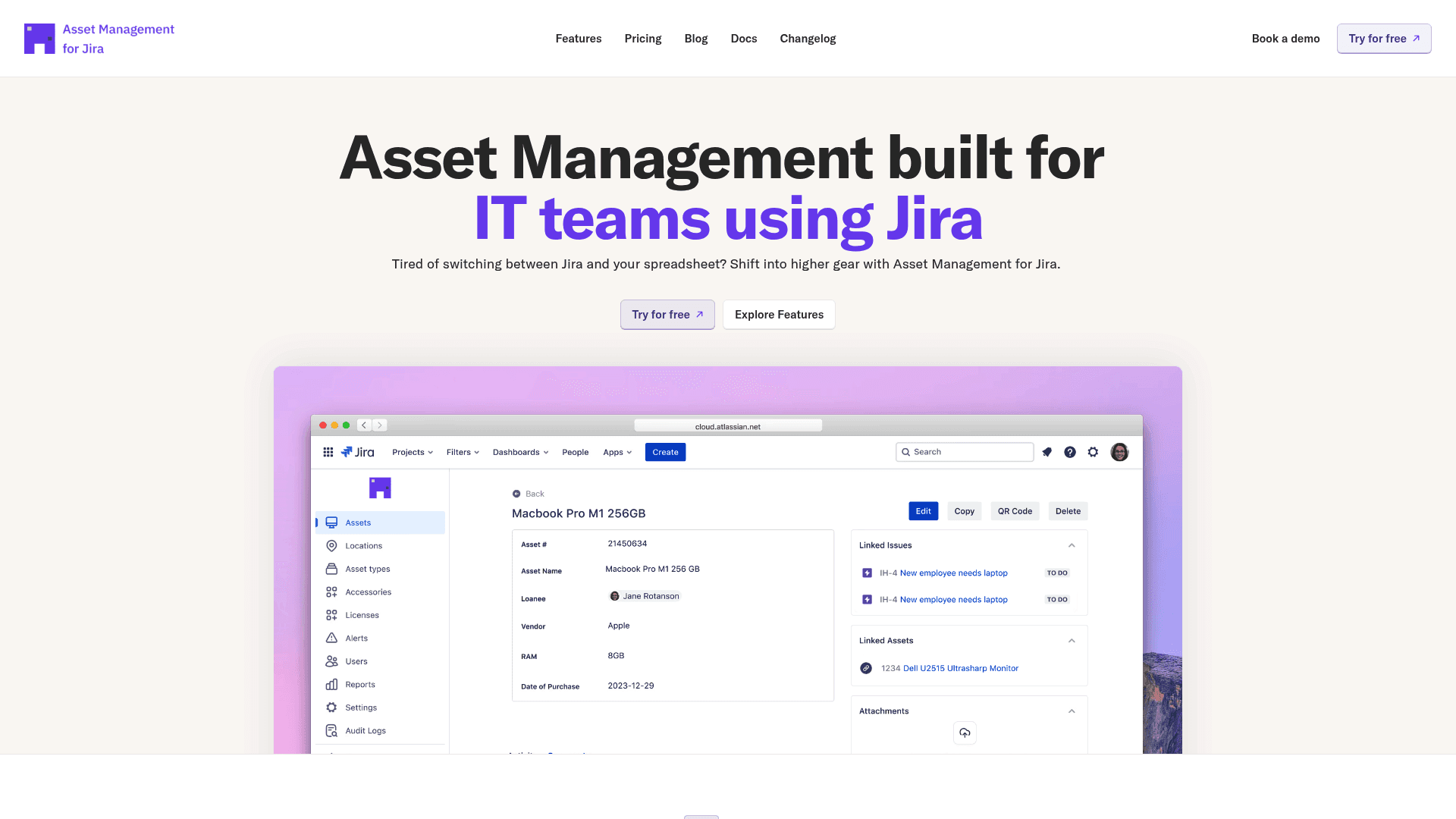
What it is: Asset Management for Jira is an app designed to provide IT teams with asset management capabilities directly within the Jira interface. It focuses on a balance of functionality and ease of use.
Key strengths:
Implementation: The tool is designed for a quick setup process, allowing users to import data from spreadsheets or sync from an MDM to begin linking assets to tickets.
MDM integrations: It includes direct, out-of-the-box integrations with Microsoft Intune, Jamf Pro, and Kandji, which automates the synchronization of device and user data to maintain inventory accuracy.
Support-focused features: Features include QR code generation for physical asset tagging and mobile scanning, as well as automated alerts for events like expiring warranties or license renewals.
Pricing: The pricing model is based on the number of Jira users and is offered in two editions:
Team size | Standard Edition | Advanced Edition |
|---|---|---|
Up to 10 users | $10/month (flat fee) | $20/month (flat fee) |
11–100 users | $2.85/user/month | $3.25/user/month |
101–250 users | $1.75/user/month | $2.25/user/month |
251–1000 users | $1.10/user/month | $1.15/user/month |
1001–2500 users | $0.75/user/month | $0.75/user/month |
For comparison, a team of 25 agents would pay over $1,285/month for JSM Premium to get access to Assets. With Asset Management for Jira, that same team would pay $71.25/month for the Standard Edition ($2.85 x 25).
Choosing your Jira asset management plugin
Moving asset tracking from a spreadsheet into a dedicated Jira plugin is a strategic step for IT teams seeking to improve efficiency, security, and cost management.
The right plugin depends on your specific requirements. A full-featured CMDB like Atlassian's Assets is suitable for teams on Premium plans who need extensive configuration capabilities. Other marketplace apps provide core tracking functions that can serve different needs.
When making a decision, consider factors such as the need for a full CMDB versus straightforward asset tracking, the importance of automated MDM integrations, and the preferred pricing model (user-based vs. consumption-based).
For teams looking for a solution focused on ease of use and direct MDM sync, Asset Management for Jira is one of the available options. You can explore its features with a free 30-day trial.



