Jira Asset Management Pricing: A Complete Guide for 2026
Confused by Jira asset management pricing? This guide breaks down Atlassian's JSM Assets (with its mandatory upgrade and consumption fees) vs. predictable marketplace apps.

Colin Reed
IT Expert and Content Writer
Last Updated
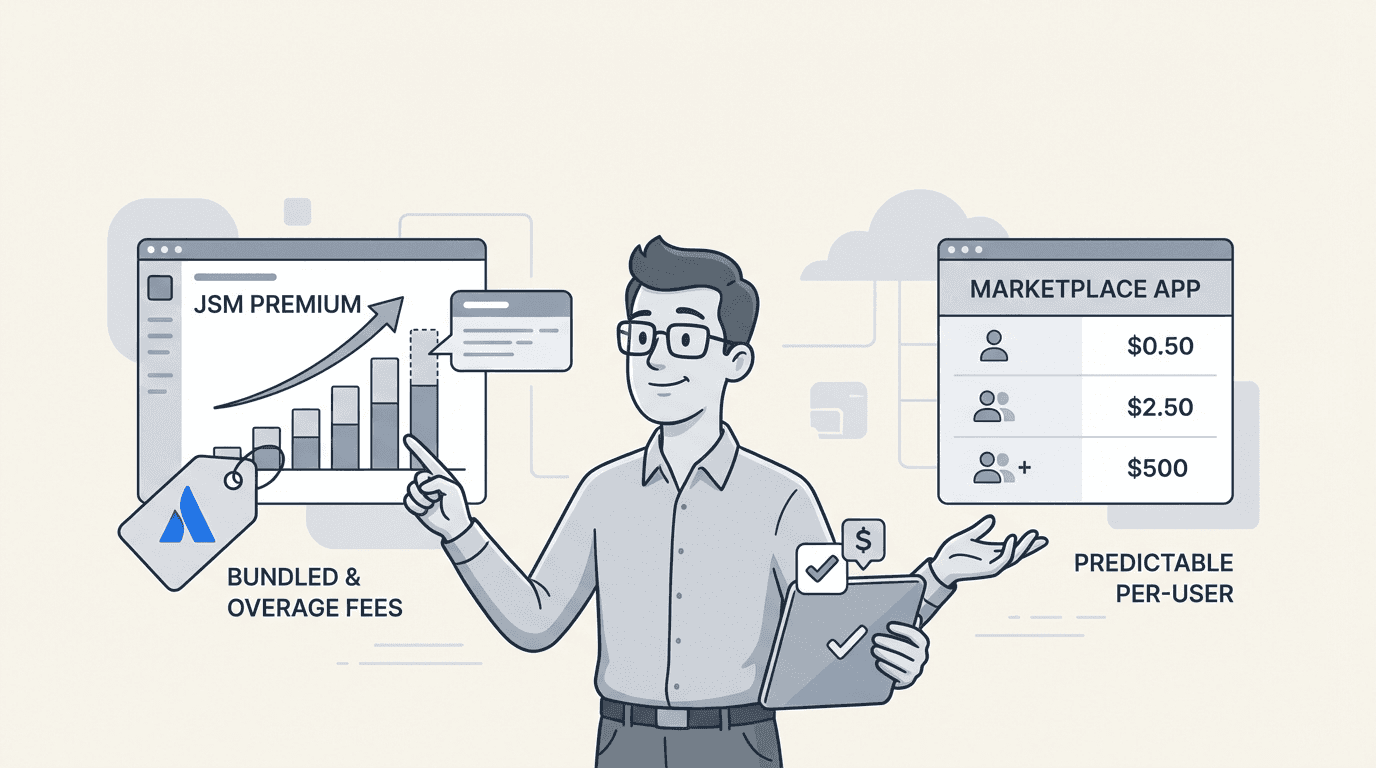
Trying to figure out the cost of managing your assets in Jira can feel like navigating a maze. It's not a single product with a simple price tag; the amount you end up paying depends on which path you choose.
There are two main routes. The first is Atlassian's built-in solution, which comes packaged with their premium service desk plans. The second is to use a dedicated app from the Atlassian Marketplace.
This guide aims to clarify the options. We'll look at the different pricing models, what you get for your money, and how to pick the right option for your team's needs and budget, so you can make an informed decision.
Understanding Jira asset management and its impact on pricing
First, let's make sure we're on the same page. At its heart, IT asset management (ITAM) is about keeping track of your hardware, software licenses, and other company property right inside the tool your team already uses. It is easier to solve problems when you can instantly see which laptop a support ticket is tied to or who's using a software license that's about to expire.
It is important to note that "Jira Asset Management" isn't a single product you can buy. It's a feature you add to Jira, and there are two ways to do it:
Natively, through Jira Service Management (JSM) Premium or Enterprise plans. This uses a tool called Assets. Assets was a popular marketplace app called Insight before Atlassian acquired it.
Through specialized apps from the Atlassian Marketplace. These are tools made by other developers that plug right into your existing Jira Cloud setup.
The route you pick makes a difference in the features you get, the setup process, and the price. To make this clearer, here's a visual breakdown of the two main approaches.
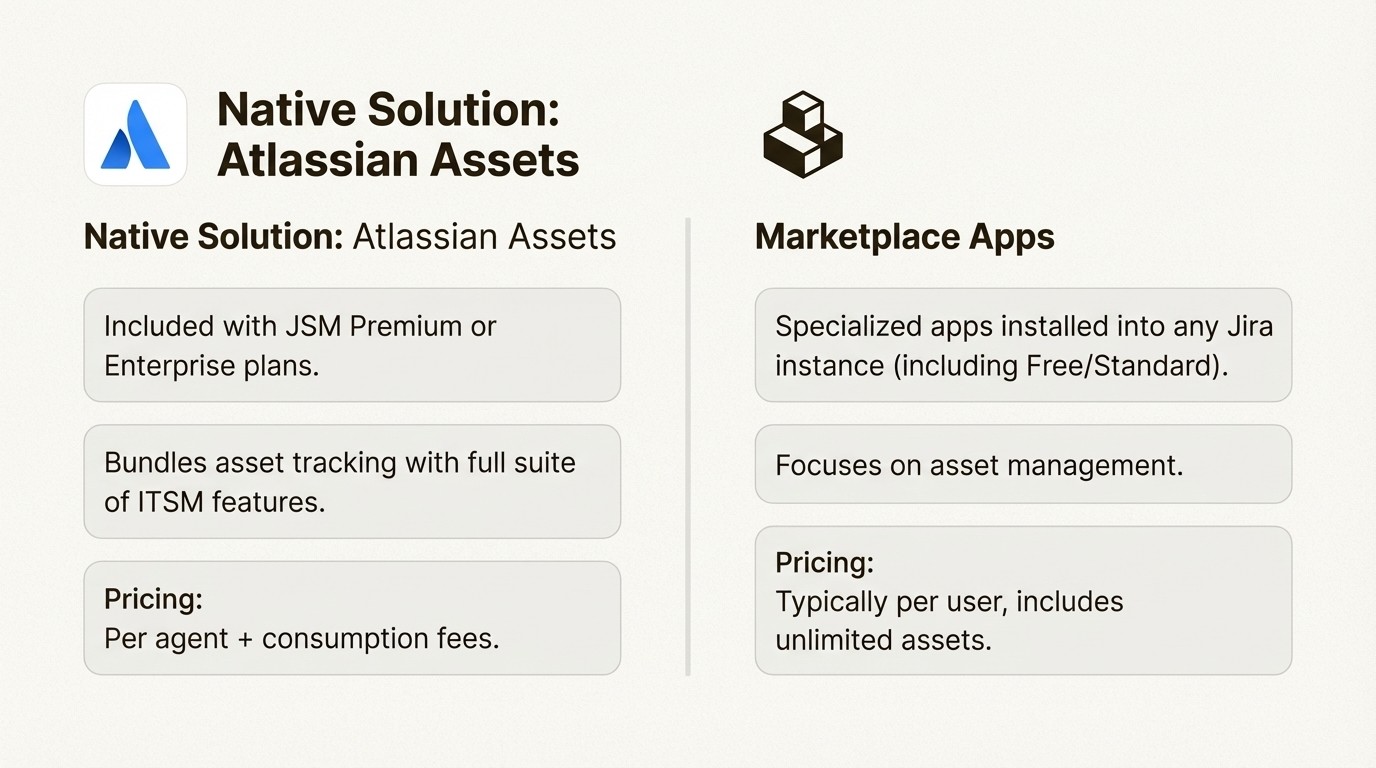
Let's break them both down.
Option 1: Atlassian Assets in Jira Service Management
First up is Assets, Atlassian's own built-in asset and configuration management database (CMDB). It is a robust tool, and for large enterprises that need to map complex dependencies between their services, it can be a comprehensive solution.
The key aspect of its pricing is that Assets is not available as a standalone product. It’s only available as part of the Jira Service Management Premium or Enterprise plans. It's included in what Atlassian calls the Service Collection, which means obtaining it requires subscribing to a specific plan.
Upgrading to JSM premium for Assets
To access Assets, a subscription to a premium JSM tier is required. This is an important consideration because these plans bundle many other features like AIOps, advanced change management, and incident response tools. This means that if your primary need is asset management, the plan will also include a suite of other features.
Let's look at the numbers. The JSM Premium plan starts at $57.30 per agent per month for small teams and averages around $51 per agent per month for teams up to 100 agents. If you're currently on the JSM Standard or Free plan, this represents a significant price increase compared to lower tiers. This approach involves a platform upgrade rather than purchasing a single tool.
Consumption-based fees for Assets
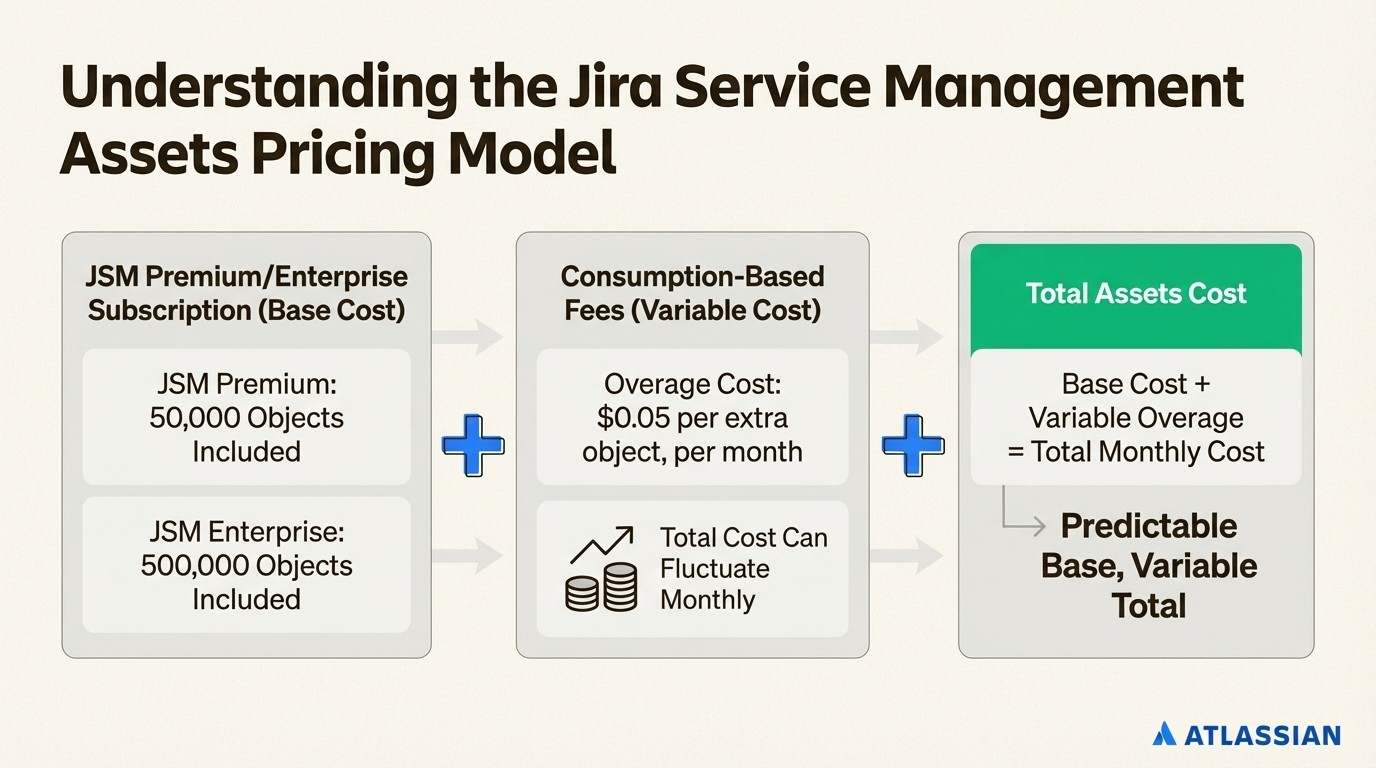
In addition to the per-agent subscription fee, Atlassian also uses a consumption-based model for Assets. This is where the costs can become variable.
According to their pricing update announcement, this is how it works:
JSM Premium: Includes 50,000 Assets "objects" for free.
JSM Enterprise: Includes 500,000 Assets objects for free.
An "object" is any single item you track: a laptop, a monitor, a software license, a keyboard, a mobile phone. For a 500-person company, you could have thousands of objects.
Once the included limit is exceeded, there is a charge for paying for extra objects. Overage costs start at $0.05 per object per month. While that sounds small, it can lead to a bill that fluctuates monthly. As your company grows and you track more gear, costs can increase, which can make budgeting more challenging.
An alternative approach: Marketplace apps
For those seeking an alternative to the bundled approach of JSM Premium, there is another option. The Atlassian Marketplace is full of apps that offer a more direct and predictable way to manage assets within any Jira instance, whether you’re on JSM Standard, Free, or even just using Jira Software.
These apps are built to solve the asset tracking problem without requiring a platform upgrade.
Example: The pricing model for Asset Management for Jira
An example of this approach is Asset Management for Jira. It has earned both Gold Marketplace Partner and Cloud Fortified status, which are indicators of the app's standing within the Atlassian ecosystem.
Its pricing model is based on two factors: the number of licensed Jira users you have and which edition you choose (Standard or Advanced). The cost is predictable and scales with your team, not with your inventory.
Team Size | Standard Edition | Advanced Edition |
|---|---|---|
Up to 10 (Flat fee) | $10.00/month | $20.00/month |
11–100 | $2.85/user | $3.25/user |
101–250 | $1.75/user | $2.25/user |
251–1000 | $1.10/user | $1.15/user |
1001–2500 | $0.75/user | $0.75/user |
The editions give you a clear upgrade path. The Standard edition includes all the core features for tracking hardware, accessories, and licenses. The Advanced edition adds enterprise-grade features like an API, Role-Based Access Control, and backups for when you need more control.
Comparing pricing models side-by-side
Let's compare these two approaches. The right choice often comes down to balancing features with cost predictability.
Key pricing differences at a glance
This table breaks down the core differences.
Factor | Atlassian Assets (in JSM Premium/Enterprise) | Asset Management for Jira (Marketplace App) |
|---|---|---|
How You Get It | Included with a JSM Premium or Enterprise plan. | Install directly from the Atlassian Marketplace into any Jira Cloud instance. |
Pricing Model | Per-agent subscription fee plus consumption-based fees for assets over the limit ($0.05/object/month). | Tiered per-user pricing. Unlimited assets included. |
Cost Predictability | Variable. Costs can fluctuate monthly based on the number of assets you track above your allowance. | Fixed. Costs are based on your Jira user count, making budgeting easy and predictable. |
Best For | Large enterprises needing a complex CMDB who are already on or require the full JSM Premium/Enterprise feature suite. | Teams of all sizes on any Jira plan looking for a focused asset tracking solution. |
Time to Value | Can be longer. May require extensive configuration of object schemas, typical of a full CMDB. | Often shorter. Designed for quick setup, with CSV import and integrations like Jamf, Intune, and Kandji to get you started in minutes. |
While the JSM Premium bundle might be appealing, this approach may require teams to subscribe to advanced features that are not their primary need just to get asset tracking. You may be paying for capabilities that are not fully utilized.
In contrast, an app like Asset Management for Jira provides a focused solution for asset tracking without requiring a change in service management tiers. You get exactly what you need, right where you need it.
How to choose the right plan for your organization
Making the right decision comes down to asking a few key questions about your team's needs.
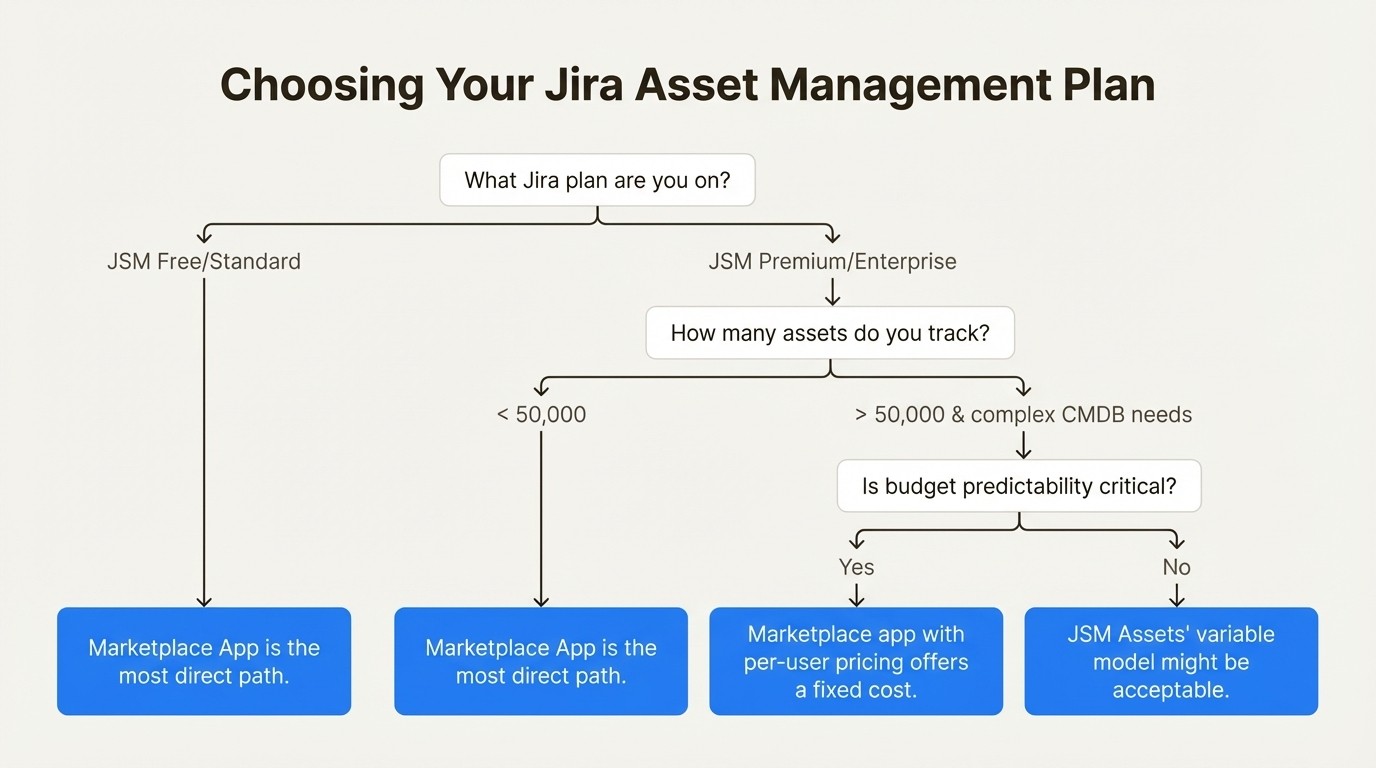
1. What Jira plan are you on now?
If you're on JSM Free or Standard, a Marketplace app is the most direct option without a plan upgrade. Moving to Premium for Assets access involves a significant increase in the per-agent cost.
2. How many assets do you need to track?
If you're a large enterprise with well over 50,000 assets and need to map deep, complex dependencies between them, JSM Assets may be a suitable choice, though it's important to be prepared for the consumption-based costs. For most teams, tracking hardware, software, and accessories can often be handled by a tool like Asset Management for Jira, which does not charge per-asset fees.
3. How important is budget predictability?
If you need a fixed, predictable cost for your budget, the per-user model of a Marketplace app offers more predictability. The consumption-based model of JSM Assets can add complexity to budgeting and may require administrative overhead to monitor usage.
4. What is your team's appetite for complexity?
JSM Assets is a CMDB that may require significant upfront planning and configuration to get right. If your team needs to get up and running quickly with minimal administrative burden, a solution like Asset Management for Jira may be a better fit. As one of its users, the IT director at Drips, put it, they love how "light the tool is as it allows one to get up and running very quickly".
To see a detailed breakdown of the different plans and costs, the following video offers a visual guide to help you understand if Jira Service Management's pricing structure is the right fit for your organization.
This guide breaks down the plans, hidden costs, and value of Jira Service Management to help you decide if it's worth the investment.
Making the right investment in Jira asset management
When it comes to Jira asset management pricing, one size does not fit all. The true cost can be influenced by bundled features and consumption fees.
You have two distinct paths. One path is the bundled approach with JSM Premium and its built-in Assets feature. Another is to choose a dedicated app from the Atlassian Marketplace.
For many teams whose primary goal is to manage their assets, a dedicated app can provide a strong balance of features, ease of use, and value. This allows you to acquire the features you need without subscribing to a broader platform.
To simplify asset management, you can explore a marketplace solution. Start your free trial of Asset Management for Jira today and begin organizing your assets.



