An overview of Asset Panda for IT asset management
Explore a detailed overview of Asset Panda's features, pricing, and integrations. See how it compares for IT teams looking for asset management solutions.

Colin Reed
IT Expert and Content Writer
Last Updated
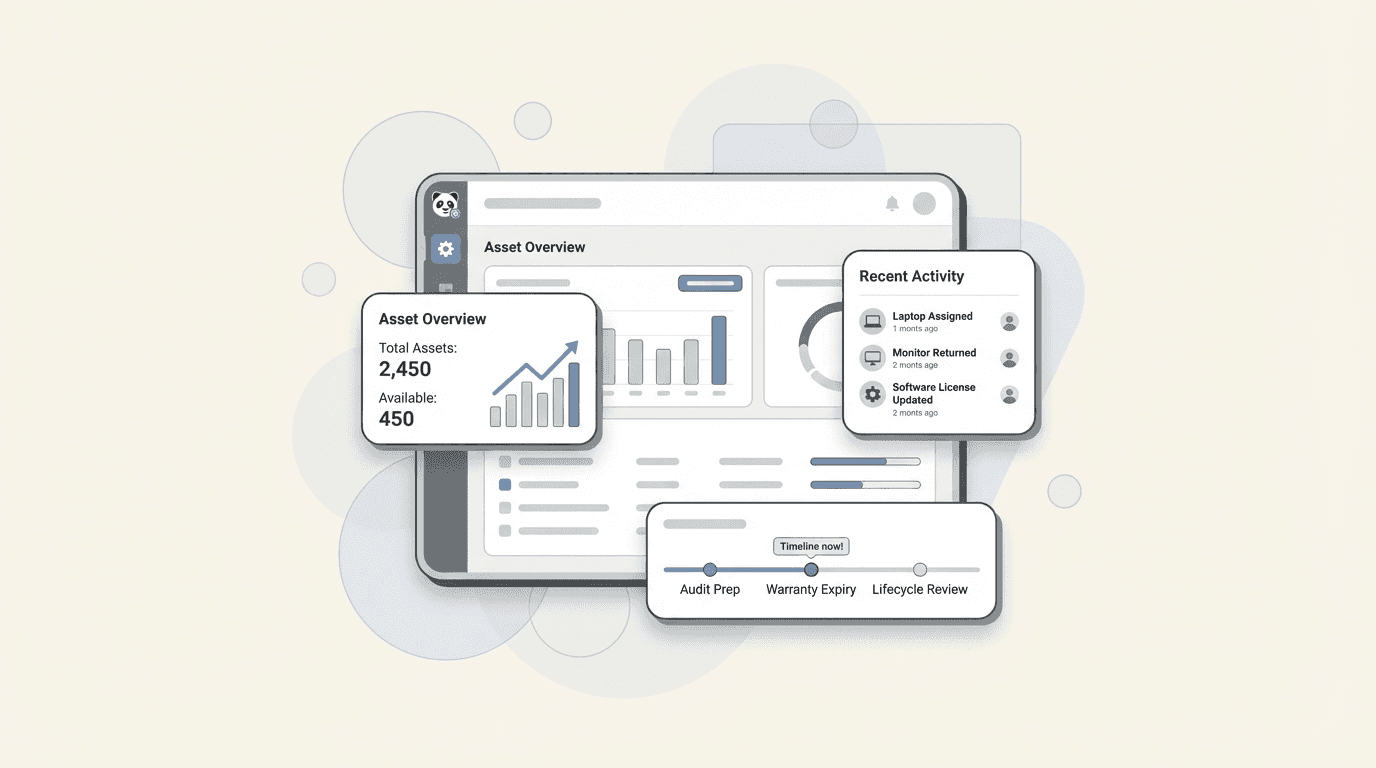
Moving on from an asset tracking spreadsheet is a milestone for any growing IT team. As data becomes outdated and difficult to manage, many teams search for a dedicated system. One well-known name in this space is Asset Panda.
It's a cloud-based platform that is highly configurable, built to track a wide variety of items, and used across many different industries. But is it the right choice for an IT team that primarily uses Jira?
This article explores Asset Panda's main features, functionality, and pricing. For IT teams, tracking assets is one part of the equation. Another important factor is connecting that information to a service desk to help resolve issues more efficiently. Let's examine how Asset Panda fits into that context.
What is Asset Panda?
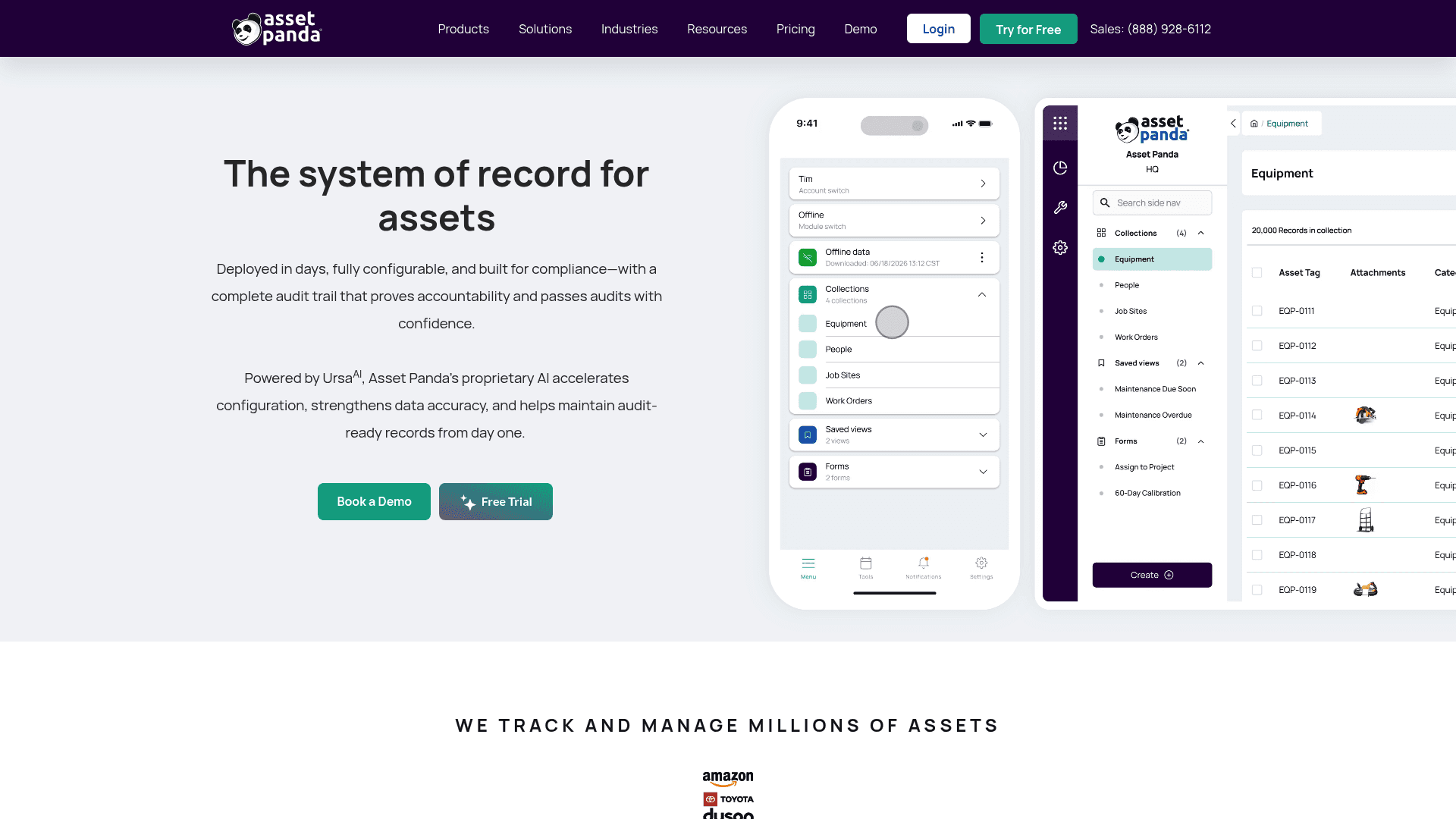
At its heart, Asset Panda is a cloud-based asset tracking system designed for flexibility. Its biggest draw is being a no-code platform that you can tweak to track nearly anything. This includes IT hardware and software licenses, but it also handles construction equipment, medical devices, vehicles, and school band instruments.
Because of this, its users come from all over: education, healthcare, government, and construction, not just IT. The whole system is centered around its mobile apps for iOS and Android. It also uses AI (from UrsaAI) to help with the initial setup and data imports, which is a helpful feature.
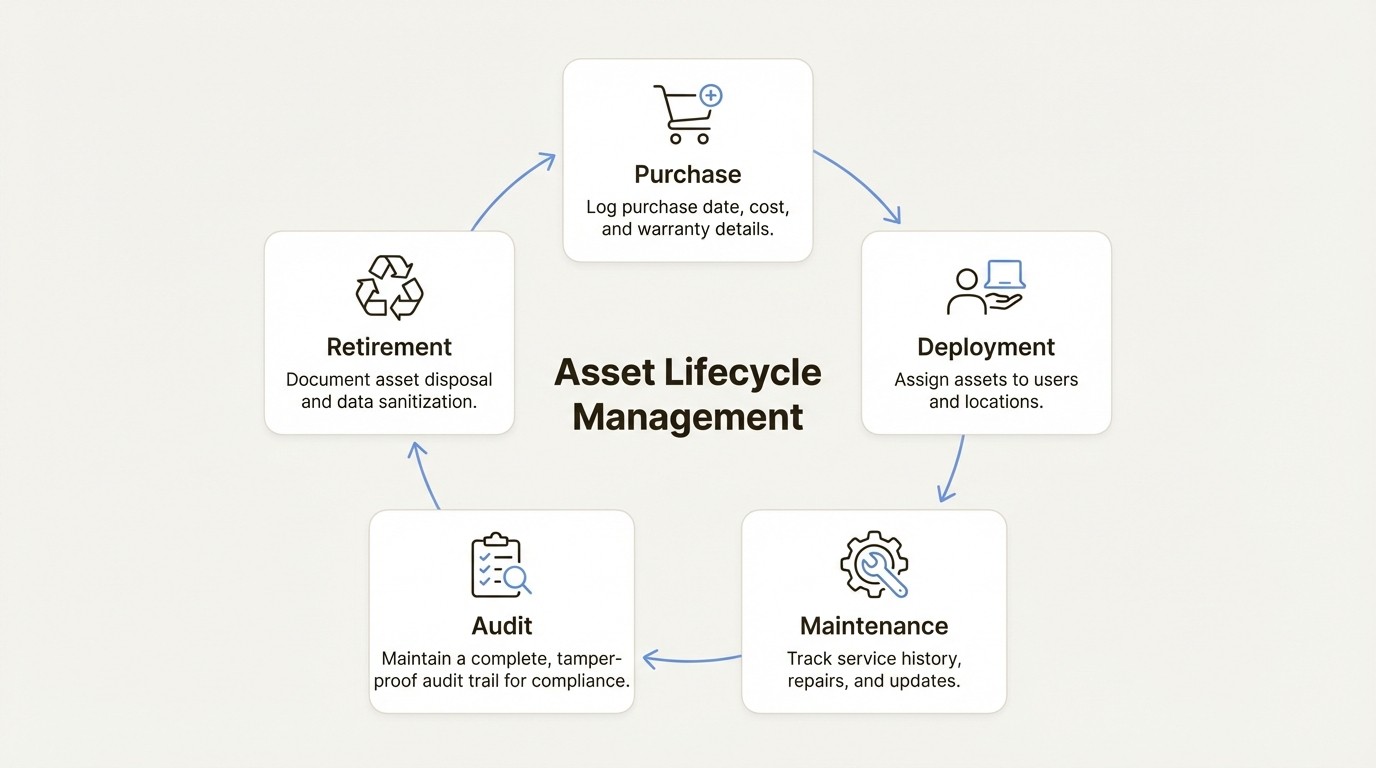
A major priority for them is building a full, tamper-proof audit trail for every asset. You can see every single action taken on a piece of gear, from who has it to its last service date. If you've ever been through a compliance audit, you'll know just how important that is.
A deep dive into Asset Panda's features and functionality
A platform is only as good as what it can do, so let's look at what Asset Panda offers and how it applies to daily IT work.
Extensive customization with Asset Panda
Asset Panda's main advantage is its no-code setup. You can make your own custom fields, create specific workflows, and build dashboards that show exactly what you need to see. For example, a fleet manager could change "Serial Number" to "VIN" and add a field for "Last Oil Change." This adaptability is a key feature, as the platform can be molded to fit almost any situation.
This flexibility also means the initial setup can be more involved and time-consuming, a point often mentioned in user reviews. Users are able to build their system to their exact specifications.
This approach contrasts with solutions designed specifically for IT asset tracking within Jira, such as Asset Management for Jira, which often include pre-configured IT workflows.
The Asset Panda mobile app with barcode scanning and offline mode
The mobile experience is a real strong point for Asset Panda, especially for teams managing physical equipment in different locations. The iOS and Android apps have a built-in scanner for both barcodes and QR codes, letting you add new assets, update records, and attach photos or videos straight from your phone.
A huge benefit is that the Asset Panda Pro platform now has a full offline mode. This is fantastic for anyone working in a warehouse with patchy Wi-Fi or at a remote site. You can scan barcodes and update asset info without an internet connection, and everything syncs up once you're back online.
Asset tracking and lifecycle management with Asset Panda
As you'd expect, Asset Panda tracks an asset's entire life, from purchase to retirement. You can log the purchase date, warranty details, maintenance history, and eventually, its disposal. Every action gets recorded, giving you a complete history that is useful for audits.
In addition to lifecycle tracking, a key consideration for IT teams is connecting asset data to service desk tickets. When asset tracking and ticketing systems are not integrated, teams may need to switch between applications. This can create data silos and affect workflow efficiency.
Understanding the Asset Panda integrations and ecosystem
No tool works in isolation, and integrations are what make an asset tracker a true source of information. Asset Panda understands this and provides a mix of pre-built integrations and an open API for custom work.
Key Asset Panda integrations for IT teams
For IT departments, they offer some key integrations to help sync data across different tools. You can connect Asset Panda with systems like Jamf Pro, Microsoft Intune, Kandji, ServiceNow, and, of course, Jira. This lets you pull in device information automatically, keeping your asset records current without a lot of manual data entry.
The Asset Panda Jira integration: Linked vs. native
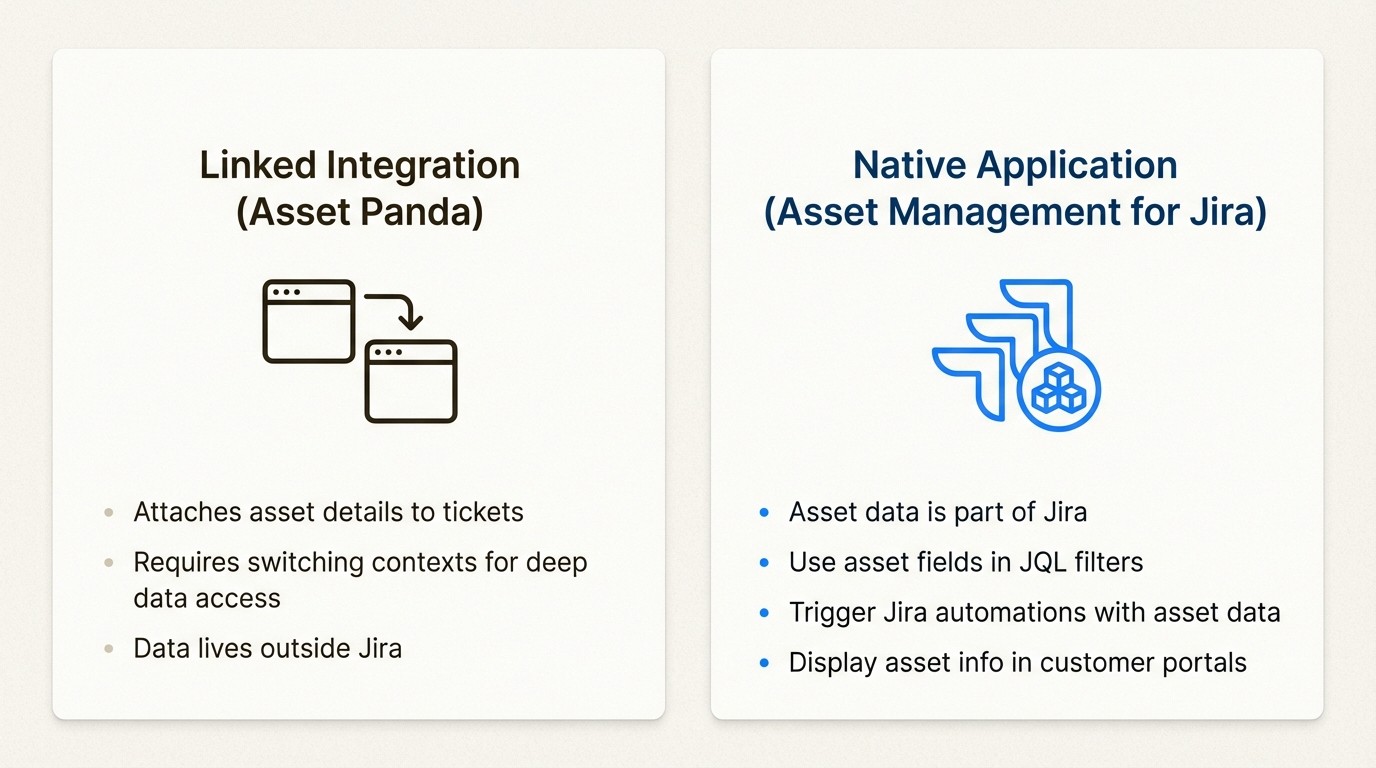
Asset Panda’s Jira integration lets you attach asset details to a service ticket. When an agent is working on a problem, they can see the user's laptop model, serial number, and purchase date without leaving Jira to open another app. It definitely saves time.
But it is helpful to understand the difference between a linked integration and a native solution. A native application, such as Asset Management for Jira, operates entirely within the Jira environment. This means asset data can be used as a native part of Jira. For example, users can use asset fields in JQL filters, display them in customer portals, and leverage asset data to trigger Jira's automation engine. This level of integration is a characteristic of native applications, offering a different experience than a linked external system.
What's missing from Asset Panda for IT-centric teams?
A review by PCMag highlights a couple of features that are not included for IT teams: network discovery and remote access.
So what does that mean? Asset Panda is excellent for tracking assets you're already aware of. You can import them, scan them, or sync them from an MDM. But it won't automatically scan your network to find new devices that have connected. This is a feature some dedicated ITAM tools have to help catch shadow IT. It's a small but significant difference for teams trying to get a full picture of everything on their network.
A detailed look at Asset Panda pricing
Pricing is always a major consideration, and Asset Panda's model has a few quirks you should be aware of. They use a per-user model with different tiers that include hard limits on the number of assets you can track. For a final price, you'll typically need to schedule a demo with their sales team.
How the Asset Panda pricing model works
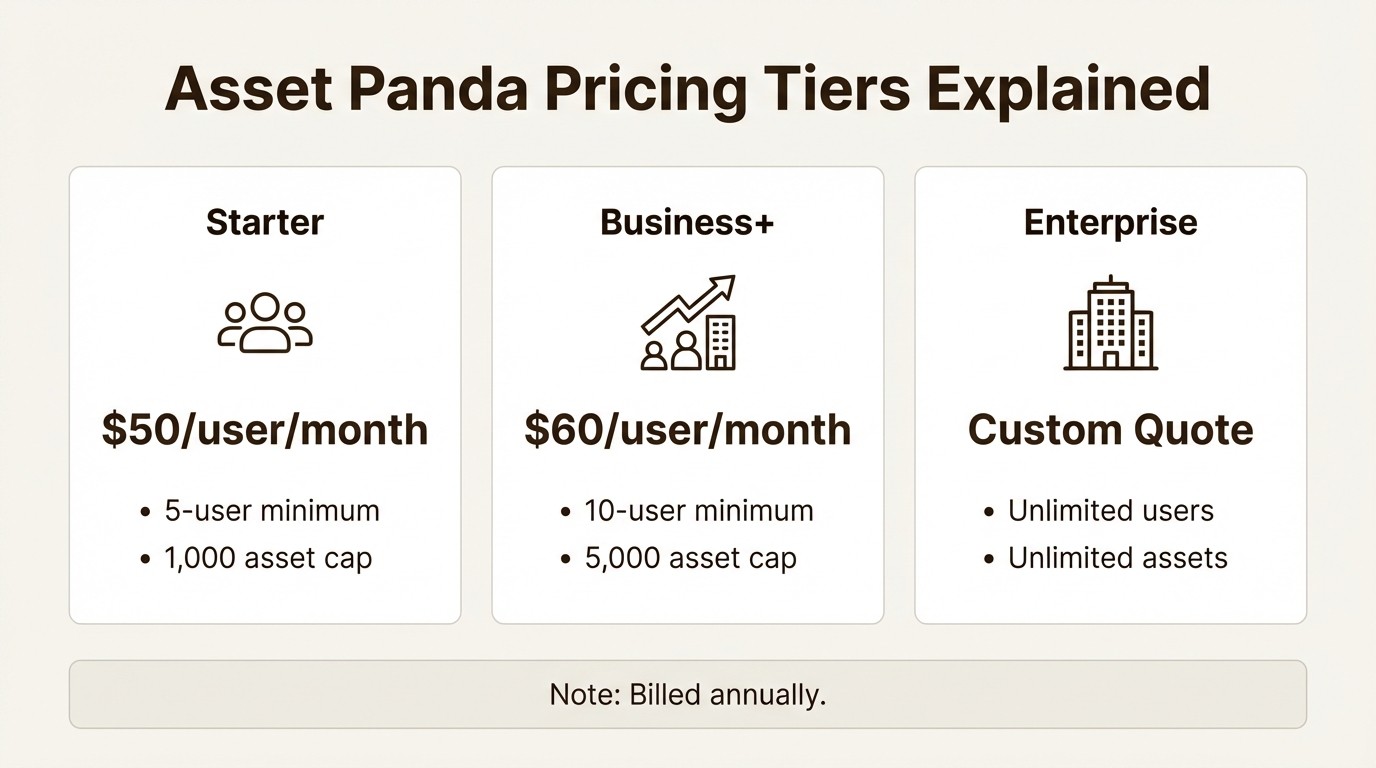
The tiers are structured like this:
Starter: This plan starts at $50 per user per month (billed annually). It has a 5-user minimum, so you're looking at a minimum of $3,000 per year, and it's capped at 1,000 assets.
Business+: This tier begins at $60 per user per month (billed annually) with a 10-user minimum, making the starting price $7,200 per year. It covers up to 5,000 assets.
Enterprise: For unlimited users and assets, you'll have to get a custom quote.
Understanding user minimums and asset caps in Asset Panda
This pricing structure has a couple of significant implications. First, the user minimums can be a key cost factor for smaller IT teams. If you only have two or three people managing assets, you're still paying for five seats on the Starter plan.
More importantly, the asset caps are an important factor for growing companies. As your company grows and you add more laptops, monitors, software licenses, and other gear, you may exceed the 1,000-asset limit on the Starter plan. When that happens, you have to upgrade to the pricier Business+ tier, even if your team hasn't grown. Your costs can jump just because you bought more equipment.
Comparing pricing models for Jira-centric teams
This is where the pricing for Jira marketplace apps really differs. A solution like Asset Management for Jira bases its cost on your team size (the number of licensed Jira users), not your inventory. Plus, all of its plans include unlimited assets.
For an IT team with a set number of agents but a quickly growing inventory, this model provides cost predictability as the asset count increases.
Aspect | Asset Panda | Asset Management for Jira |
|---|---|---|
Pricing Model | Per user, with asset caps per tier | Tiered per Jira user |
Asset Limits | Yes (e.g., 1,000 on Starter plan) | No, unlimited assets included |
User Minimums | Yes (5 on Starter, 10 on Business+) | No (starts at a flat fee for 1-10 users) |
Cost Predictability | Cost can jump when asset caps are hit | Cost scales predictably with team size |
Best For | Orgs with a high user-to-asset ratio | Jira teams with a high asset-to-user ratio |
To see the platform in action, this video provides a helpful overview of Asset Panda's main features and user interface.
This video provides an overview of the Asset Panda Pro platform, the mobile-first solution for asset tracking.
Is Asset Panda the right choice for your team?
Asset Panda is a powerful and flexible tool. For organizations needing to track a wide variety of physical assets across different departments, from IT equipment to company vehicles, its high level of configurability makes it a strong option. Its mobile application is also a key feature, especially for teams working outside the office.
For IT and service teams, there are a few factors to consider. The extensive customization can lead to a more involved initial setup. The platform does not include some IT-specific features like network discovery, and the pricing model with user minimums and asset caps should be considered by organizations with a large number of assets.
For general-purpose asset tracking across an entire organization, Asset Panda is a capable choice. For teams that operate primarily within Jira, the distinction between a linked and a native integration is an important factor for those prioritizing seamless workflows within the Jira environment.
If your main objective is to connect IT assets directly into your service management workflow, a native Jira solution offers an alternative approach. A tool like Asset Management for Jira, for example, is designed to manage and link assets to tickets entirely within the Jira interface.
Try Asset Management for Jira for free and see what an integrated solution can do for your team.
Frequently Asked Questions
Q1: What kind of teams is Asset Panda best suited for?
A1: Asset Panda is highly flexible and works well for organizations that need to track a wide variety of physical assets across different departments, like construction, healthcare, or education. For teams that primarily work within Jira, its general-purpose nature might create some workflow friction.
Q2: How does Asset Panda pricing work for a growing company?
A2: The Asset Panda pricing model is based on a per-user fee with specific tiers that have hard caps on the number of assets you can track. As your company's inventory grows, you might hit an asset cap and need to upgrade to a more expensive plan, even if your number of users hasn't changed.
Q3: Can Asset Panda integrate with Jira?
A3: Yes, Asset Panda offers a Jira integration that allows you to link asset details to service tickets. However, it's a linked integration, meaning the data lives in an external system, unlike a native Jira app where asset information becomes part of the Jira environment itself.
Q4: What are the main limitations of Asset Panda for IT teams?
A4: For IT-focused teams, Asset Panda is missing features like automatic network discovery to find new devices. Also, its high level of customization can lead to a complex and time-consuming setup process compared to tools designed specifically for IT workflows.
Q5: Does Asset Panda have a mobile app with an offline mode?
A5: Yes, a major strength of Asset Panda is its mobile app for iOS and Android, which includes barcode/QR code scanning. The Pro platform also features a full offline mode, allowing you to update records without an internet connection and sync them later.
Q6: Is setting up Asset Panda a quick process?
A6: While Asset Panda is powerful, user reviews often mention that the initial setup can be complex and take a significant amount of time. Because it's a no-code platform designed for many industries, you have to build your IT environment from the ground up.



