A Comprehensive Guide to IT Asset Inventory Management
Master IT asset inventory management to control costs, boost security, and streamline operations. Learn how to replace spreadsheets with a system that works.

Colin Reed
IT Expert and Content Writer
Last Updated

It’s Monday morning. An executive’s laptop just died, and a new hire starts in an hour. Your support team is scrambling, asking around: “Do we have a spare? Where is it? Who had it last?”
If that scene feels familiar, you’re not alone. It’s what happens when teams rely on spreadsheets or memory to track their tech. But without a clear system, you’re not just disorganized—you're losing money and opening your company up to risk. It’s pretty common for organizations to waste 20-35% of their IT budgets on gear they don’t need and software they don’t use.
This is where IT asset inventory management steps in. It’s the foundation for running IT operations that are efficient, secure, and don't break the bank. Let's walk through what it is, why it matters, and how you can build a process that saves you time, money, and a whole lot of headaches.
What is IT asset inventory management?
At its core, IT asset inventory management is the ongoing process of keeping track of your organization’s tech assets—making sure they’re accounted for, deployed, maintained, upgraded, and eventually retired. This isn't a one-time count, but a living, breathing record of every piece of technology throughout its entire lifecycle.
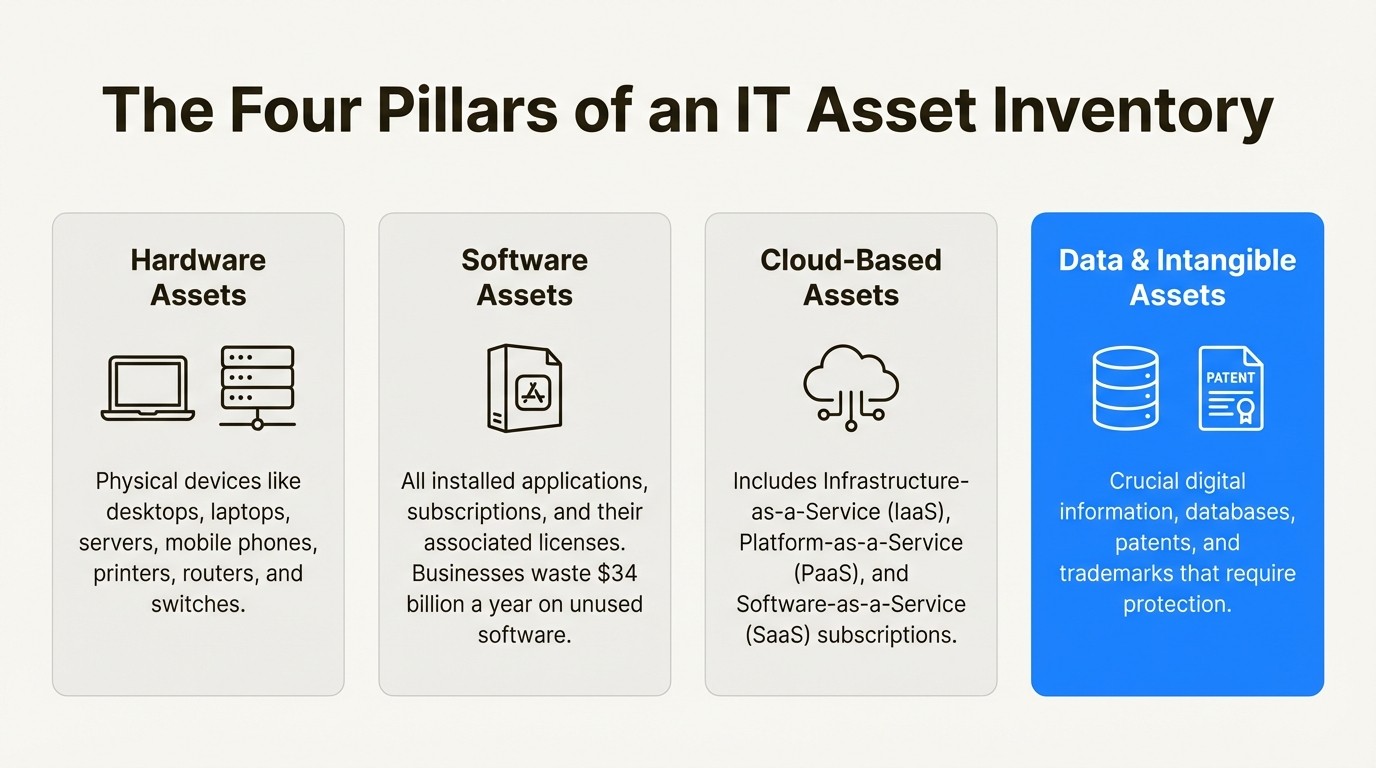
An IT asset is any bit of hardware, software, or information your company relies on. This goes way beyond just laptops and servers. A full inventory should include:
Hardware Assets: Desktops, laptops, servers, mobile phones, printers, and all the network gear like routers and switches.
Software Assets: Every application you have installed, all your subscriptions, and the licenses that go with them. It's wild, but businesses in the US and UK waste a combined $34 billion a year on unused software.
Cloud-Based Assets: Your infrastructure (IaaS), platforms (PaaS), and software-as-a-service (SaaS) subscriptions that are essential for daily work.
Data and Intangible Assets: The databases, digital information, patents, and trademarks your organization needs to keep safe.
A solid IT asset inventory is your single source of truth. It tells you what you own, where it is, who’s using it, and what shape it’s in. Without it, you’re basically flying blind and making important decisions with half the story.
Why solid IT asset inventory management is the bedrock of modern IT
Keeping an accurate inventory isn't just about being tidy. It's a strategic move that directly affects your budget, security, and how smoothly things run. When you know exactly what you have, you can start making much smarter decisions.
Gain complete visibility with IT asset inventory management
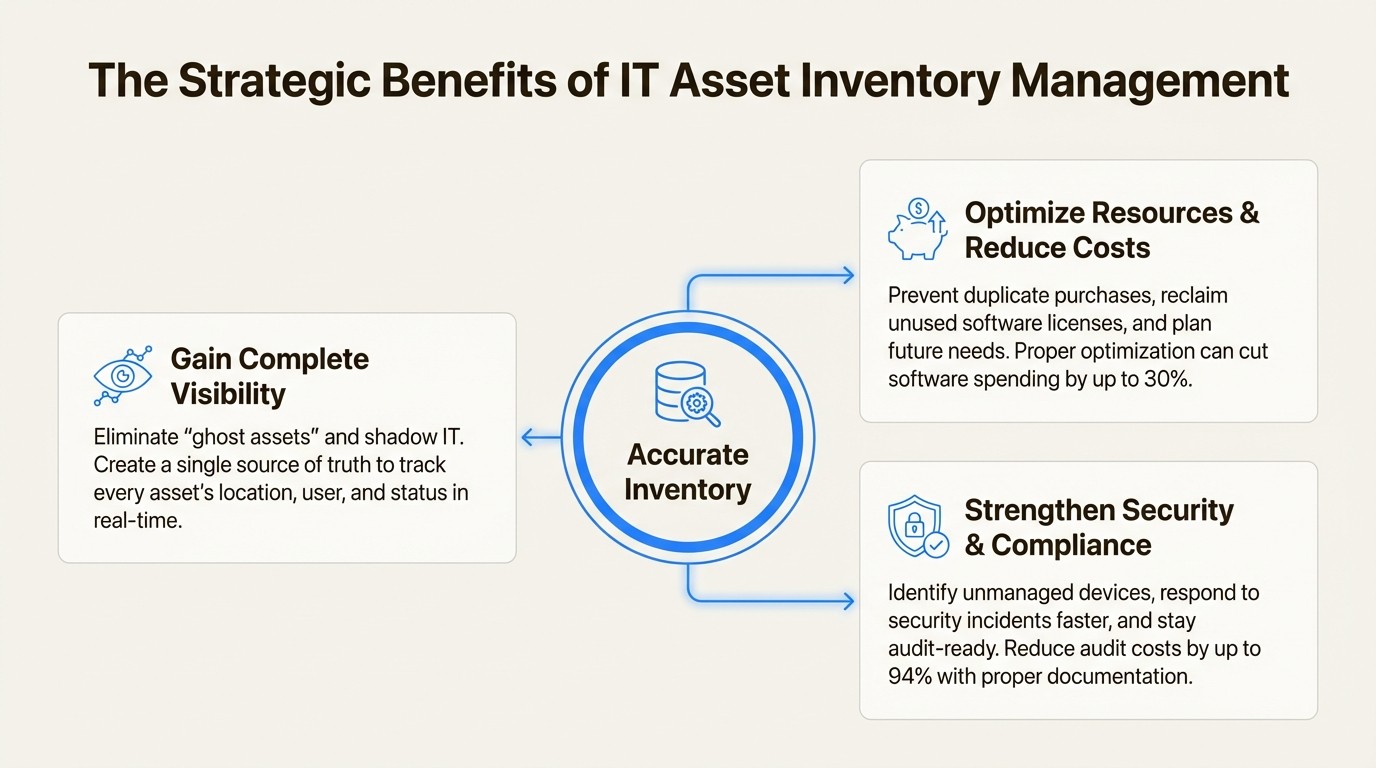
A lot of companies try to track their assets in spreadsheets, but these can become outdated and prone to errors. As your team grows and devices get passed around, this method can become a challenge to maintain. According to research from Sage Accounting, a $2 million company using spreadsheets for asset tracking could be spending as much as $50,000 a year on "ghost assets"—items that are on the books but are nowhere to be found.
A dedicated inventory system reduces guesswork. It gives you a central database where every asset is tracked, which also helps prevent "shadow IT" (when departments buy their own software without telling you). This single source of truth lets you find any asset in seconds, not hours, so you can make decisions with confidence.
Optimize resources and reduce costs with IT asset inventory management
Without full visibility into assets, overspending can occur. A shocking 55% of large enterprise software licenses are never even used, and simply optimizing them can cut software spending by up to 30%. An accurate inventory helps in several ways:
Stop buying duplicates: Before you order a new laptop, a quick search might show you have a few perfectly good ones sitting in a closet.
Optimize software licenses: You can spot and reclaim expensive licenses from people who have left the company or no longer need them, saving thousands each year.
Plan for the future: By tracking the age and performance of your assets, you can plan for replacements ahead of time. This lets you buy in bulk to get discounts instead of making pricey emergency purchases.
Strengthen security and compliance through IT asset inventory management
You can’t protect what you don’t know you have. Unmanaged devices can be vulnerable for attackers, who can find vulnerabilities in minutes. An up-to-date inventory is a key component of a strong security posture. It helps you:
Respond to incidents faster: When a device is compromised, you can instantly see who it belongs to, what data it holds, and what other systems it connects to.
Stay compliant: Software audits can lead to huge fines if you can't prove you're properly licensed. An inventory gives you audit-ready documentation on demand, which can cut audit costs by up to 94%.
Manage vulnerabilities: You can quickly pull a list of all devices running vulnerable software and push out patches, closing security gaps before they become real problems.
How to build and manage your IT asset inventory management process
Getting started with IT asset inventory management is all about picking the right approach and tools for your company. The main goal is to move from manual chaos to automated clarity.
The manual approach to IT asset inventory management
The most common starting point is a spreadsheet. While it seems simple and has no upfront cost, this method has limitations. Manual inventories can be:
Time-Consuming: Someone has to physically count every asset and type in the data, which can take hours or even days.
Full of Human Error: Typos and forgotten updates are bound to happen, making your inventory inaccurate almost right away.
Instantly Outdated: A spreadsheet is just a snapshot in time. The second a new laptop is assigned or an old one is retired, the whole thing is wrong.
Difficult to Scale: For any company with more than a few employees, a spreadsheet can become an unmanageable document that offers limited real-time visibility.
Choosing the right automated tools for IT asset inventory management
To build an inventory you can actually rely on, automation is a key consideration. Automated tools constantly discover and monitor your assets, which cuts down on manual work and makes sure your data is always current. However, tools differ in their approach. You'll generally find standalone platforms, endpoint management solutions, and apps that integrate natively with your other systems.
If your team works in Jira all day, a disconnected tool can add steps to a workflow. Constantly switching between your service desk and a separate asset platform can slow down processes and silo important information. This is where a native solution can be beneficial. For example, an app like Asset Management for Jira is built to work right inside the Jira ecosystem. It syncs with device management tools like Intune, Jamf, and Kandji to keep data fresh and links assets directly to support tickets. This gives your team the context they need, right where they need it, without navigating a separate system.
Comparing IT asset inventory management approaches
Picking the right system comes down to your current workflows and what you want to achieve. For teams that are already built around Jira, bringing asset data directly into their service desk is the most efficient way to go.
Feature | Spreadsheets | Standalone ITAM Tools | Integrated Jira Apps (like AMFJ) |
|---|---|---|---|
Data Accuracy | Low (relies on manual entry, static) | High (typically includes automated discovery) | High (supports automated sync and manual entry) |
ITSM Integration | None (requires manual lookups) | Varies (often requires integration via APIs) | Native (assets linked directly in tickets) |
Setup & Maintenance | Low initial setup, high ongoing maintenance | Varies (can be complex and require dedicated admins) | Generally low (designed for quick installation and configuration) |
Time to Value | Variable (can create significant manual work) | Varies (implementation can take weeks to months) | Typically fast (can be operational in hours or days) |
Cost-Effectiveness | No software cost, but high labor costs | Varies (typically involves software license and implementation costs) | Varies by vendor (often priced for different team sizes) |
Integrating IT asset inventory management with Jira
An asset inventory is useful by itself, but it becomes more effective when you connect it to your daily IT service management (ITSM) workflows. When your support team can see a user's complete device history right inside their support ticket, processes can be streamlined.
This is a key benefit of a native solution like Asset Management for Jira. Instead of support agents spending time asking users for serial numbers or digging through another system for warranty info, the relevant context is available, attached to the Jira issue.
This integration can have a significant impact. Teams with integrated asset data can reduce time gathering device info by up to 96%. This allows teams to focus on resolving issues more quickly.
This integration can improve several aspects of ITSM:
Faster Incident Resolution: When a ticket for a "slow laptop" comes in, the agent can immediately see it's a 4-year-old model with a history of performance problems. The solution—getting the user a new one—is obvious in seconds.
Proactive Problem Management: By looking at tickets linked to certain asset models, you can spot trends. If one laptop model is constantly getting tickets for failing fans, you can deal with the issue proactively and make better purchasing decisions next time.
Smarter Change Management: Before you push a software update, you can instantly get a list of every device that will be affected, figure out the potential impact, and plan your rollout.
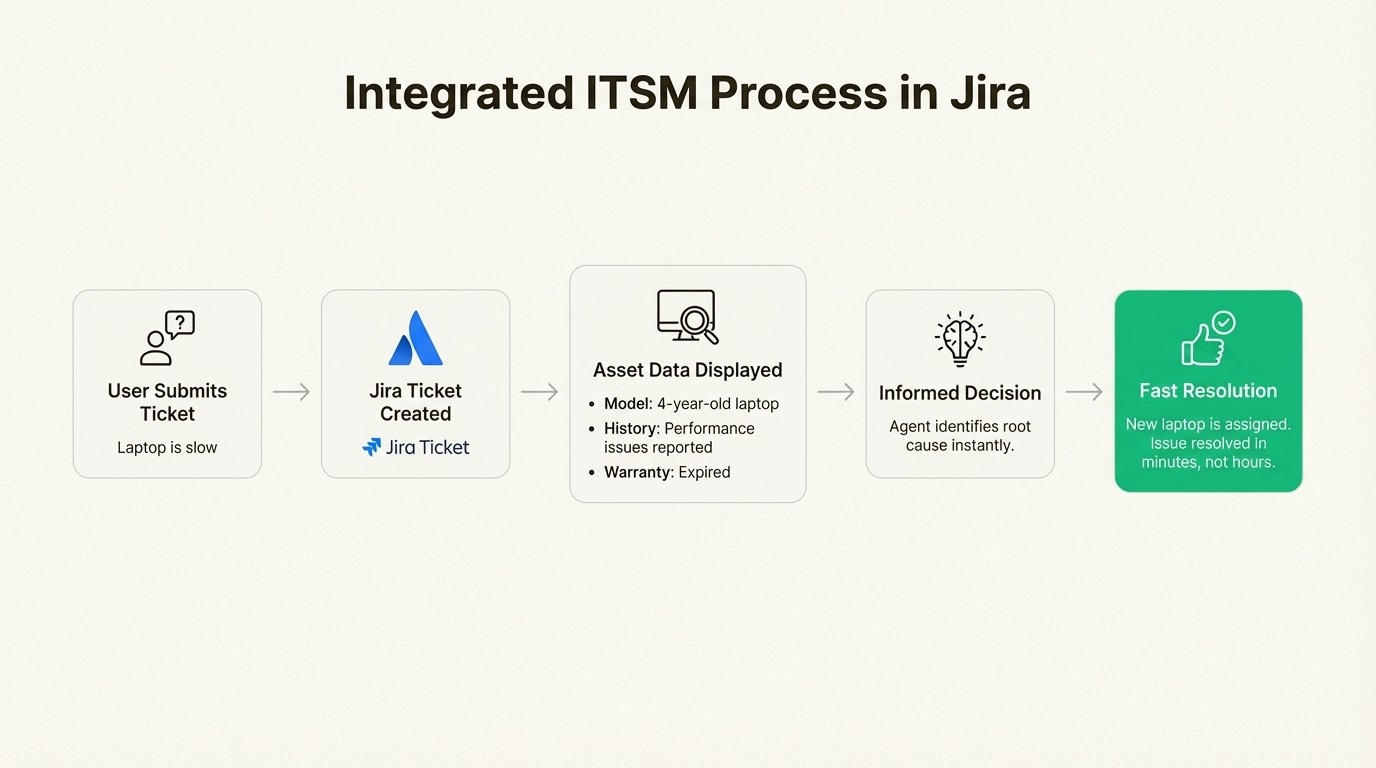
By bringing your asset data into the tool where your team already works, you can shift from a reactive process to a more proactive, data-driven one.
To get a better sense of the fundamentals, this video offers a concise overview of IT asset management, covering the core concepts and the entire asset lifecycle from procurement to retirement.
This video offers a concise overview of IT asset management, covering the core concepts and the entire asset lifecycle from procurement to retirement.
Your next steps in IT asset inventory management
An accurate, automated IT asset inventory is a critical component for many modern organizations. It’s the key to controlling costs, securing your environment, and helping your IT team work more efficiently. Moving from a manual system to an integrated solution is a key step. The benefits are most apparent when your asset data lives inside the tools your team uses every single day.
For teams that use Jira, an integrated app like Asset Management for Jira can provide a way to track assets and licenses within their existing workflow. Exploring such a solution can help organizations establish a single source of truth for their IT assets.



