ManageEngine AssetExplorer vs. Jira Asset Management Solutions
Compare ManageEngine AssetExplorer vs Jira Asset Management Solutions to find the right ITAM tool. See features, pricing, and use cases for each.

Colin Reed
IT Expert and Content Writer
Last Updated

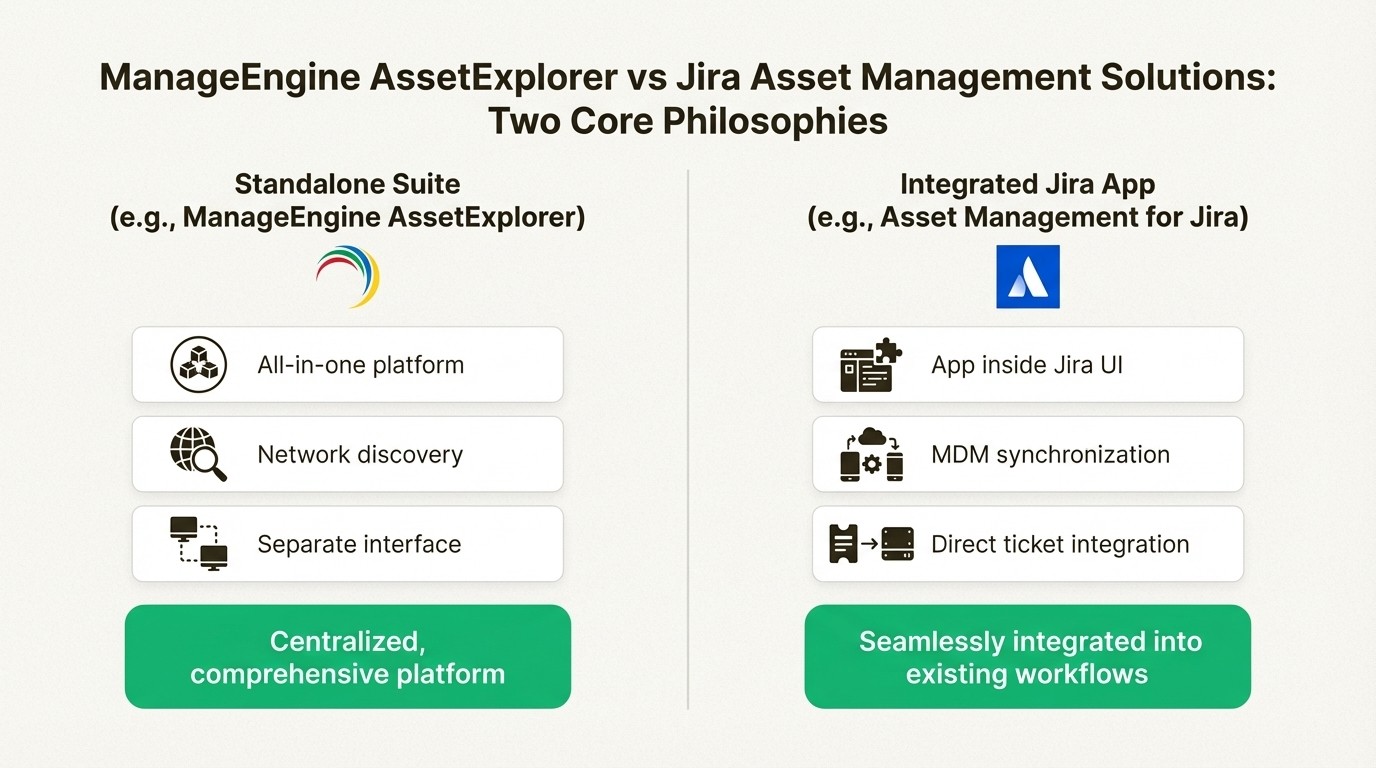
Picking the right tool to manage all your IT gear is a big decision. Do you go for a standalone suite like ManageEngine AssetExplorer, which gives you a massive array of features in one package? Or do you pick something that lives inside the ecosystem your team already uses every day, like an asset management app for Jira?
If you’re using messy spreadsheets, facing compliance audits, or trying to track down missing equipment, you know something has to change. ManageEngine offers an all-in-one platform with deep functionality, while Jira-native solutions promise a seamless link with your service desk and development workflows. This guide will break down the key differences between them, helping you figure out which approach best fits your team’s needs, budget, and the tools you're already using.
What is ManageEngine AssetExplorer?
ManageEngine AssetExplorer is a web-based ITAM tool designed to give you a full picture of all your hardware and software, from the day you buy it to the day it's retired. It’s available in both on-premises and cloud versions and acts as a central hub for everything ITAM. It combines asset tracking, software license management, and a Configuration Management Database (CMDB) into one platform.
Its main strength is its breadth of features. AssetExplorer uses automated, network-based discovery (both with and without agents) to build and maintain a detailed inventory of everything on your network. Beyond just finding things, it’s built to handle the entire asset lifecycle, with dedicated modules for purchase orders and contract management. This is beneficial for organizations that want to consolidate IT procurement and compliance into one system. It also connects with other ManageEngine products like ServiceDesk Plus and Endpoint Central, and even third-party tools like Lansweeper. The platform holds a number of certifications, including ISO/IEC 27001 and SOC 2 Type II, showing its commitment to enterprise-level security.
As a standalone platform, it operates separately from other team workflows. For teams heavily reliant on Jira, this may mean switching between tools, since all that rich asset data isn't native to their issue-tracking environment.
What are Jira asset management solutions?
Instead of a separate platform, Jira asset management solutions are apps that work directly inside your Jira instance. This approach is ideal for the thousands of teams that already rely on Jira for service requests, incident management, and project tracking. The primary benefit of this approach is that teams can manage assets within the same environment they use for resolving tickets.
This category breaks down into two main options:
Assets by Atlassian: You might know this by its old name, Insight. This is Atlassian’s own built-in CMDB. It’s a powerful and flexible tool for mapping out complex relationships between assets, services, and people. It's important to note that it’s only available on the Premium and Enterprise plans of Jira Service Management. That can be a significant cost jump for teams on Standard or Free plans. Plus, it often needs other apps for direct integrations with MDM tools like Intune.
Asset Management for Jira: As a dedicated app on the Atlassian Marketplace, Asset Management for Jira offers a powerful and streamlined alternative. It is designed to provide a native experience, turning your assets into objects you can link directly to any Jira issue. It is suited for teams that need solid asset and license tracking without the complexity of a full-scale CMDB. Its features include a quick setup process and direct MDM integrations with Intune, Jamf, and Kandji. Its straightforward pricing works with any Jira Cloud plan, making it an accessible option for teams of all sizes.
The core benefit is that bringing asset management into Jira gives your support and dev teams immediate context, helping them solve problems more efficiently.
Core feature comparison
While both tools are intended to solve the asset management puzzle, they have different philosophies. ManageEngine provides a dedicated, all-in-one platform, while a Jira-native solution like Asset Management for Jira adds a specialized toolset integrated with the existing Jira environment.
Asset discovery and inventory
ManageEngine AssetExplorer's strength is its automated, network-based discovery. It offers both agent-based and agentless scans to automatically find and catalog devices and software across your network. It also supports barcode, QR code, and RFID scanners. This is a good fit for organizations with large, diverse on-premise environments that need a top-to-bottom inventory sweep.
Jira asset management solutions, especially Asset Management for Jira, take an integration-first approach. Instead of relying on network scans, it focuses on syncing with the management tools you already have. With direct integrations for Microsoft Intune, Jamf Pro, and Kandji, it automatically pulls in devices and user assignments. This makes sure your asset data is always in sync with your Mobile Device Management (MDM) systems. For everything else, it has a CSV import tool with built-in validation to catch errors. This approach is well-suited for cloud-first companies with distributed teams.
Feature | ManageEngine AssetExplorer | Asset Management for Jira |
|---|---|---|
Primary Discovery Method | Agent-based & agentless network scanning | Direct MDM sync (Intune, Jamf, Kandji), CSV import |
Best For | On-premise networks, diverse hardware estates | Cloud-managed devices, distributed teams |
Inventory Scope | Hardware, software, licenses, contracts | Hardware, software, licenses, accessories, consumables |
Automation Focus | Scheduled network scans and inventorying | Scheduled syncs with MDM tools and Jira automation |
Lifecycle and license management
Both platforms give you ways to track assets from purchase to disposal. ManageEngine provides a very detailed framework that includes a drag-and-drop canvas to design unique asset lifecycles and workflows. Its license management is comprehensive, supporting various license types and offering auto-allocation capabilities.
Asset Management for Jira connects the asset lifecycle directly to Jira Automation. You can trigger status changes, send notifications for expiring warranties, or create maintenance tickets automatically. For license management, it lets you track software entitlements, monitor compliance, and assign licenses to users or devices. This keeps everything tied to the user records and support tickets you already have in Jira, giving you a cohesive view of your operations. For example, when a user creates a ticket, the support agent can immediately see exactly which licenses are assigned to them.
Service desk integration
This is where the difference in philosophy becomes obvious. ManageEngine AssetExplorer integrates well with other ManageEngine products, like ServiceDesk Plus. It creates a unified experience—if you're fully committed to the ManageEngine ecosystem.
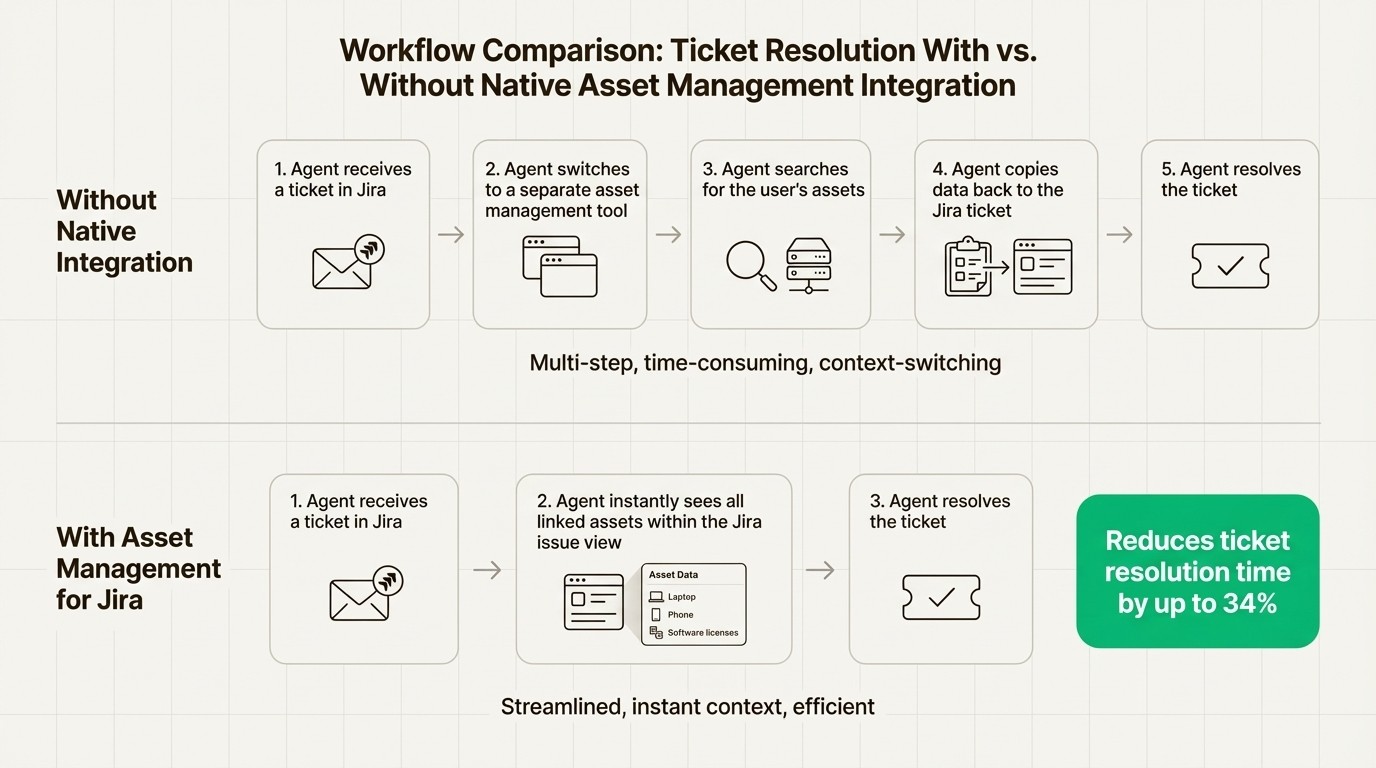
For teams using Jira, a native solution offers distinct advantages. With Asset Management for Jira, your asset database is part of the Jira instance. Assets are linked to tickets via a custom field, which means agents see a user’s assigned hardware, software licenses, and device history without ever leaving the issue view. This immediate context can help reduce ticket resolution time by up to 34%, since agents can access device info directly within the ticket.
Pricing and total cost of ownership
ManageEngine AssetExplorer pricing
ManageEngine has a free edition of AssetExplorer for up to 25 assets. For anything more than that, its pricing is based on the number of IT assets you have. The cloud version starts at $1,245 per year for 250 assets and scales up to $16,695 per year for 10,000 assets. While this model is clear, the cost is tied to assets rather than users, which can become a major investment for organizations with a lot of devices.
Jira asset management solutions pricing
The cost for a Jira-native solution depends on which path you take.
Atlassian Assets: This comes bundled with Jira Service Management Premium or Enterprise plans. This can represent a significant cost increase if your team is on a Free or Standard plan, because it requires upgrading your entire service desk platform just to get asset management.
Asset Management for Jira: This app offers a flexible model. The pricing is transparent, per-user, and works with any version of Jira Cloud. This lets you add powerful asset management without requiring an upgrade to a more expensive Jira plan.
Here’s a quick look at the pricing for Asset Management for Jira:
Team size | Standard Edition | Advanced Edition |
|---|---|---|
Up to 10 users | $10/month | $20/month |
11–100 users | $2.85/user/month | $3.25/user/month |
101–250 users | $1.75/user/month | $2.25/user/month |
251–1000 users | $1.10/user/month | $1.15/user/month |
This scalable model means you only pay for what you need and can easily predict costs as your team grows, which can contribute to a lower total cost of ownership in some scenarios.
Ideal use cases
When to choose ManageEngine AssetExplorer
ManageEngine AssetExplorer is a solid choice for organizations that:
Need a comprehensive, standalone ITAM solution that covers everything from network discovery to procurement.
Are already invested in the ManageEngine ecosystem or prefer to get everything from one IT management vendor.
Have complex, on-premise networks that would benefit from automated agent-based and agentless discovery.
Require deep financial and contract management features built directly into their asset platform.
When to choose a Jira-native solution
A Jira-native tool like Asset Management for Jira is the perfect fit for teams that:
Work primarily in Jira. If your service desk, development, and ops teams all use Jira, a native solution reduces context-switching and keeps everyone on the same page.
Prioritize efficient ticket resolution. Giving agents instant asset data inside tickets is an effective way to boost efficiency. As the IT Director at Drips mentioned, the tool is praised for delivering value quickly.
Need a lightweight, easy-to-use tool. The CIO at Stickley highlighted that AMFJ helps them proactively manage hardware issues by associating user problems with specific assets. It’s powerful without being bloated.
Rely on modern device management. For teams using Microsoft Intune, Parchment's IT Director called the integration a "lifesaver."
Want an affordable and scalable solution. AMFJ lets you add critical asset management functionality without requiring an upgrade to an expensive, enterprise-level Jira plan.
Making the right choice
Ultimately, the choice between ManageEngine AssetExplorer and a Jira-native solution isn't about which one is "better," but which one is a better fit for how your team works.
ManageEngine AssetExplorer is a powerful, all-in-one toolkit for the dedicated IT asset manager. It offers deep functionality for organizations that need a centralized, standalone system to manage a complex, often on-premise, environment.
For the modern IT team operating at the intersection of support, development, and operations, a Jira-native solution offers a streamlined, integrated, and efficient path. By bringing assets directly into the environment where work already happens, you give your teams the context they need to work more efficiently.
For teams looking to move away from spreadsheets, improve ticket resolution times, and integrate asset tracking into their existing workflows, a native Jira solution can be an effective option.
Ready to see how asset management inside Jira can transform your IT operations? Try Asset Management for Jira for free and see how quickly you can get your inventory under control.



