Freshservice vs Jira Service Management for asset management: a 2026 deep dive
Choosing between Freshservice vs Jira Service Management for asset management? Compare features, real costs, and why a native Jira app is often smarter.

Colin Reed
IT Expert and Content Writer
Last Updated
Many IT teams juggle multiple tools, such as Jira and spreadsheets, to track down asset information like a laptop's serial number. This can be a significant time commitment. Hunting for basic device info and using separate tools can account for up to 30% of an annual IT budget. So picking the right tool to manage all your IT assets isn't just a minor choice, it's a big one.
Two of the biggest names you'll run into are Freshservice and Jira Service Management (JSM). They are both prominent solutions in the IT Service Management (ITSM) space. But how do they compare when you get into the details of asset management?
This guide is a straightforward comparison of their asset management capabilities. We’ll look at what they offer, how well they connect to your daily support tickets, and what they cost. By the end, you’ll have a much better idea of which one makes sense for your team and your budget.
What is Freshservice?
Freshservice is Freshworks' all-in-one, cloud-based ITSM tool. It's known for a clean, easy-to-use interface and is trusted by over 75,000 businesses worldwide. The whole idea is to give you a single system for everything from ticketing to asset tracking.
When it comes to asset management, Freshservice has a built-in module right inside the platform. These features are available starting with the Growth plan. The entry-level Starter plan does not include them.
Freshservice’s biggest strength is its simplicity. If you want one platform that handles all your ITSM functions without a ton of complicated setup, it’s a solid choice. It’s especially appealing for businesses that aren’t already living and breathing in the Atlassian ecosystem and just want something that works out of the box.
However, some users report that while it meets basic needs, its asset management features may not scale with company growth.
What is Jira Service Management?
Jira Service Management is Atlassian’s take on ITSM, built right on top of the flexible Jira platform. Its main advantage is how deeply it connects with the entire Atlassian suite, which is a huge plus for teams where IT and software development need to work closely together.
JSM’s asset management muscle comes from a feature called "Assets" (which you might remember as Insight). Think of it as a flexible Configuration Management Database (CMDB) that lets you track just about anything.
A key consideration is that the full "Assets" feature is only included in JSM's Premium and Enterprise plans. The Free and Standard plans do not include a built-in ITAM solution.
Additionally, as of October 2024, there is a new consideration for Premium users. While the plan includes 50,000 free Assets objects, you have to pay for each additional object once you go over that limit. This can introduce a variable cost that may be difficult to predict.
So, JSM with "Assets" is well-suited for large organizations that are already committed to the Premium plan, need a super-configurable CMDB, and want to link it directly to their development work in Jira Software. For many others, it may exceed their budget or requirements.
Feature comparison: Freshservice vs Jira Service Management
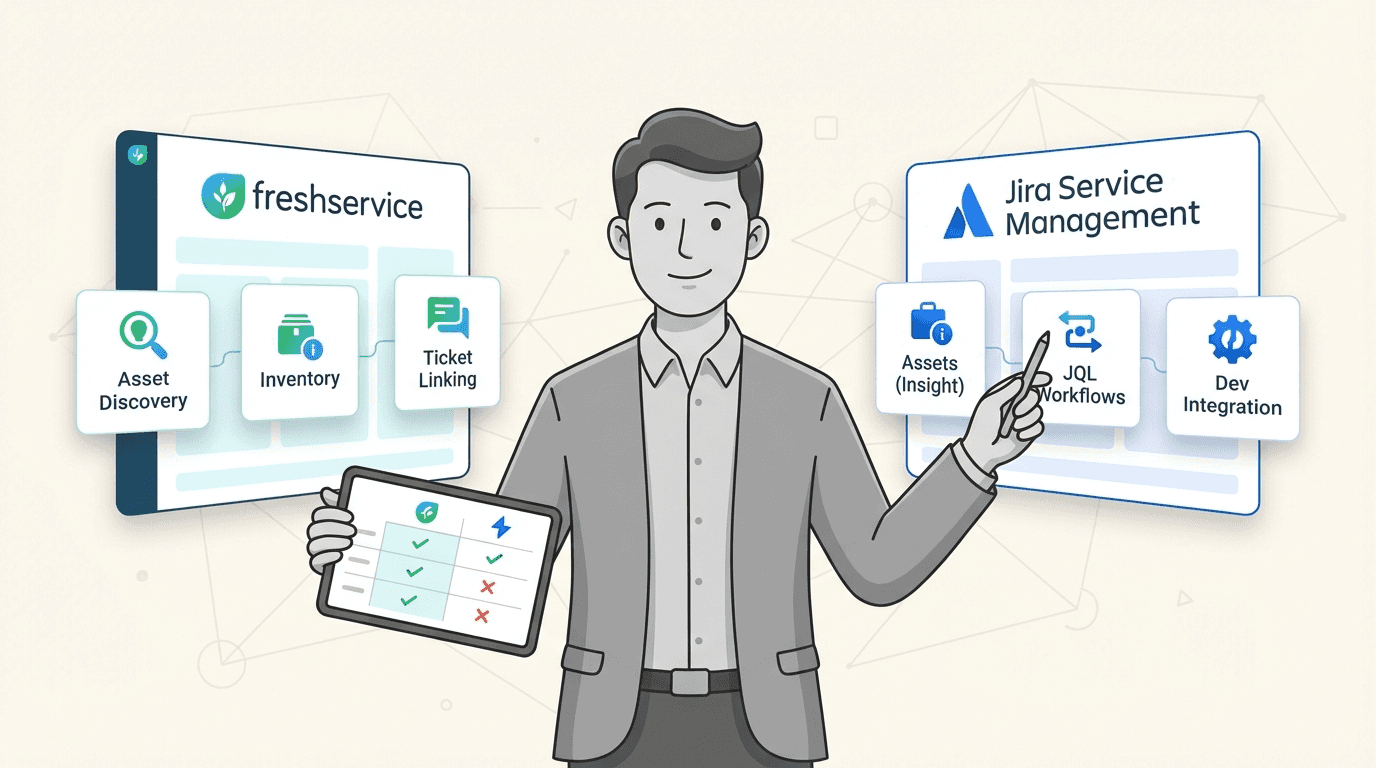
So how do these two platforms actually compare when it comes to the day-to-day work of managing your IT equipment? Let's break it down with this visual comparison.
Asset discovery and inventory
Freshservice: Starting with its Growth plan, Freshservice provides built-in tools that can scan your network and automatically find your assets. This is great for teams who want that all-in-one feel without needing extra tools.
Jira Service Management: If you've paid for the Premium plan, you get Assets Discovery, an agentless scanner that handles this. However, for users on the Standard plan, the process is manual. They must use CSV imports, which can become outdated quickly. Additionally, connecting to modern device management (MDM) tools like Intune often requires finding and paying for third-party apps, adding more cost and complexity.
Marketplace app solutions: For teams on JSM Standard, this is where a dedicated marketplace app like Asset Management for Jira can be beneficial. It fills that gap by offering direct, automated syncing with popular tools like Microsoft Intune, Jamf, and Kandji. This provides enterprise-level discovery without requiring an upgrade to the Premium plan.
Linking assets to tickets and workflows
Freshservice: It does a decent job of letting you link assets to tickets within its system. This gives your agents the context they need to solve problems without having to jump between different screens.
Jira Service Management: This is where JSM can be incredibly powerful, but again, only if you're a Premium user. They can link assets to issues and use Jira's famous automation engine and Jira Query Language (JQL) to build some impressive workflows.
Why deep integration matters: A truly native app takes this to another level. Unlike an external tool, Asset Management for Jira adds a "Linked Assets" custom field directly into any Jira issue, on any plan. This unlocks things you can't do on a Standard plan, like:
Using JQL to instantly find every ticket related to a specific laptop model that’s been causing problems.
Showing live asset data, like a laptop's owner or warranty status, right in your service desk queues.
Automatically triggering Jira automation rules when an asset's status changes, like creating a task when a warranty is about to expire.
Software license management
Freshservice: It includes features to help you track your software licenses. This is essential for keeping an eye on compliance and making sure you’re not overspending.
Jira Service Management: While it is possible to configure "Assets" on the Premium plan to track licenses, it typically requires significant manual setup as this is not its primary function.
Purpose-built license management: A purpose-built tool like Asset Management for Jira provides simple, straightforward license tracking. It helps you monitor who’s using what, reclaim licenses from people who’ve left the company, and prepare for audits without the complexity of managing a full-blown CMDB.
Total cost of ownership comparison
The total cost of ownership is a critical factor in the decision-making process. Here’s how the costs stack up.
Freshservice pricing breakdown
Freshservice uses a per-agent, per-month pricing model. The main thing to remember is that you need to be on the Growth plan or higher to get any IT asset management (ITAM) features.
Here are the tiers if you pay annually:
Starter: $19 per agent/month (No ITAM)
Growth: $49 per agent/month (Includes ITAM)
Pro: $99 per agent/month
Enterprise: Custom Pricing
Jira Service Management pricing breakdown
JSM also uses a per-agent, per-month model and is sold as part of the "Service Collection."
Here are their monthly prices:
Free: Up to 3 agents
Standard: $20 per agent/month (No "Assets" feature)
Premium: $51.42 per agent/month (Includes "Assets")
The hidden cost of "Assets": Not only is the "Assets" feature locked behind the Premium plan, but it also comes with usage limits. You get 50,000 objects for free, but then you start paying for every object after that. This can add a variable cost as your company grows.
An alternative model for Jira users
Upgrading to JSM Premium solely for asset management may not be the most practical approach for all teams. An alternative approach is to stick with your Standard plan and add a focused app from the Atlassian Marketplace.
Let’s look at the real numbers for a 50-agent team that needs solid asset management in Jira.
Scenario (50 Agents) | Jira Service Management Plan | Asset Management Solution | Approx. Monthly Cost | Key Consideration |
|---|---|---|---|---|
Option 1: Standard Plan + Marketplace App | Standard Plan | $1,000 (JSM) + $142.50 (AMFJ) = $1,142.50 | Unlimited assets, direct MDM syncs included. | |
Option 2: The Premium Upgrade | Premium Plan | Built-in "Assets" | $2,571 | Cost can increase if you exceed 50,000 assets. |
The comparison shows that adding a native app allows a team to access enterprise-grade asset management features at a different price point than upgrading to the Premium plan. This approach avoids consumption-based fees for assets.
This video provides a detailed comparison of Freshservice and Jira Service Management to help you decide on the best ITSM software for your needs.
Making the final call
The best choice depends on your team's current processes and future goals.
For Freshservice users: It’s a great all-in-one option if you want a simple, unified ITSM platform and aren’t already living in the Atlassian world. It's a good fit for teams whose asset management needs aren't overly complex.
For Jira Service Management (Premium) users: This is a powerful, enterprise-level choice for large organizations that need a full CMDB, are willing to pay the higher price, and need that deep connection to development workflows. Just be sure to keep a close eye on your asset count to avoid surprise bills.
For teams on Jira Service Management (Standard): A practical choice is to enhance the platform you already use. Instead of a disruptive migration or a budget-breaking upgrade, adding a native tool like Asset Management for Jira can provide a direct and affordable solution for asset management. It gives you powerful features like MDM integration and unlimited asset tracking without the cost or complexity of a full CMDB. The result? You can resolve tickets 34% faster and get a complete handle on your IT inventory.
Take the next step
Evaluate your options to find a solution that fits your requirements and budget. You can add native asset management directly inside your Jira instance.
Start your free 30-day trial of Asset Management for Jira on the Atlassian Marketplace today.



