Reftab vs Asset Panda: A Comparison for IT Leaders
A breakdown of Reftab vs Asset Panda for IT leaders. We compare features, pricing, and ease of use to help you decide which asset management tool is right for your team in 2026.

Colin Reed
IT Expert and Content Writer
Last Updated
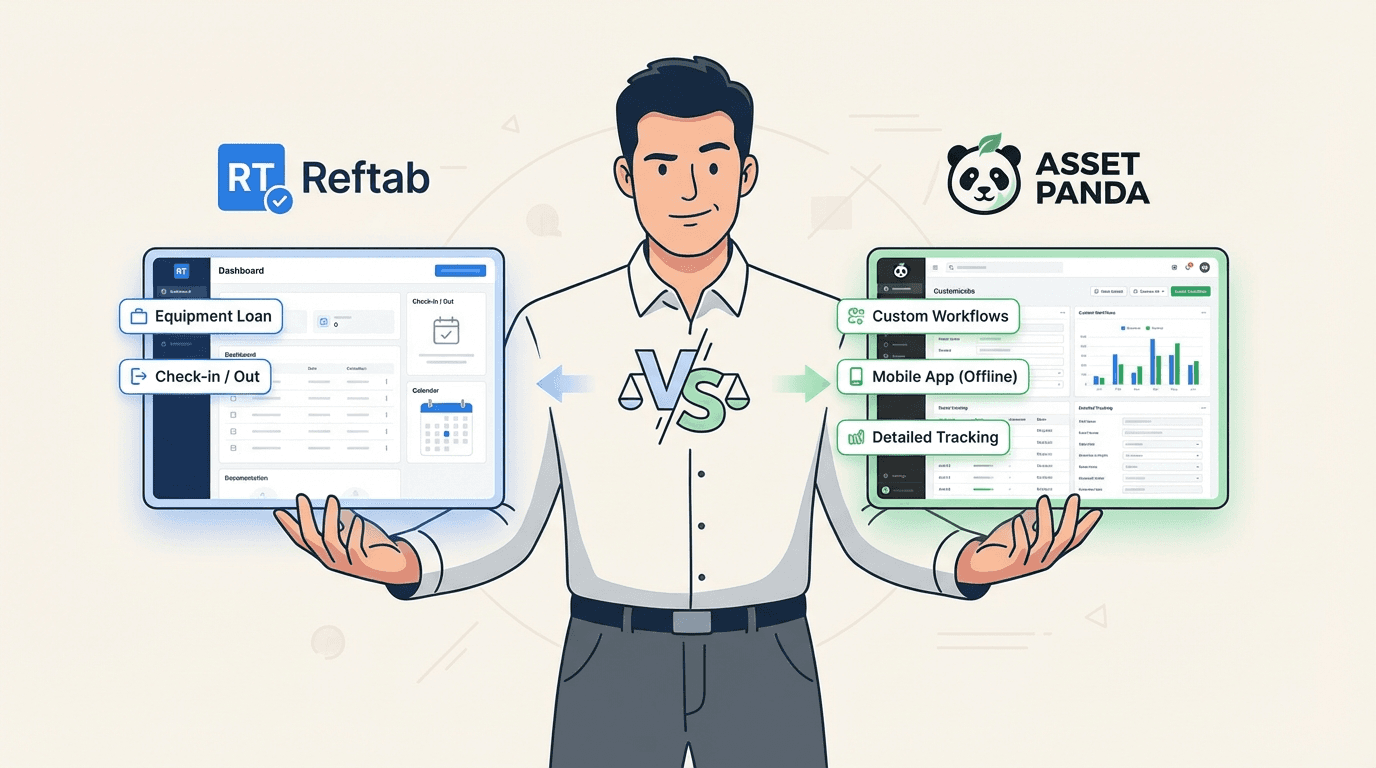
Trying to manage IT assets with a spreadsheet feels like a disaster waiting to happen. We’ve all been there: lost laptops, surprise license renewals that wreck the budget, and hours wasted hunting down gear that someone borrowed months ago. It’s a huge time sink for your team and a risky way to operate.
When you’re finally ready to ditch the spreadsheets, two names that pop up constantly are Reftab and Asset Panda. Both are popular, cloud-based tools designed to solve this exact headache.
This guide will dig into the features, usability, and pricing of both to help you figure out which tool is the right fit for your team. We'll also explore an alternative for teams that use Jira.
What is Reftab?
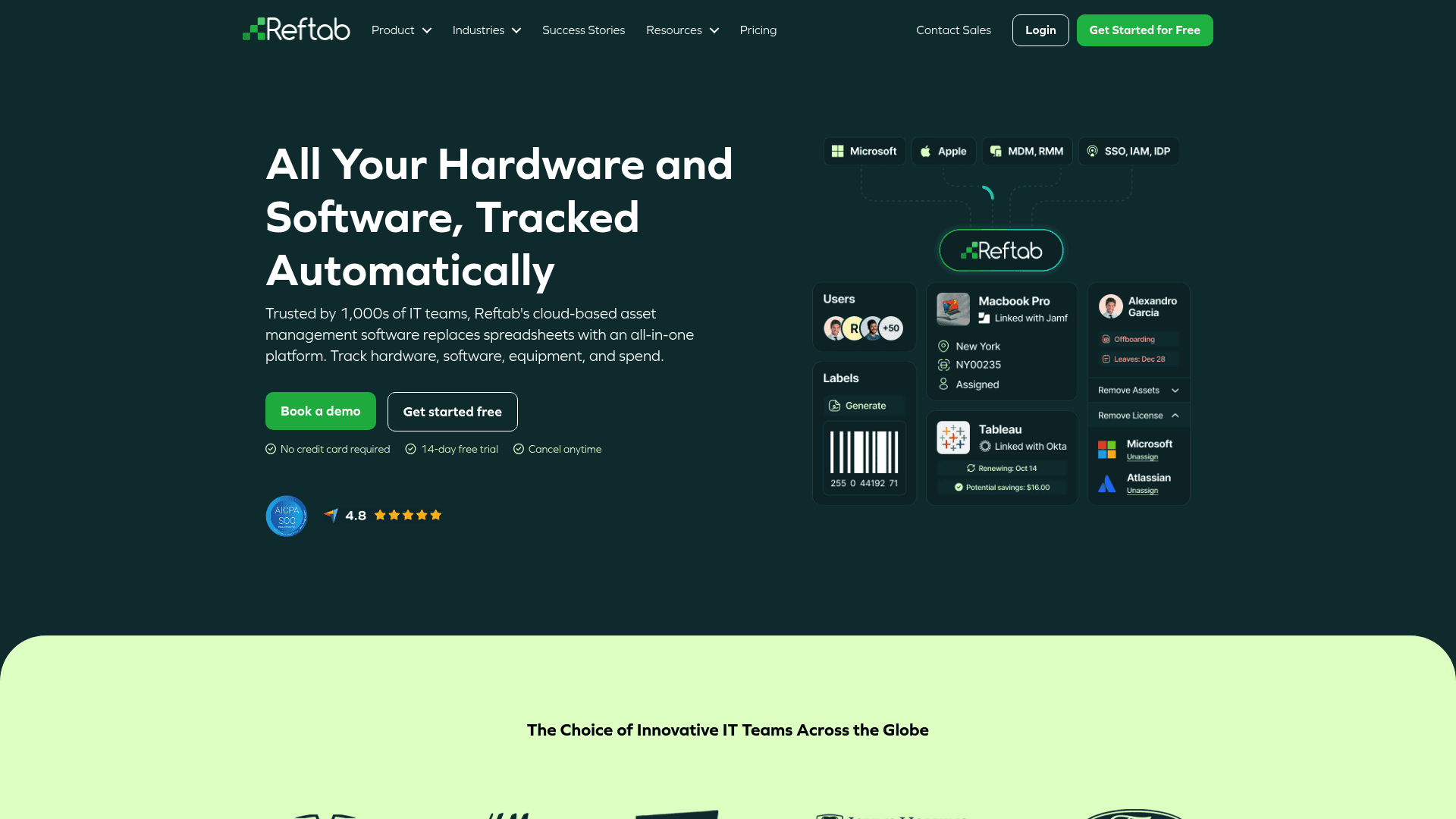
Think of Reftab as the straightforward, easy-to-use option for getting a grip on your assets. It’s been around since 2013 and has a solid reputation for its clean interface and essential features: hardware tracking, software license management, check-in/check-out, and maintenance scheduling. It’s especially good for teams that need to manage equipment loans efficiently, which is why it's a go-to for schools, IT departments with loaner pools, and production companies. It also connects well with other platforms, offering plenty of integrations with tools like Jamf, Microsoft Intune, and Okta.
What is Asset Panda?
Asset Panda is the power tool of the two. It’s built to be configured for just about any workflow you can think of, which explains why it's used by big names like Amazon and Toyota. Its main draw is its flexibility. You get fully customizable fields, a solid mobile app that works offline, and handy features like repair tracking and signature capture. This adaptability makes it useful for all sorts of industries beyond IT, including construction, healthcare, and government. It even has its own AI, UrsaAI, which is designed to help speed up the initial setup and data import.
Reftab vs Asset Panda: An overview
If you only have a minute, here’s the quick breakdown of how these two platforms compare.
Criteria | Reftab | Asset Panda |
|---|---|---|
Best For | Teams needing simple check-in/out and loan management, like schools or IT departments with physical loaner pools. | Organizations needing a highly customizable system to track diverse assets across various departments (not just IT). |
Key Strength | Simplicity and ease of use. It's clean, fast, and highly rated for its intuitive interface (4.7/5 on Capterra). | Extreme flexibility. You can configure it to track almost anything, exactly how you want, with unlimited custom fields. |
Core Limitation | Can be too simplistic for complex lifecycle management. Some users note a lack of deep customization options. | Customization can lead to a complex UI and a steep learning curve. The setup can be time-consuming. |
Pricing Model | Transparent, asset-based tiers. Offers a free plan, with paid plans starting at $31.25/month. | Transparent, user-based tiers. Starts at $50/user/month with a five-user minimum ($250/month). |
A detailed comparison of Reftab and Asset Panda
Alright, let's get into the details. To make the right choice, you have to look past the marketing fluff and see how each platform works in the real world.
Features and capabilities
Both platforms cover the basics of asset tracking well, but they handle the specifics quite differently.
Asset Tracking: Both are solid here. Reftab is great at the check-in/check-out process, giving you a clear history of who has what. Asset Panda gives you more detailed control with its unlimited custom fields, an offline mobile app for field teams, and neat features like digital signature capture to make sure there’s accountability when an asset is handed off.
Maintenance & Lifecycle Management: Asset Panda has the edge here with more advanced, built-in features for scheduling maintenance, tracking repairs in detail, and even managing equipment calibration. Reftab does offer maintenance work orders and depreciation tracking, which are useful, but these are mostly available on its higher-tier Business plan.
Reporting & AI: You can get custom reports from both tools. Asset Panda uses its UrsaAI to help with some of the initial setup, like mapping columns when you import data. Reftab’s Business plan uses AI for a unique security feature: it categorizes installed software and scans for common vulnerabilities (CVEs), which is a nice perk for security-minded teams.
Mobile Experience: Both have mobile apps with barcode scanning. Asset Panda’s app is a huge part of its appeal, offering full offline functionality that’s a must-have for teams working out in the field. Reftab's app is perfectly functional for managing loans and asset updates on the go, but some Capterra users mention it has fewer features than the desktop version.
Ease of use
This is where the core difference between the two platforms becomes obvious. Reftab generally gets praise for being intuitive and quick to get started with. Its interface is clean and focused, earning it a 4.7/5 for Ease of Use on Capterra. This means even non-technical staff can start tracking assets without much training.
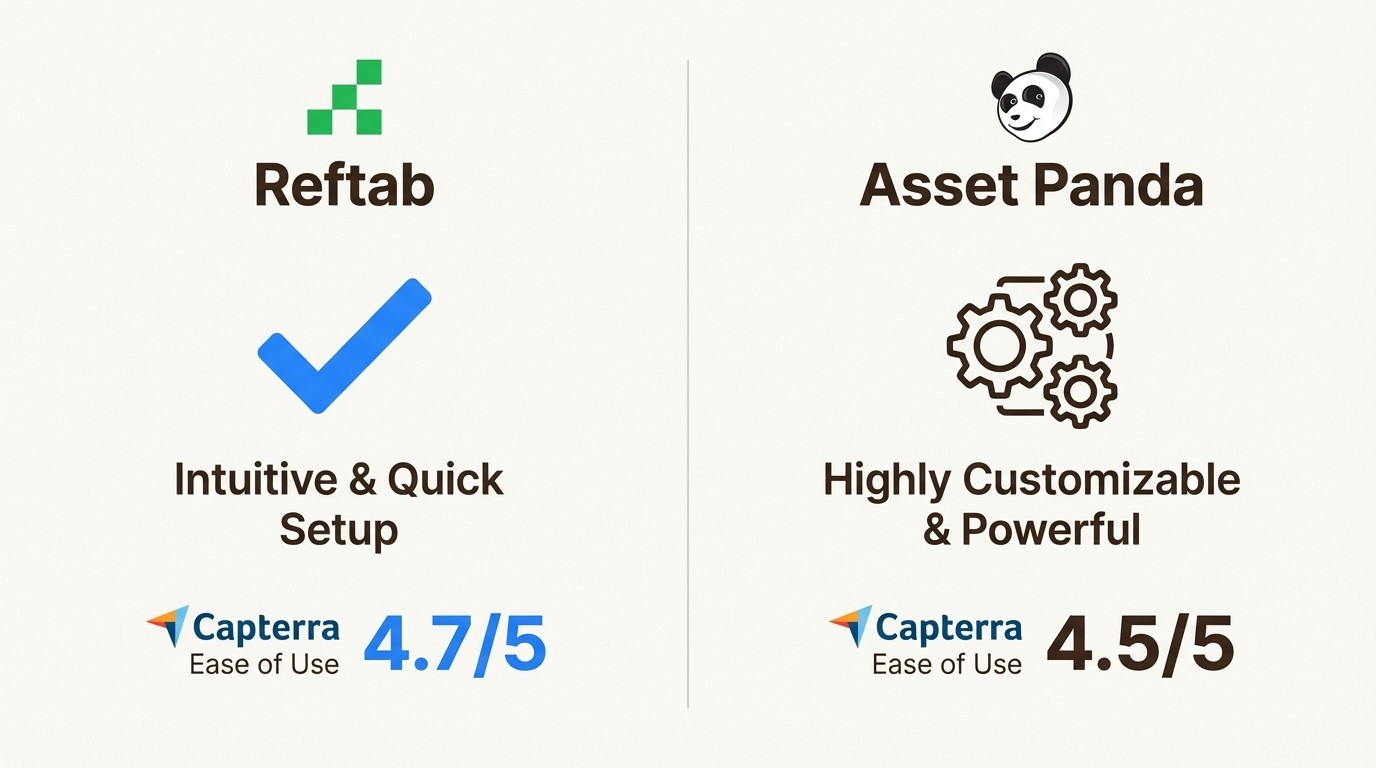
Asset Panda's greatest strength, its customization, is also its biggest hurdle. The setup can be complicated, and user reviews often say the interface can feel complex. Its Capterra score is 4.5/5, just a bit behind Reftab's.
It’s a classic trade-off. Reftab gets you up and running fast with a clear, easy-to-follow structure. Asset Panda gives you a powerful box of tools, but you have to put in the time and effort to build the system you need.
Integrations and ecosystem
Both platforms know they need to play well with others and integrate with common IT tools. You’ll find connections for MDM solutions like Jamf and Microsoft Intune, as well as identity providers like Okta. Reftab offers a bunch of direct integrations, including HR platforms like BambooHR and Workday. Asset Panda also integrates with core systems like Google Workspace and Azure Active Directory.
They also both offer a plugin for Jira, which is helpful for creating tickets related to specific assets. But these are pretty surface-level connections. They send data over or create a link, but they don't fundamentally change how your team works.
Your people still end up jumping between their asset tool and Jira, copying and pasting serial numbers, and trying to connect the dots manually. This context switching can impact productivity for busy IT teams.
Pricing and value
The pricing models are completely different, and this is a huge factor in the decision, as this visual breakdown shows.
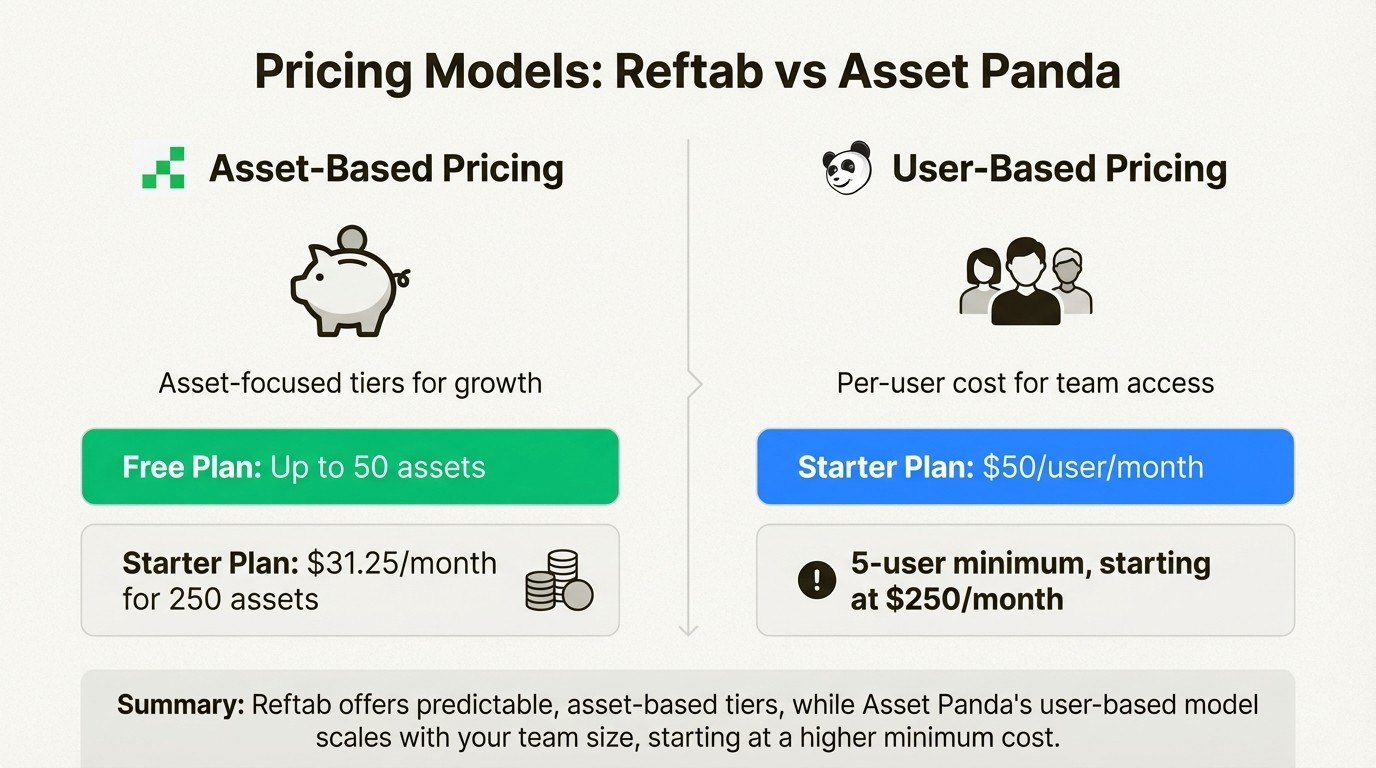
Reftab: Has transparent, asset-based pricing that's simple to understand.
Free Plan: A generous free-forever plan for up to 50 assets, which is great for small teams or for giving it a test run.
Starter Plan: Kicks off at $31.25/month (billed annually) for 250 assets.
It's generally seen as very cost-effective, with Capterra users giving its value-for-money a 4.9/5.
Asset Panda: Uses transparent, per-user pricing, which can add up fast.
Starter Plan: Begins at $50 per user/month (billed annually) but has a 5-user minimum. That means the actual starting cost is $250/month, or $3,000 a year.
While it's a powerful tool, this model can be challenging for teams that need many people to have access but only have a small number of assets to track.
The bottom line on value is pretty clear: Reftab is a predictable, budget-friendly choice that grows with your inventory. Asset Panda is a bigger investment in a custom-built solution with a much higher starting price.
An alternative approach for Jira users
So we've compared two solid external tools, but there’s another way to look at this problem. If your IT, support, and ops teams are already spending all day in Jira, using a separate asset management tool can introduce workflow inefficiencies, even with an integration. Every time a tech has to switch tabs to look up a device's warranty or check its repair history, they lose a little bit of focus and time.
This is where a native solution can be beneficial. Instead of trying to connect two separate systems, you manage your assets right inside the platform you already use for everything else.
The benefits of a native Jira solution
This is the exact problem Asset Management for Jira was created to solve. It’s not an external tool that syncs with Jira; it operates natively within Jira.
Seamless Workflow: When a user opens a ticket about their laptop, all of their assigned assets are automatically displayed right there in the Jira issue. No more asking for serial numbers or switching tabs to another system. This one change leads to a 34% faster ticket resolution on average.
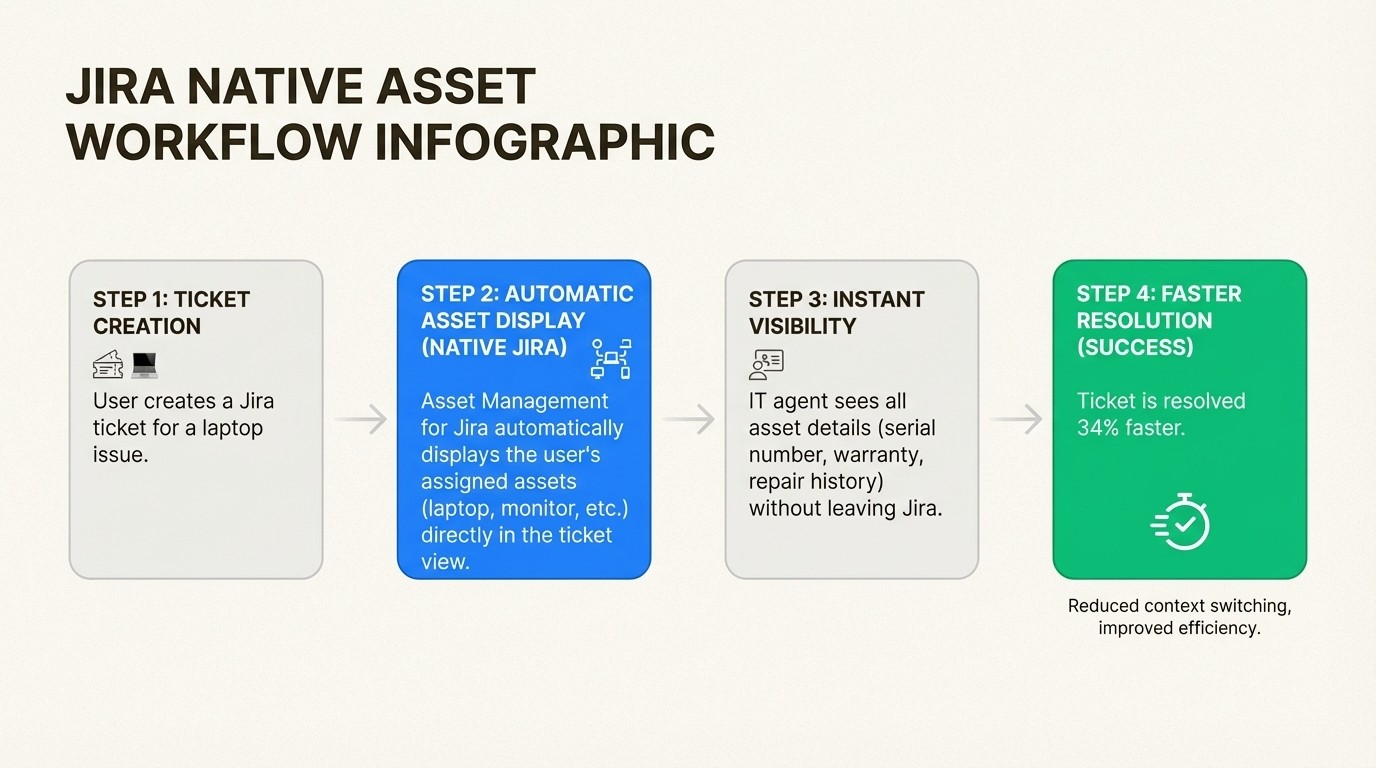
A True Single Source of Truth: Your assets, tickets, and user history are all in one place. You can use Jira's powerful search (JQL) and set up automation rules that use your asset data. For example, you could create a rule that automatically flags tickets for any device with an expiring warranty or a history of problems.
Simplicity and Cost-Effectiveness: You can set up Asset Management for Jira in minutes, not weeks. Import your existing assets with a CSV file or sync them directly from MDM tools like Intune, Jamf, and Kandji. The pricing is straightforward and based on your Jira user count, starting at just $10 per month for small teams. It’s a predictable and affordable option that fits right in with your existing Atlassian costs.
How to choose the right tool for your team
So, what’s the final call in the Reftab vs Asset Panda debate? It really depends on what your team needs.
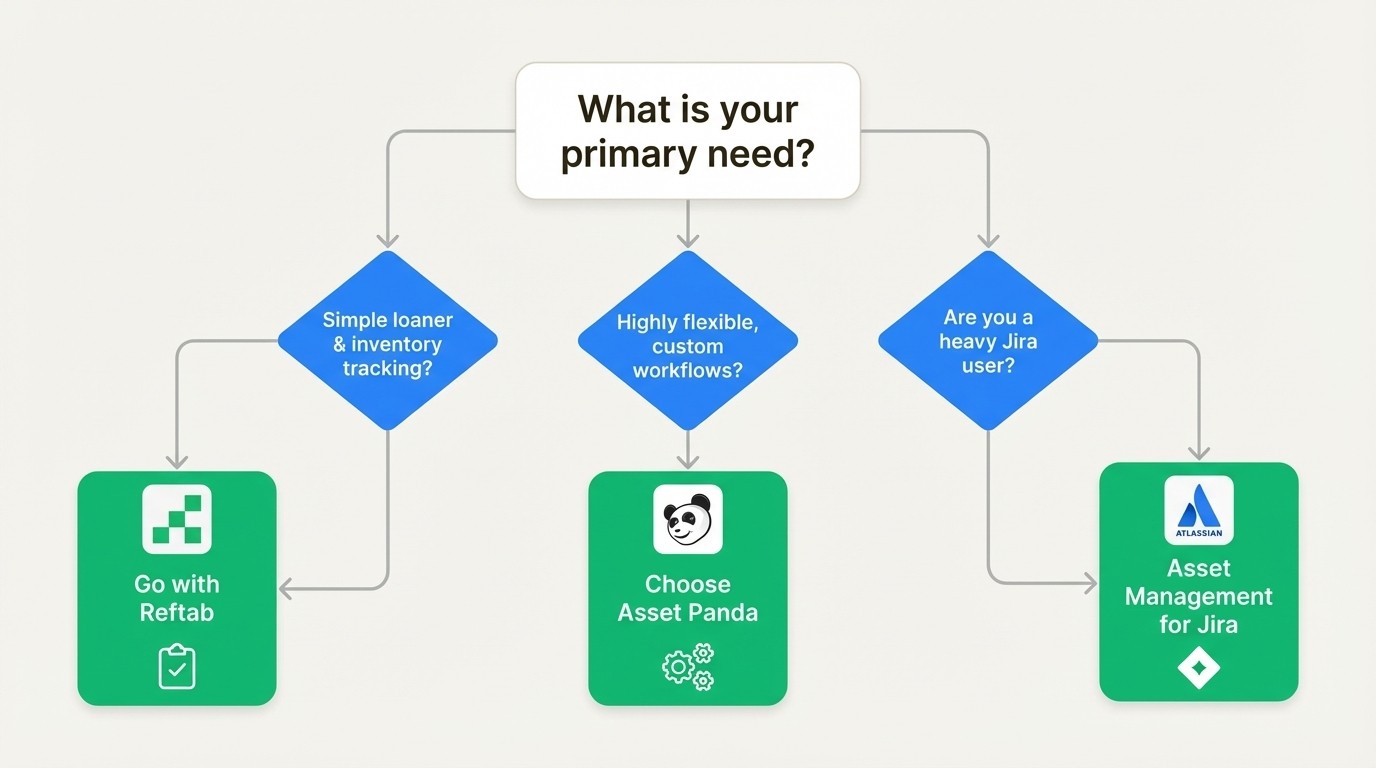
Go with Reftab if your main goal is a simple, no-fuss system for tracking physical inventory and managing equipment loans. It’s ideal for teams that just need to know who has what and when it's coming back, without getting lost in complicated settings.
Choose Asset Panda if you need a super-flexible system that can be customized for unique workflows across different departments. If you have the time to invest in a detailed setup and a budget that can handle a user-based model, it can track just about anything.
However, if your IT and service teams run on Jira, a native application like Asset Management for Jira offers an alternative by bringing assets directly into existing workflows. This can save time, reduce friction, and improve team productivity.
Final thoughts
Choosing an asset management tool is about more than just comparing feature lists; it’s about finding the right fit for your team's daily workflow. Both Reftab and Asset Panda are strong tools that have helped thousands of teams move on from spreadsheets. Reftab offers simplicity and affordability, while Asset Panda provides deep, powerful customization.
For teams already working within the Atlassian ecosystem, a native solution is another viable option. Keeping everything inside Jira can help streamline support processes, potentially reduce operational costs, and centralize accountability.
Teams interested in a native Jira experience can start a free trial to see how it fits their workflow.



