JSM Assets (Insight) vs. Asset Management for Jira: A Comparison
Comparing JSM Assets (Insight) vs Asset Management for Jira? Our guide breaks down core features, MDM integrations, pricing, and use cases to help you choose the right tool for your team.

Colin Reed
IT Expert and Content Writer
Last Updated
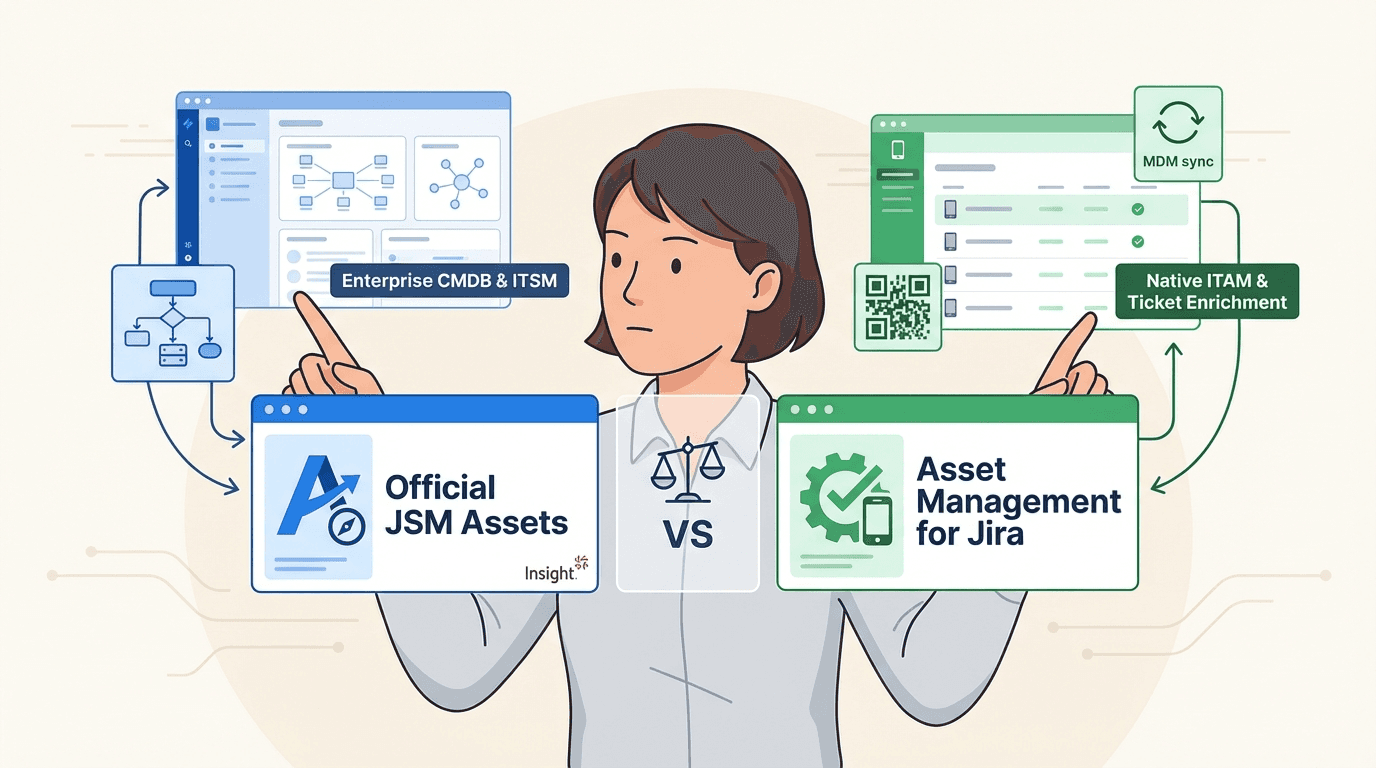
Managing IT assets in a spreadsheet can be inefficient. It can quickly become outdated, and requiring support teams to switch between their inventory and support tickets can slow down workflows. A common solution is to integrate asset management directly into Jira. This leads to a choice between two main approaches. The Atlassian ecosystem offers a built-in Configuration Management Database (CMDB) and dedicated apps from the marketplace.
On one side, you have Atlassian"s Assets (formerly Insight), a feature that is part of the Jira Service Management (JSM) Premium and Enterprise plans. On the other, you have Asset Management for Jira, a purpose-built marketplace app focused on a streamlined user experience.
This guide offers a straightforward comparison. We"ll explore how they work, what they connect with, how much they cost, and who they are built for.
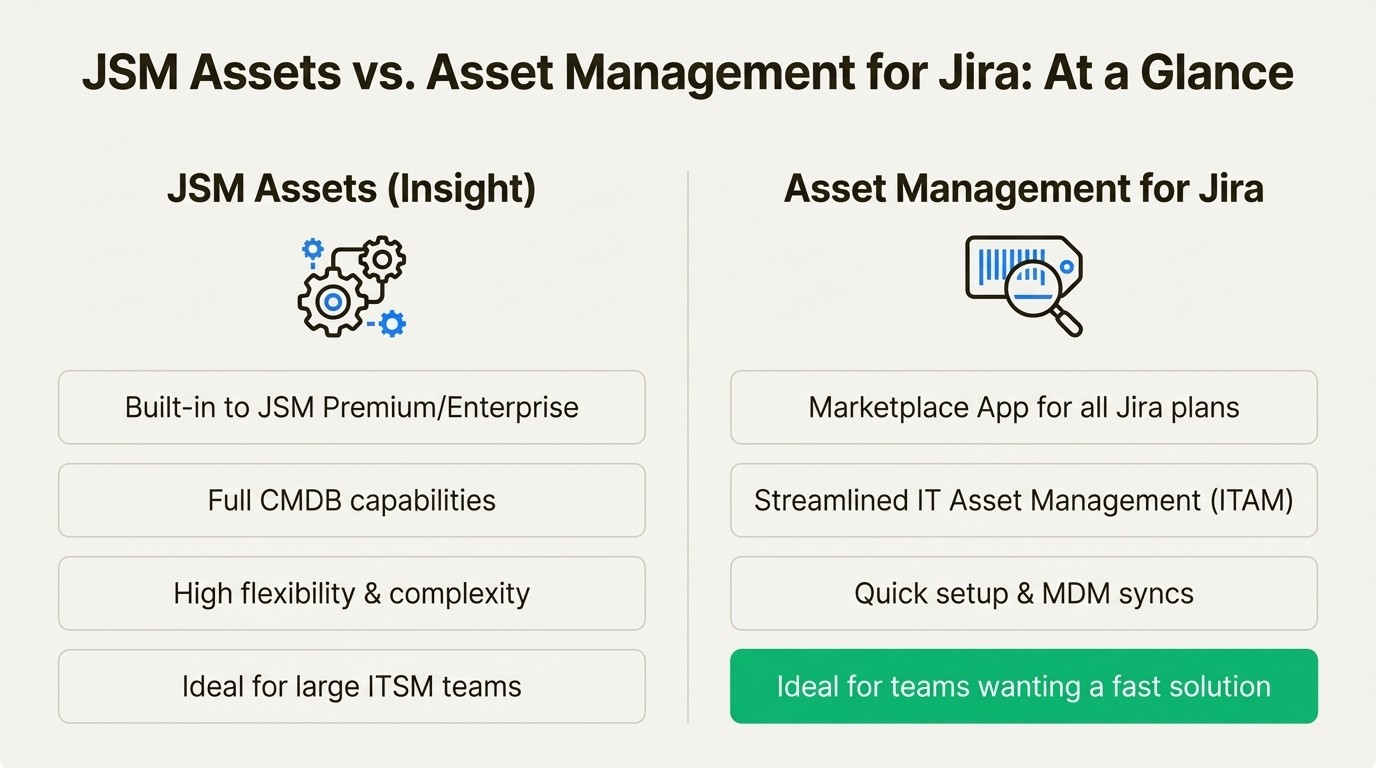
A high-level comparison of JSM Assets Insight vs Asset Management for Jira.
What is JSM Assets (formerly Insight)?
Assets is Atlassian"s in-house tool for managing assets and configurations. It originated as a marketplace app called Insight before Atlassian acquired it and integrated it directly into their platform.
It is not a standalone product; it is a core feature included only in the Jira Service Management Premium and Enterprise plans.
Its primary strength is that it is a full, flexible Configuration Management Database (CMDB). This allows you to map complex relationships between all your company"s configuration items (CIs)—not just hardware, but also services, software, and business units. This makes it a comprehensive tool for large organizations that use ITSM practices like incident, problem, and change management. For example, you can link a specific failing server to an incident ticket to see its impact on other business services.
This flexibility also means a higher degree of complexity. The initial setup process is involved. You must design and build your own object schemas from scratch, which requires time and expertise. Atlassian also recently introduced a new limit of 120 attributes, which is something to be aware of. It is geared toward large companies that are already on JSM Premium and have dedicated resources for CMDB management.
What is Asset Management for Jira?
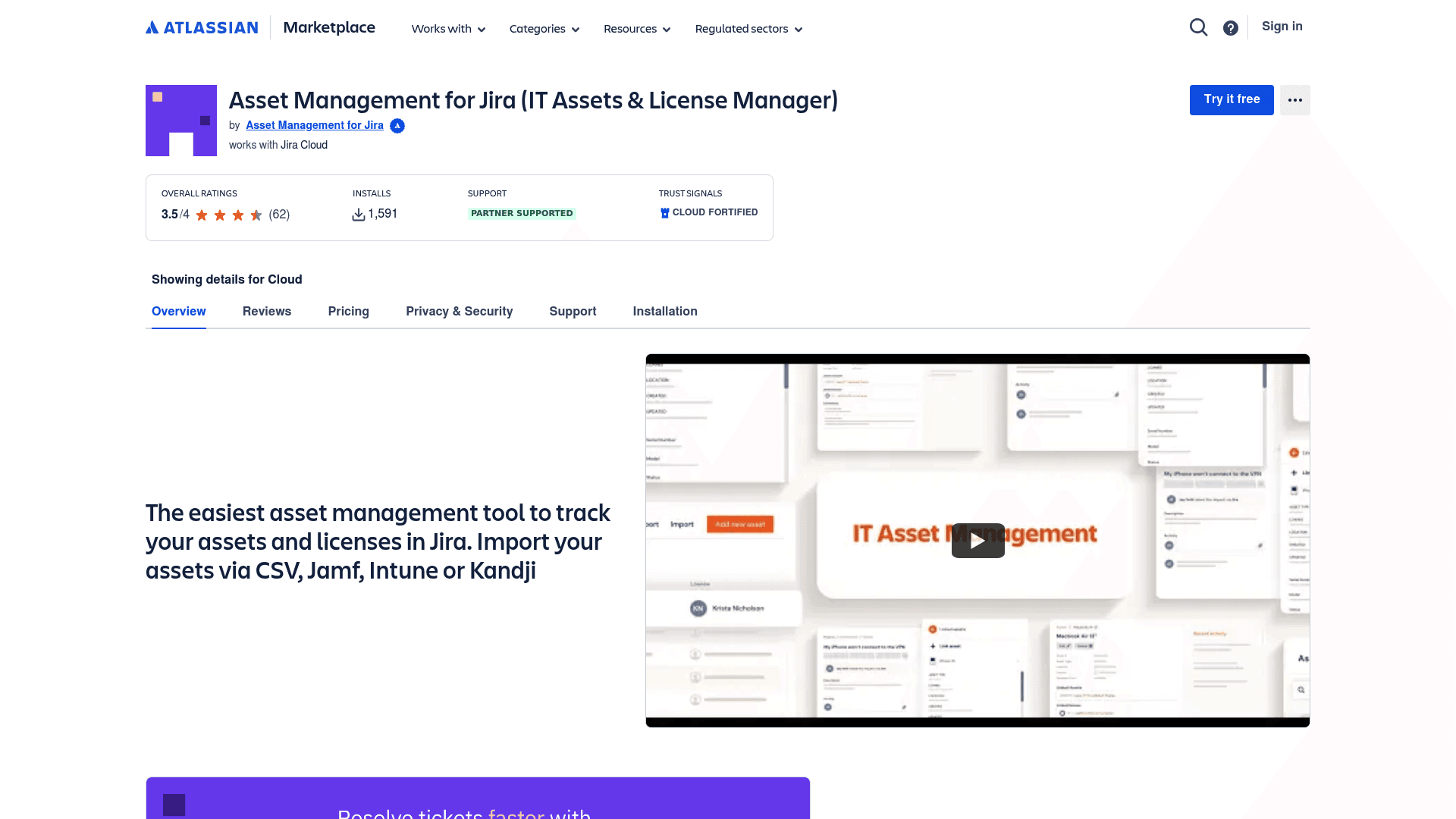
Asset Management for Jira is a purpose-built app available from the Atlassian Marketplace. It was designed from day one as a solution for asset tracking.
Its purpose is to offer an easy and affordable way to track hardware, software licenses, accessories, and consumables within Jira. It is made for teams who want to move away from spreadsheets and get started quickly, without the extensive setup of a traditional CMDB. It is used by over 500 companies worldwide.
Out of the box, it focuses on a few key functions: fast setup, deep integration with all Jira products (not just JSM), and automatic synchronization with common device management tools.
It is also worth noting that the app comes from a Gold Atlassian Marketplace Partner and has earned Cloud Fortified status. That is Atlassian"s official designation, signaling high standards for security, reliability, and support.
Core functionality
A tool is only useful if your team can use it effectively. Let"s look at the day-to-day experience with both tools, as this is a significant factor in the decision.
Setup and configuration
JSM Assets : This tool requires significant upfront planning. You need to design your object schemas, types, and attributes before adding assets. While the system is highly flexible, it can be complex for teams without CMDB expertise. It is not designed as a plug-and-play solution.
Asset Management for Jira: It is built for a quick start. You can define your asset types with custom fields and start importing your inventory from a CSV file quickly. The user experience is designed for rapid implementation and establishing a single source of truth for assets. As the IT Director at Drips mentioned, the setup speed is a key feature.
Asset discovery
JSM Assets (Insight): For automatic discovery, it relies on Assets Discovery. This is a separate, free scanning tool you have to download and run on your local network to find devices. It also has importers for CSV and JSON, but connecting to other data sources often means more complex configuration.
Asset Management for Jira: It has direct, out-of-the-box integrations with major Mobile Device Management (MDM) tools like Microsoft Intune, Jamf Pro, and Kandji. You can set up scheduled syncs to automatically pull in devices, users, and assignments. This keeps your inventory updated with minimal manual intervention, and its smart matching prevents duplicate entries. It also has a smart CSV importer with data validation to catch errors during the import process.
Day-to-day use
JSM Assets: It has powerful reporting features to help you analyze all your CI data, but the reports are tied to the object schemas you build, so they can be complex to set up. It does not include a dedicated mobile app for managing assets away from a desk.
Asset Management for Jira: It offers customizable reports that are simple to build. It includes built-in QR code generation and mobile app support. Your team can place QR codes on physical assets, scan them with their phones, and instantly pull up or update asset details on-site.
Feature | JSM Assets | Asset Management for Jira |
|---|---|---|
Setup Complexity | Requires schema design | Ready to use with CSV import |
Primary Use Case | Enterprise CMDB & ITSM | Native ITAM & Ticket Enrichment |
MDM Integration | Requires separate discovery tool/custom setup | Built-in (Intune, Jamf, Kandji) |
Mobile Access | Not a primary feature | Yes, with QR code scanning |
Ideal User | Teams requiring a complex CMDB for ITSM | Teams needing a streamlined ITAM solution in Jira |
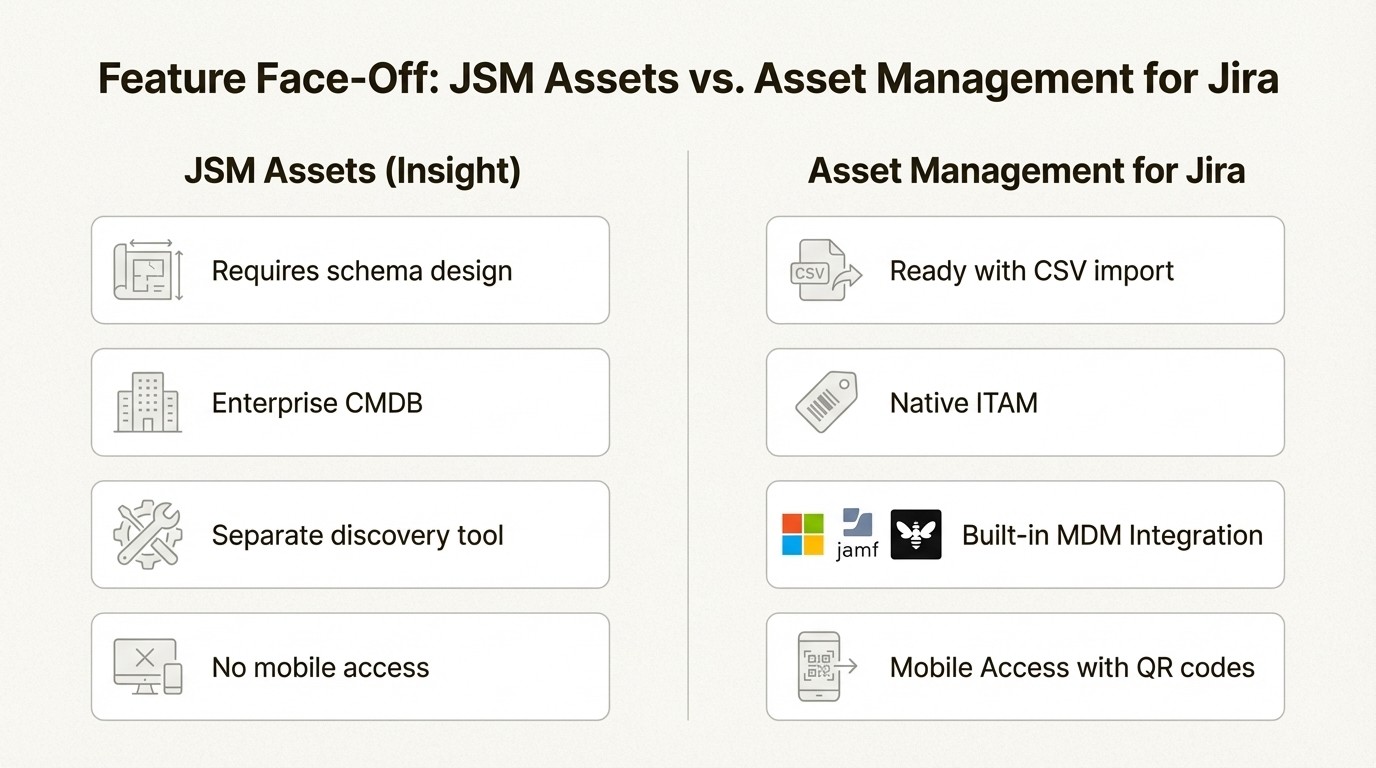
A feature comparison infographic for JSM Assets Insight vs Asset Management for Jira.
Integrations with other tools
An asset management tool should integrate into your existing workflows. Here"s how each of these solutions works with other tools in your IT stack.
Integration approaches
JSM Assets (Insight): Its primary integration is with JSM Premium. Your assets are immediately available in your incident, change, and problem management tickets, which is suitable for teams heavily invested in Atlassian"s ITSM framework. Connections to external tools like MDM platforms may require more manual configuration or third-party apps.
Asset Management for Jira: This app is designed to connect with common IT and support tools. The direct MDM integrations are a key example of this. It also works across all Jira products—Jira Software, Jira Work Management, and JSM. This means you can link assets to any issue type, whether it is a bug report, a project task, or a support ticket. The Advanced Edition also comes with a REST API and webhooks, letting you build custom integrations and allowing Jira to serve as a central point for all your asset data.
Pricing comparison
Let"s review the total cost of each tool.
JSM Assets pricing model
JSM Assets (Insight): JSM Assets is not available as a standalone product. It is included only in Jira Service Management Premium or Enterprise plans. If your team is on the JSM Standard or Free plan, access to Assets requires a subscription to JSM Premium or Enterprise, which includes a full suite of advanced ITSM features.
JSM Premium, as part of Atlassian"s Service Collection, starts at $51.42 per agent per month. For a team of 15 agents, that is over $770 a month. A team of 25 agents would cost over $1,285 a month.
Asset Management for Jira pricing model
Asset Management for Jira: This app offers a straightforward, per-user pricing model that scales with your team. You can add it to any Jira Cloud plan, including Standard, which makes it an option for teams that don"t need the full JSM Premium package.
Here is what the pricing looks like:
Team size | Standard Edition | Advanced Edition |
|---|---|---|
Up to 10 users | $10/month (flat fee) | $20/month (flat fee) |
11–100 users | $2.85/user/month | $3.25/user/month |
101–250 users | $1.75/user/month | $2.25/user/month |
251–1000 users | $1.10/user/month | $1.15/user/month |
1001–2500 users | $0.75/user/month | $0.75/user/month |
For comparison, a team of 25 agents would pay over $1,285/month for JSM Premium to get access to Assets. With Asset Management for Jira, that same team would pay $71.25/month for the Standard Edition ($2.85 x 25).
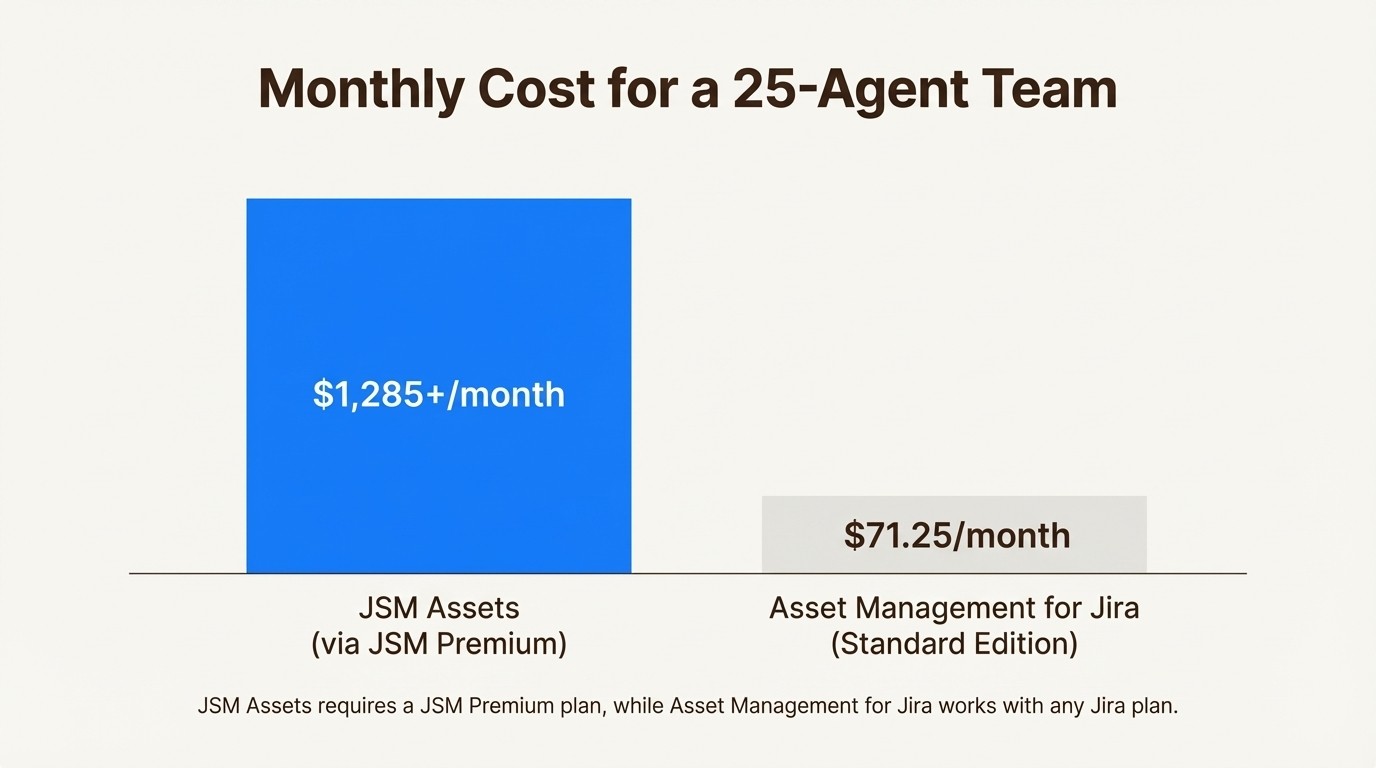
Pricing infographic for JSM Assets Insight vs Asset Management for Jira.
To get a better sense of how JSM Assets works within the Atlassian ecosystem, the following video from Atlassian provides a concise overview of its capabilities and how it integrates with service management workflows.
This video from Atlassian provides a concise overview of JSM Assets' capabilities and how it integrates with service management workflows.
Making your choice
The choice between these two tools comes down to your team"s needs, budget, and level of integration within the Atlassian ecosystem.
Choose JSM Assets (Insight) if:
You"re a large enterprise that is already paying for and using the JSM Premium or Enterprise plan.
You need a highly flexible CMDB to map out complex service dependencies for advanced ITSM workflows.
You have people on your team with the time and expertise to manage its complex setup.
Choose Asset Management for Jira if:
You want a tool that your team can start using in hours, not weeks.
You need to automatically sync devices from MDM platforms like Microsoft Intune, Jamf, or Kandji.
You want a cost-effective solution that works with any Jira plan, not just the most expensive ones.
Your main goal is to give your team asset context right inside their Jira tickets so they can solve problems faster.
For IT and support teams looking for a straightforward way to manage assets within Jira, Asset Management for Jira provides a direct and focused solution.
Start your free trial of Asset Management for Jira today and see how easy asset tracking in Jira can be.



