A practical 2026 guide to Ivanti vs Jira Service Management Asset Management
Comparing Ivanti vs Jira Service Management for asset management? Our 2026 guide details features, pricing, and integration to help you choose the right ITAM solution.

Colin Reed
IT Expert and Content Writer
Last Updated
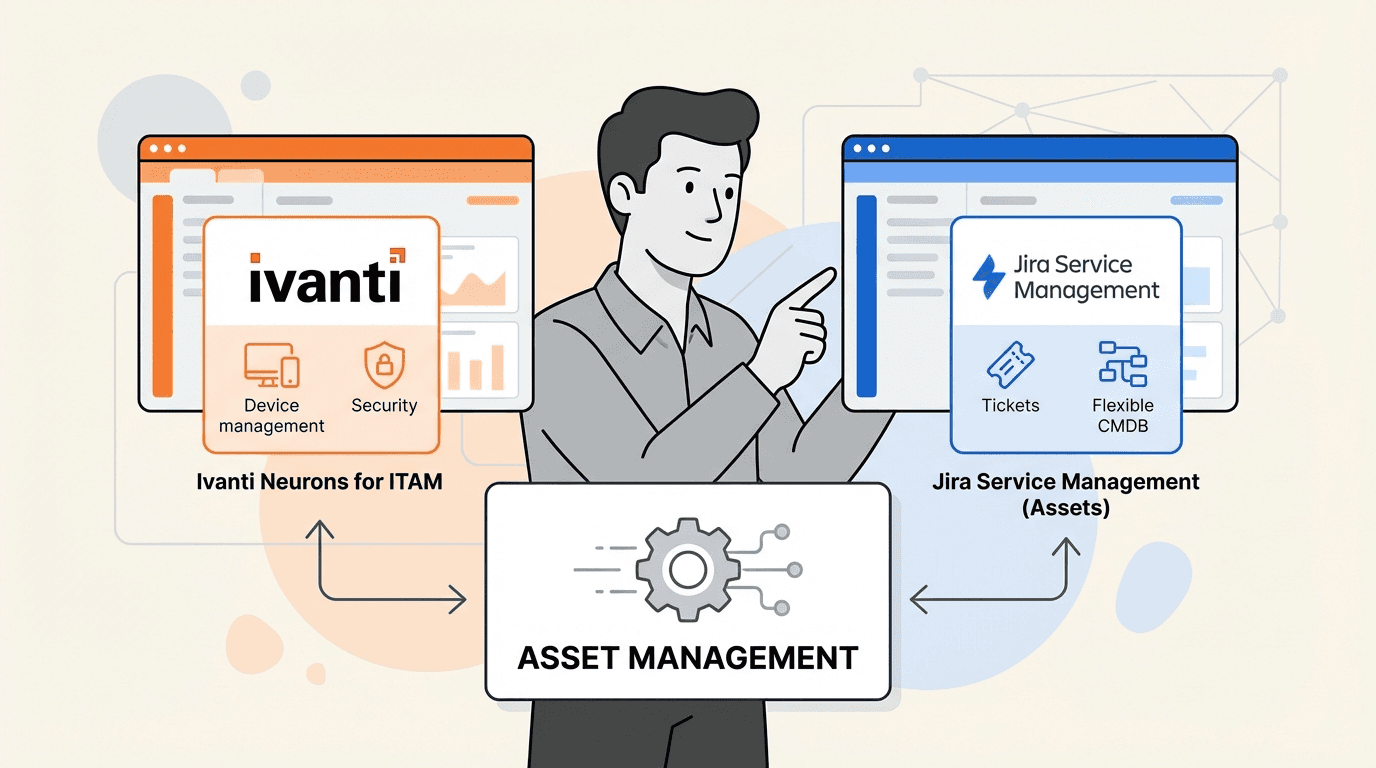
Your IT team is using Ivanti for endpoint security and Jira Service Management for tickets. This common setup brings up a big question: where do you actually manage your IT assets?
Both platforms are capable of handling assets, but they do so in different ways. Integrating them can present challenges, and the choice of platform can impact your team's workflow and budget. For example, support teams can spend 40-60% of their time gathering basic device information for tickets.
This guide provides a comparison of asset management in Ivanti and Jira Service Management. We will cover how they can work together, break down the costs, and discuss a native alternative for teams working within the Atlassian ecosystem.
What is Ivanti Neurons for ITAM's role in Ivanti Jira Service Management Asset Management?
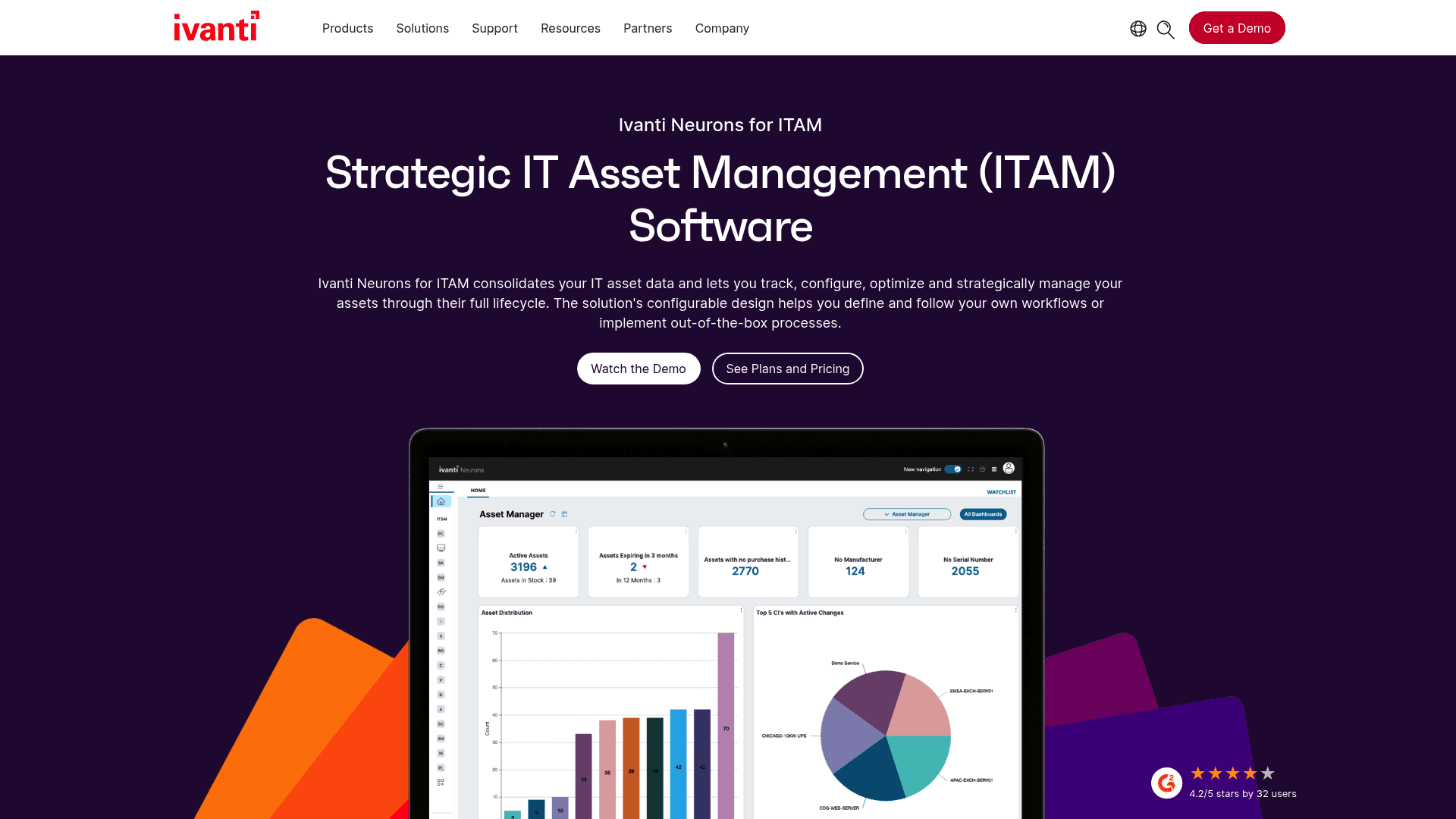
Ivanti Neurons for ITAM is a component of the much larger Ivanti Neurons platform, which aims to pull all IT and security operations under a single roof.
Its main function is providing total visibility of IT assets, from purchase to disposal. It combines traditional IT Asset Management (ITAM) with Unified Endpoint Management (UEM), security, and service management. You can think of it as a command center for companies that need strict control over their devices and a security-first perspective on everything they own, especially those with a large fleet of hardware.
The idea behind Ivanti is to connect asset management directly to endpoint discovery and security. This way, you get a full picture of a device's health, its software, and any potential risks.
What is Jira Service Management's role in Ivanti Jira Service Management Asset Management?
Jira Service Management (JSM) is Atlassian’s take on ITSM. It’s built on the same Jira platform that many development, IT, and business teams already use daily.
JSM comes with its own feature for asset and configuration management called Assets (formerly known as Insight). However, this feature is not included in all plans. The full Assets functionality is only available on JSM's Premium and Enterprise plans. For those on the top tiers, Assets acts as a flexible CMDB right inside Jira, allowing you to map out all the connections between your hardware, software, and services to understand how they all relate when something breaks.
A comparison of Ivanti and Jira Service Management asset management solutions
Let's get into how each platform handles the core tasks of IT asset management and a CMDB. Their approaches, and the effort needed to get them running, are quite different.
Asset discovery
When it comes to discovery, Ivanti Neurons for Discovery uses a combination of active and passive network scanning to find and log everything connected to your network in real time. It also enriches this data by pulling information from other tools, giving you a detailed, security-focused inventory.
To get data into Jira Service Management’s Assets, you need its dedicated tool, Assets Discovery. This is a separate application for Windows and Linux that you have to install and set up to scan your network. It’s powerful, but setting it up to run smoothly can have a learning curve.
For teams that want automated data without the complexity of a full discovery suite, a dedicated app like Asset Management for Jira offers simple, direct syncs with MDM tools like Intune, Jamf, and Kandji, keeping your device records fresh without manual uploads.
Lifecycle management and CMDB
Ivanti provides end-to-end lifecycle tracking, handling everything from procurement and vendor management all the way to disposal. Its CMDB is designed to work with its own service management tools, linking assets directly to incidents and changes within the Ivanti world.
Jira Service Management’s Assets feature is a highly flexible CMDB that lets you build detailed maps (called object schemas) to show how your services depend on one another. This is useful for understanding the impact of an incident, but setting it up requires administrative work. This may be more than what is required for teams that primarily need to track physical assets against Jira tickets.
Usability and adoption
The Ivanti interface is built for dedicated IT asset managers who need a lot of detail. For other team members who just need to look up asset info occasionally, its comprehensive interface may require familiarization if they aren't using the full Ivanti suite.
On the other hand, if your team already uses Jira, the JSM interface will feel familiar. The main consideration is the initial setup of the Assets schemas, which requires planning and admin time to implement effectively.
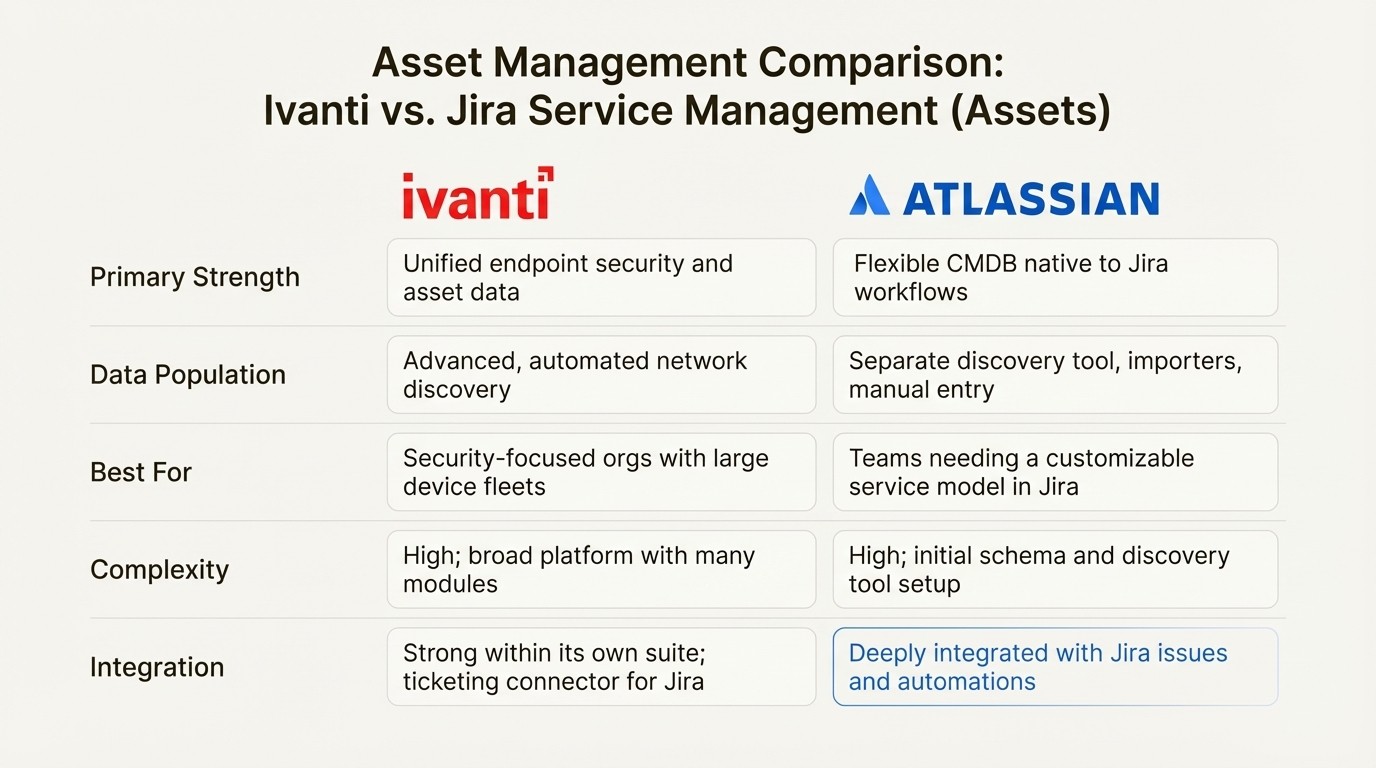
Here’s a quick breakdown:
Feature | Ivanti Neurons for ITAM | Jira Service Management (Assets) |
|---|---|---|
Primary Strength | Unified endpoint security and asset data | Flexible CMDB deeply native to Jira workflows |
Data Population | Advanced, automated network discovery | Separate discovery tool, importers, manual entry |
Best For | Security-focused orgs with large device fleets | Teams needing a customizable service model in Jira |
Complexity | High; broad platform with many modules | High; initial schema and discovery tool setup |
Integration | Strong within its own suite; ticketing connector for Jira | Deeply integrated with Jira issues and automations |
The challenge of integrating Ivanti and Jira Service Management systems
Running both systems is a common scenario, but it can introduce additional steps and costs that may impact team efficiency.
Data silos and the "swivel chair" problem
Picture this classic situation: a support agent is working on an incident in a Jira ticket, but all the important details about the asset—like its warranty, owner, and repair history—are located in Ivanti.
This leads to what's known as "swivel chair management," where agents tab between tools to copy and paste information. This manual process can be time-consuming and may increase the risk of errors. As mentioned before, support teams can easily spend up to 60% of their time just trying to find basic device data before they can even start solving the problem.
The cost of connectors
So, how do you bridge the gap? Ivanti provides an official Atlassian Jira Connector. Its main purpose is to create a Jira ticket from the Ivanti platform. It does not sync Ivanti's asset database into Jira where your agents can see it.
This means the agent in Jira still works without the asset context from Ivanti. To achieve a true data sync, you usually need a third-party integration platform, which adds another layer of cost, maintenance, and potential points of failure.
This integration gap is a reason why some teams consider a native solution. A native tool like Asset Management for Jira exists entirely inside Jira, placing asset data directly in the ticket view.
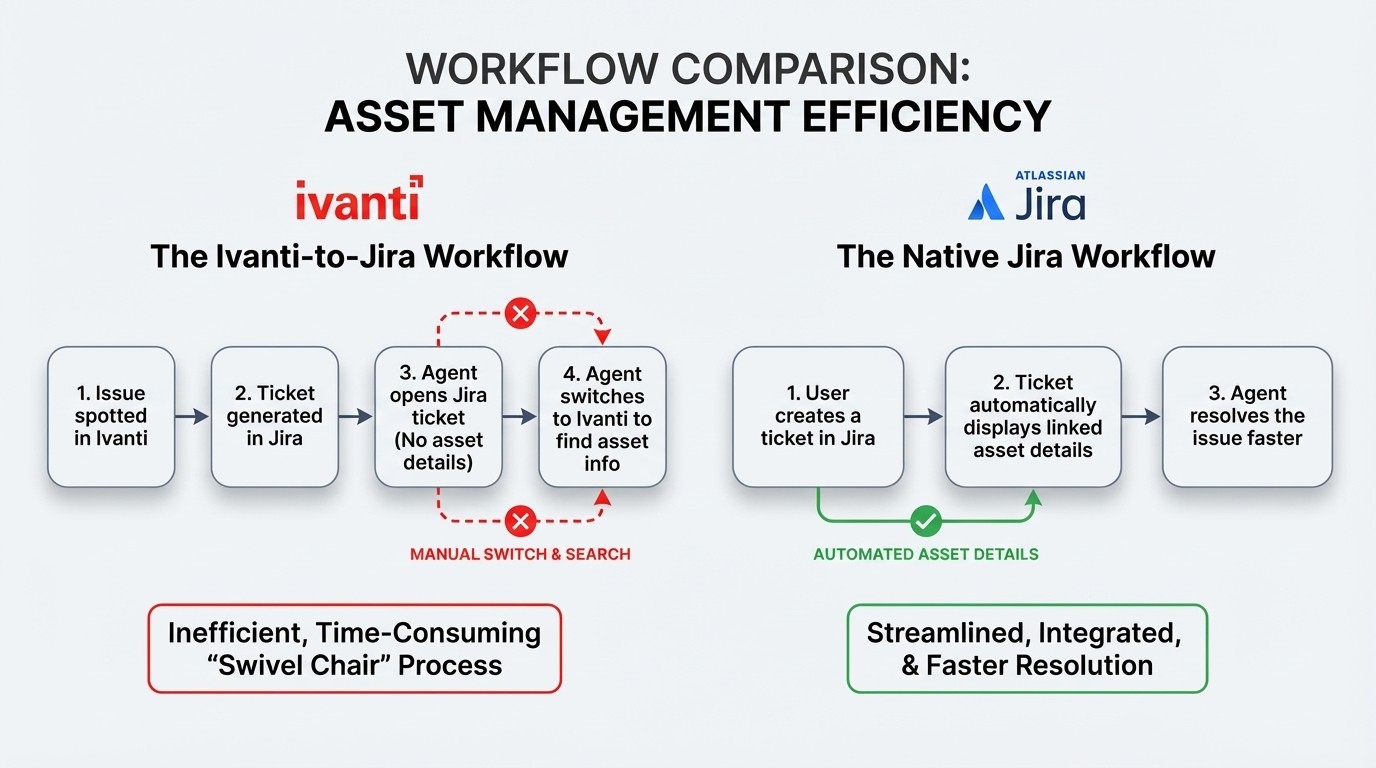
Here's how the workflows stack up:
The Ivanti-to-Jira Workflow: An issue is spotted in Ivanti, which then generates a ticket in Jira. The agent in Jira gets the ticket but has no asset details. They have to switch over to Ivanti to dig up the necessary information.
The Native Jira Workflow: A user creates a ticket in Jira. The ticket automatically displays all linked asset details. The agent can get to work immediately and resolve the issue much faster.
A breakdown of pricing for Ivanti and Jira Service Management
The pricing models for these platforms can have a big impact on your total cost of ownership. Let's get into the details.
Jira Service Management pricing
JSM uses a tiered pricing structure, but the key feature you need for asset management, Assets, is only available in the most expensive plans.
According to Atlassian's official pricing:
Free: Up to 3 agents, no Assets feature.
Standard: Starts at $20/agent/month, no Assets feature.
Premium: Starts at $51.42/agent/month. This is the first plan that includes the Assets feature.
Enterprise: You have to contact their sales team for a custom quote.
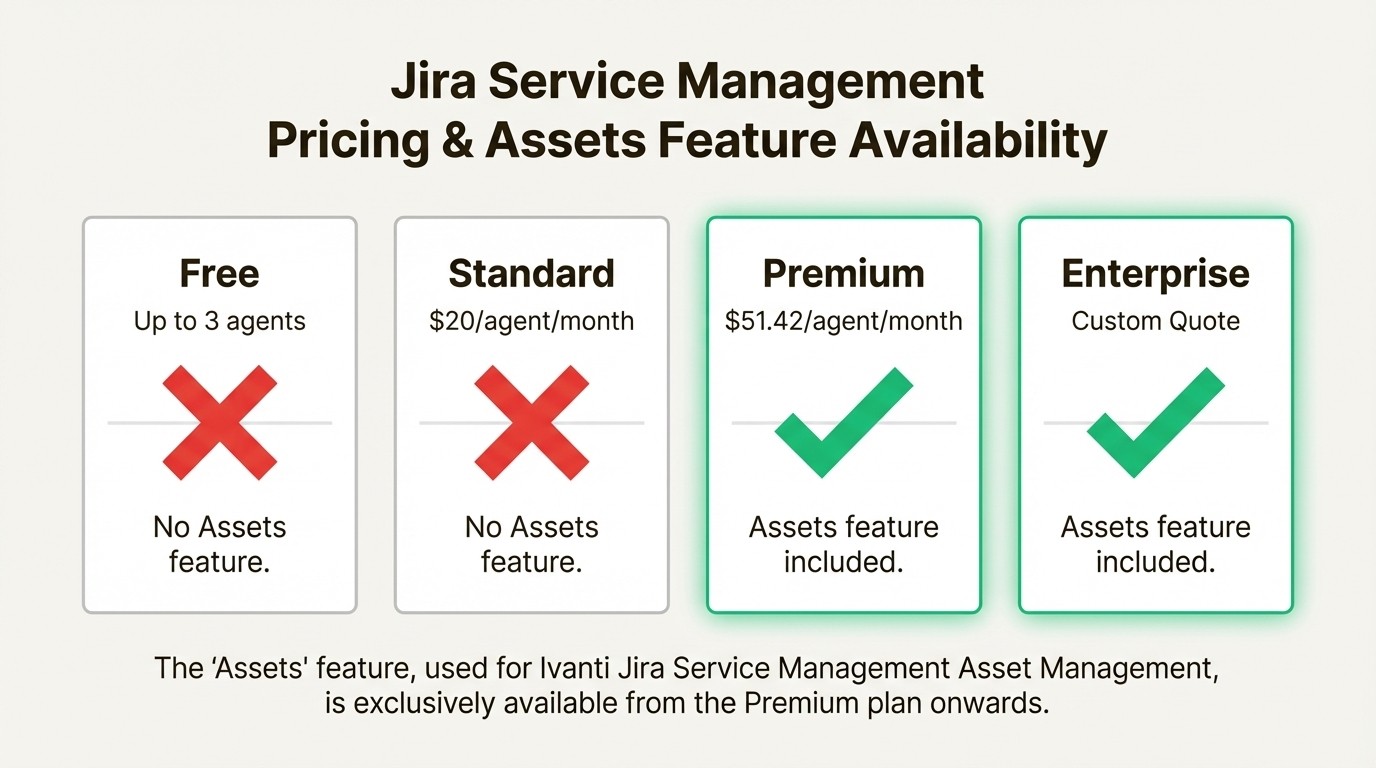
The key takeaway is that if you want to use JSM’s built-in CMDB, you have to upgrade your entire team to the Premium plan. On top of that, the plan includes 50,000 "Assets objects" for free. If you exceed that limit, you'll be billed for the extra usage, which can make your monthly costs hard to predict.
Ivanti pricing
Ivanti doesn't publish its prices online. It operates on a custom, quote-based model.
Your final price will depend on several factors, like which modules you need (ITSM, ITAM, Discovery), the number of devices you have, and whether you opt for a cloud or on-premise deployment. This is a typical approach for enterprise software and is geared toward large, complex organizations, which usually means the total cost is substantial.
Hidden costs and complexity
The sticker price is not the whole story. Your total cost of ownership goes far beyond the license fees.
For JSM Premium, you have to factor in the significant admin time needed to configure schemas and maintain the Assets feature and its discovery tools.
For Ivanti, the cost might include a comprehensive platform with features that may not be fully utilized by every team, just to get the asset management component.
For an integrated setup, you need to add the cost of a third-party connector and the staff hours required to set it up and keep it running.
This is where a solution like Asset Management for Jira can be a cost-effective option. It provides specific ITAM functionality without requiring a full JSM plan upgrade or an enterprise suite.
An alternative approach: Native Jira apps
For teams that are looking for an alternative to the comprehensive features of Ivanti or the requirements of JSM Premium, a dedicated marketplace app can be a good fit. Asset Management for Jira is designed for teams who work in Jira all day and need an effective way to track their IT assets.
The idea is to provide core asset management features most IT support teams need, right inside the tool they already use.
Here are a few key advantages:
Fast setup: You can implement a working asset system without designing detailed CMDB schemas.
Native integration: Asset information appears as a field directly in your Jira tickets for use in queues, reports, and automations.
Automated MDM syncs: Keep records up-to-date with direct integrations for Intune, Jamf, and Kandji.
Transparent pricing: Access ITAM features without needing to upgrade to a JSM premium tier.
To see how different IT service management and asset management tools can work together to improve your organization's efficiency, the following video provides a helpful overview.
This video from Ivanti discusses how IT service management and IT asset management can coexist to improve an organization's efficiency.
Choosing the right asset management tool
When it comes down to it, the best choice depends on what your organization really needs.
Ivanti Neurons is a comprehensive platform for large, security-focused organizations that want a single system for unified endpoint and asset management.
Jira Service Management Premium provides a deeply customizable CMDB for teams that are invested in the high-end Atlassian stack.
Integrating both is an option that can add cost and workflow complexity.
For teams whose primary goal is to link assets to Jira tickets for support and inventory management, a dedicated native app can be a direct and budget-friendly option. A solution like Asset Management for Jira provides an example of this approach.



