Finding a better EZOfficeInventory alternative for Jira teams
Stop wasting time and money on asset management. Here’s a practical guide to achieving complete visibility, cutting costs, and finding an effective EZOfficeInventory alternative.

Colin Reed
IT Expert and Content Writer
Last Updated
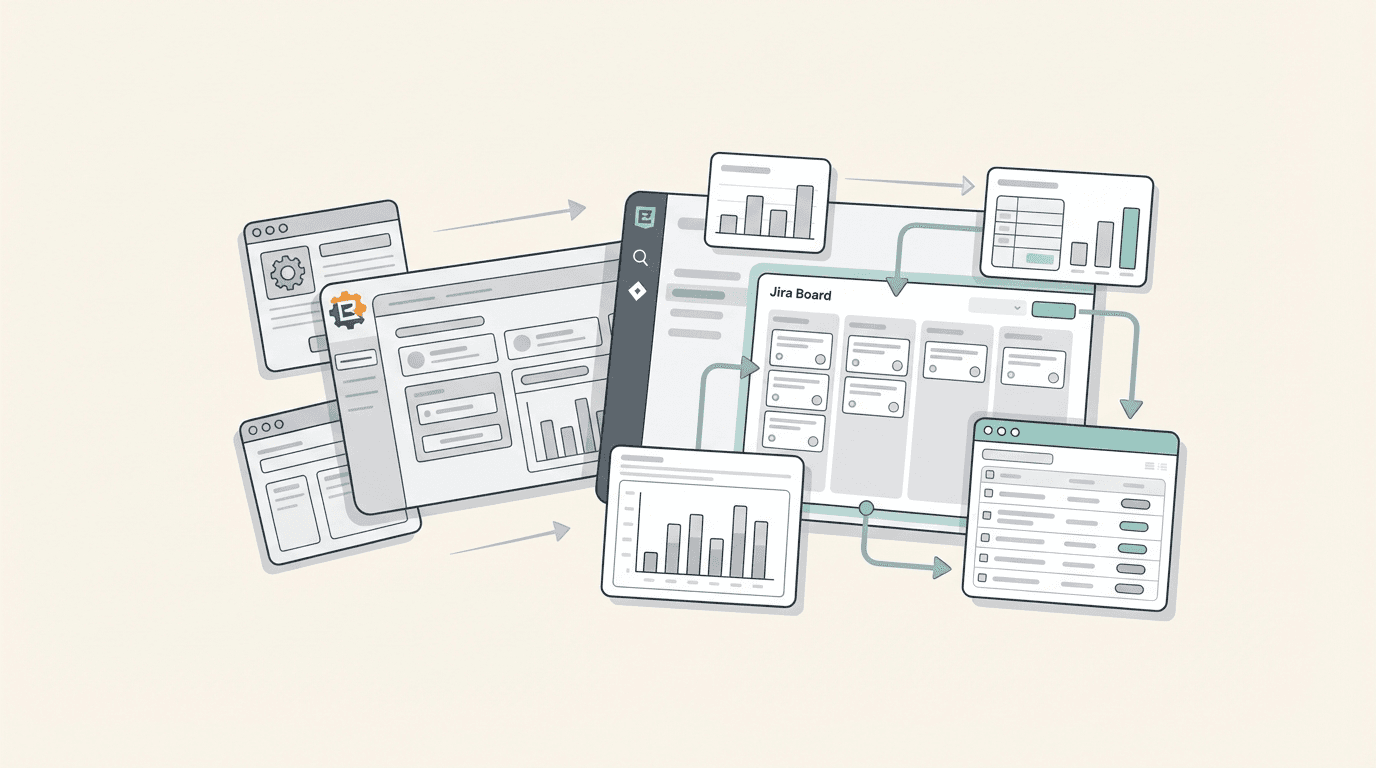
Many IT teams operate primarily within Jira, while their asset data is managed in a separate system like EZOfficeInventory. This separation can lead to context-switching, which may impact productivity as teams move between different applications.
This guide explores how to solve fundamental IT problems by selecting an EZOfficeInventory alternative that is native to Jira. It focuses on turning asset data from a static list into a dynamic, actionable part of existing workflows.
Why look for an EZOfficeInventory alternative in the first place?
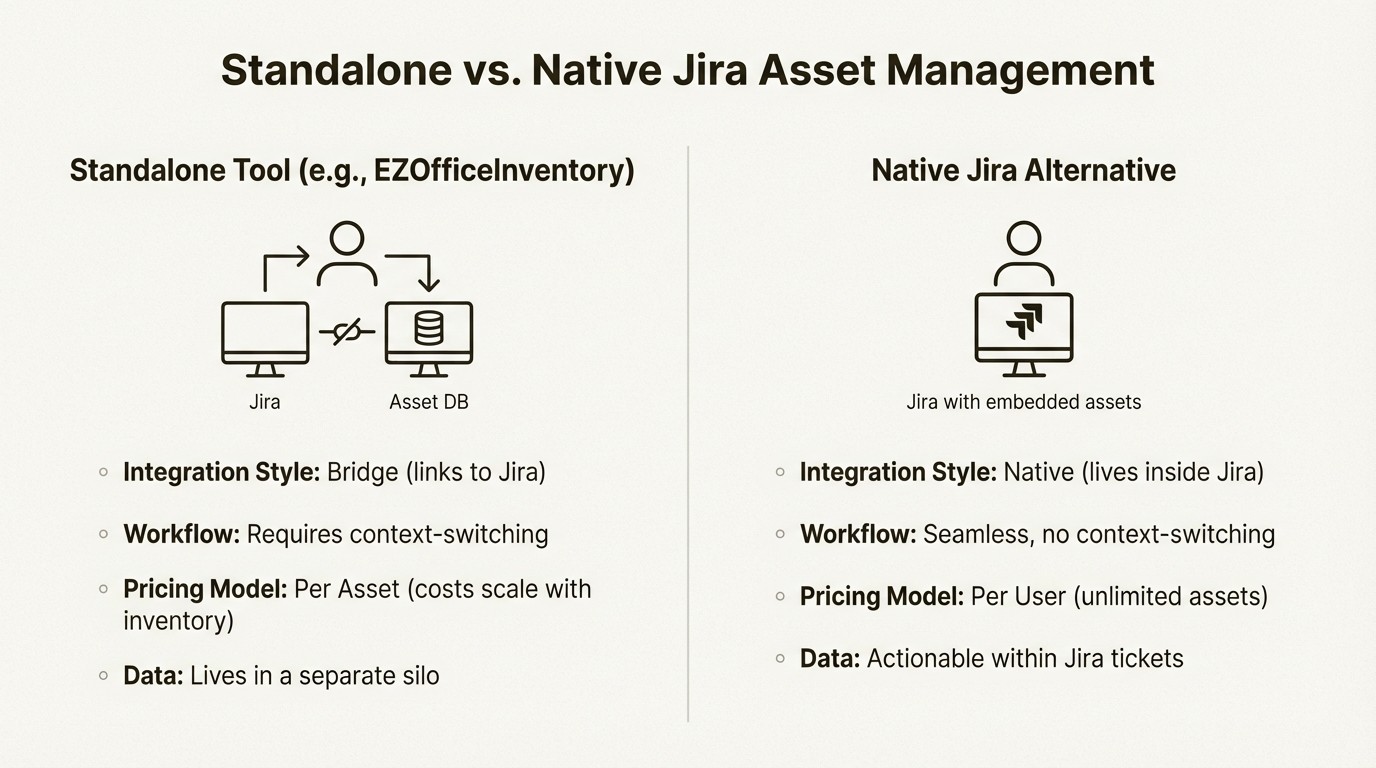
Teams may look for an alternative when there is a disconnect between their primary workspace and their asset data. EZOfficeInventory is a capable tool with advanced features like RFID tracking and a detailed CMMS. However, for teams centered in Jira, using an external tool can introduce friction.
The challenge lies in the gap between the service desk and the asset database. While EZOfficeInventory provides a Jira integration on its Premium plans, it functions as a bridge rather than a native solution. This means teams may still need to manage two different systems, which can lead to workflow breaks and data silos.
Another consideration is the pricing model. EZOfficeInventory's pricing is per asset, which can become costly as an inventory scales. An alternative built for Jira often has a different value proposition. Pricing is typically based on the Jira user count, with the ability to track unlimited assets. For a growing company, this can be a significant financial advantage. The goal is to find a solution that lives inside Jira, not just links to it.
Solving core IT challenges with a native Jira EZOfficeInventory alternative
This section addresses core IT challenges and demonstrates how to solve them with an approach that is deeply integrated into your existing operations.
Get complete asset visibility
The foundational challenge for many IT teams is a lack of immediate visibility. Not being able to quickly answer "What do we own and where is it?" can lead to wasted time, redundant purchases, and decisions based on incomplete information. A central source of truth is essential.
For teams using Jira, having this data natively provides a significant efficiency boost because it is available within the tool they use all day. With Asset Management for Jira, you can connect device management tools like Microsoft Intune or Jamf to get a real-time, accurate inventory that syncs automatically. This reduces reliance on outdated spreadsheets and the need to switch tabs to check another system.
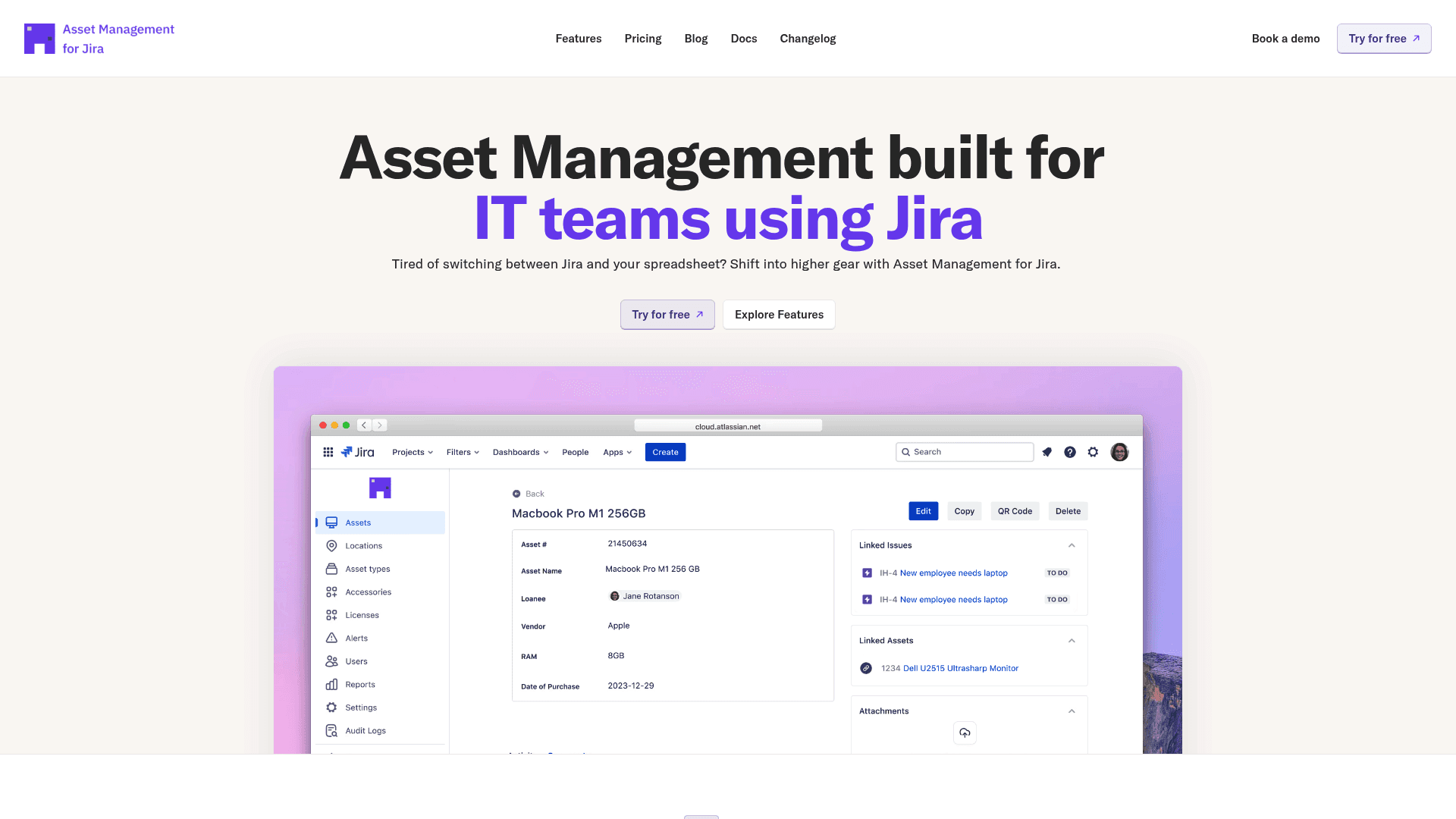
This has a direct impact on the bottom line. For example, when new hires are starting, a 30-second search can reveal exactly which laptops are in storage. One IT director who thought they needed 20 new laptops for a hiring wave found 23 available devices after a quick search in their new system, resulting in $24,000 in budget savings. This is an example of what can happen when data is integrated where you work.
Build accountability and stop losing equipment
Lost equipment is a quiet but significant drain on resources, with some companies losing up to 15% of their assets annually. This involves not only the cost of replacement but also potential security risks. The solution is accountability, and automation helps enforce it without creating excessive manual work.
A native Jira system builds that accountability directly into existing workflows.
Automated Loan Tracking. You can set return dates for borrowed equipment within Asset Management for Jira and allow the system to send reminders. This simple step can cut overdue returns by an average of 75%.
Employee Offboarding. When an employee's Jira account is deactivated, it can trigger an automated checklist for asset returns. This process can boost equipment recovery to over 98%.
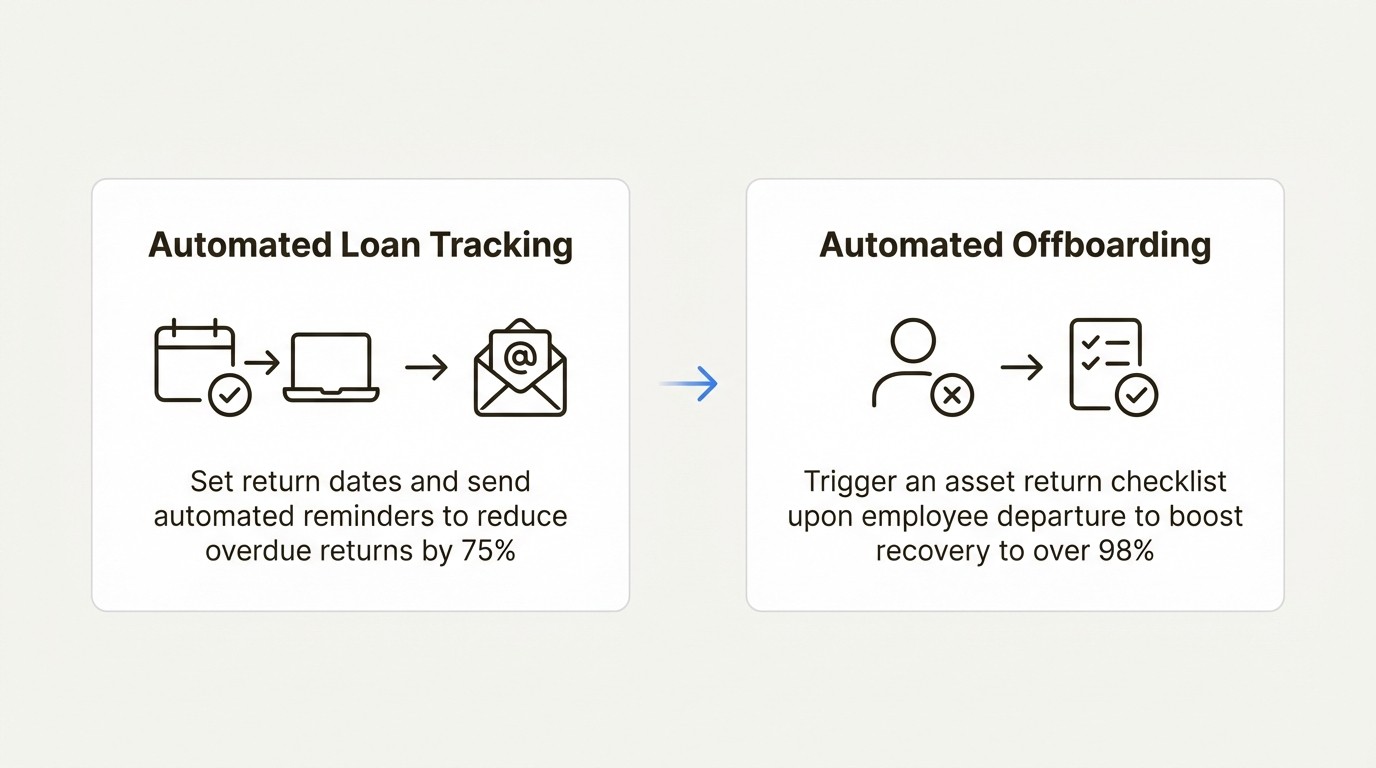
A company dealing with 15% annual turnover was losing nearly $180,000 a year in equipment that was never returned. By automating their offboarding process inside Jira, they significantly reduced that loss. This shows that process discipline, when embedded in the tools you already use, delivers tangible results.
Maintain audit readiness
A software audit notice can be a disruptive event for an IT department. Audits are time-consuming and can lead to large, unbudgeted fines. Companies that are not prepared may face costs of over $250,000.
Preparation is the most effective defense. This requires a centralized license repository and accurate installation tracking. A dedicated tool inside Jira is valuable here. Instead of scrambling to pull data from spreadsheets and emails, you can generate audit-ready documentation in minutes. Asset Management for Jira lets you track every software license, connect it to installations discovered through Intune, and view your compliance status in real-time.
This approach helps you identify issues before auditors do. For instance, one customer received a surprise Microsoft audit. Because all their license data was centralized in Jira, they provided complete documentation in two hours. The audit concluded in a day with zero penalties, saving them an estimated $150,000. This illustrates the difference between a reactive and a prepared stance.
Optimize your IT budget
Many IT departments have opportunities for budget optimization. This is often a byproduct of poor visibility, leading to purchasing laptops already in a storage closet or renewing software licenses for people who left the company months ago. Real cost optimization comes from making decisions with data.
When you have a clear, real-time view of your assets inside Jira, you can start making more informed decisions.
You can eliminate redundant purchases. A simple search before buying saves a mid-sized company $40,000 to $80,000 a year. You can optimize software licenses by tracking actual usage, which can cut that spending by 15-30%. You can also plan hardware refreshes using asset age and repair history to negotiate bulk discounts.
By logging the total cost of ownership in Asset Management for Jira, you get valuable data for vendor negotiations. One company's data showed that a laptop model with a slightly higher upfront cost was actually 23% cheaper over its lifecycle because of a much lower failure rate. That is a strategic, data-driven decision that can lead to significant savings.
Increase IT support speed
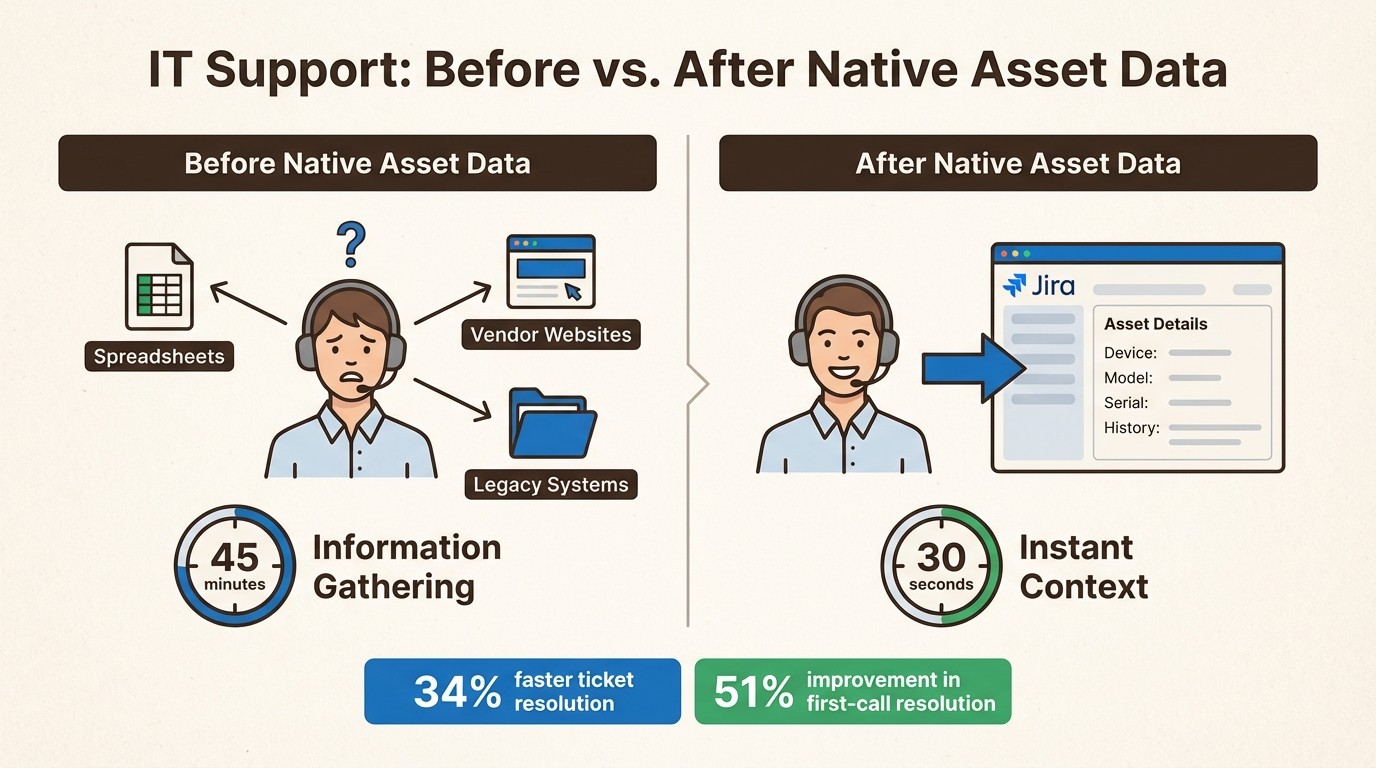
IT support teams often spend significant time gathering basic information for tickets, which can take up to 45 minutes per ticket. This is an unnecessary time sink that can be frustrating for both the support team and end-users.
When your asset management is native to your help desk, all that context is available instantly. By linking assets directly to tickets, Asset Management for Jira gives your support team a complete picture in seconds.
When a ticket comes in, the agent immediately sees the user’s assigned laptop, its configuration, and its full repair history. This turns a 45-minute investigation into a 30-second review. Our customers report a 34% average reduction in ticket resolution time and a 51% improvement in first-call resolution. This frees up hundreds of hours for your team to focus on solving problems, not chasing down serial numbers.
The bottom line: The benefits of a native Jira EZOfficeInventory alternative
Using a standalone system is a common approach, but it can create another data silo. The support team may end up switching between tabs and working out of two different systems, which can disrupt their momentum. An effective way to operate is to bring asset data to where work is already happening.
For many IT teams, that place is Jira. A native solution like Asset Management for Jira doesn't just store asset data; it makes that data actionable within every Jira ticket, workflow, and report. It is a simpler, more efficient approach that can drive faster results.
To see what a truly integrated solution can do for your team, you can start a free trial of Asset Management for Jira.
Frequently Asked Questions
Q1: What's the main benefit of choosing a Jira-native EZOfficeInventory alternative?
A1: The primary benefit is workflow integration. When your asset data lives inside Jira, your IT team doesn't have to switch between applications to resolve a support ticket. All the device history, warranty information, and user assignments are right there, which dramatically speeds up resolution times and reduces manual work.
Q2: How does the pricing of an EZOfficeInventory alternative like Asset Management for Jira compare?
A2: The pricing models are fundamentally different. EZOfficeInventory typically charges per asset, which can become expensive as your company grows and accumulates more equipment. A native Jira alternative like Asset Management for Jira is priced per Jira user but allows you to track an unlimited number of assets. This model is often more predictable and cost-effective for scaling teams.
Q3: Can an EZOfficeInventory alternative handle complex tasks like software license compliance?
A3: Yes, a robust EZOfficeInventory alternative built for Jira can centralize all your software licenses and track installations across your devices. This gives you a real-time view of your compliance status, making you audit-ready at all times. You can find and fix gaps before an auditor ever calls, potentially saving a significant amount in penalties.
Q4: Is migrating to an EZOfficeInventory alternative a difficult process?
A4: The process is generally straightforward. Most modern Jira-native tools are designed for a quick setup. You can typically import your existing asset data via a CSV file or sync directly with Microsoft Intune or Jamf. The goal is to get you up and running quickly, often within a day.
Q5: What kind of integrations should I look for in an EZOfficeInventory alternative?
A5: Look for an EZOfficeInventory alternative that integrates with the device management (MDM) tools you already use. Key integrations to look for include Microsoft Intune, Jamf, and Kandji. This allows for automatic syncing of device information, which keeps your inventory accurate without constant manual updates.
Q6: Will my support team see immediate benefits from switching to an EZOfficeInventory alternative inside Jira?
A6: Teams often see immediate benefits. By linking assets directly to Jira tickets, your support team gets instant context on any issue. They can see a device's entire history in seconds, turning a lengthy information-gathering exercise into a quick review. This leads to faster ticket resolution and higher first-call resolution rates from day one.



