A no-nonsense guide to fixed assets tracking
Ditch the spreadsheet chaos. Our guide to fixed assets tracking covers the strategies and tools you need to streamline operations and improve your bottom line.

Colin Reed
IT Expert and Content Writer
Last Updated

Have you ever needed to locate a company laptop after an employee's departure, or suspected you were paying for unused software licenses? These are common challenges in asset management. For most companies, tracking physical and digital equipment is a significant task. This guide will cover the fundamentals of fixed assets tracking, including what it is, its importance for business operations, and how different tools can streamline the process.
What is fixed assets tracking?
First, let's get on the same page. A fixed asset is any long-term tangible item a company owns and uses to make money, typically with a useful life of more than a year. These aren't things you sell, but things you use to run the business.
This includes the obvious stuff like:
IT Equipment: Laptops, servers, and monitors.
Software Licenses: Subscriptions and perpetual licenses.
Vehicles: Company cars and trucks.
Furniture: Desks and chairs.
Machinery: Specialized equipment used for production.
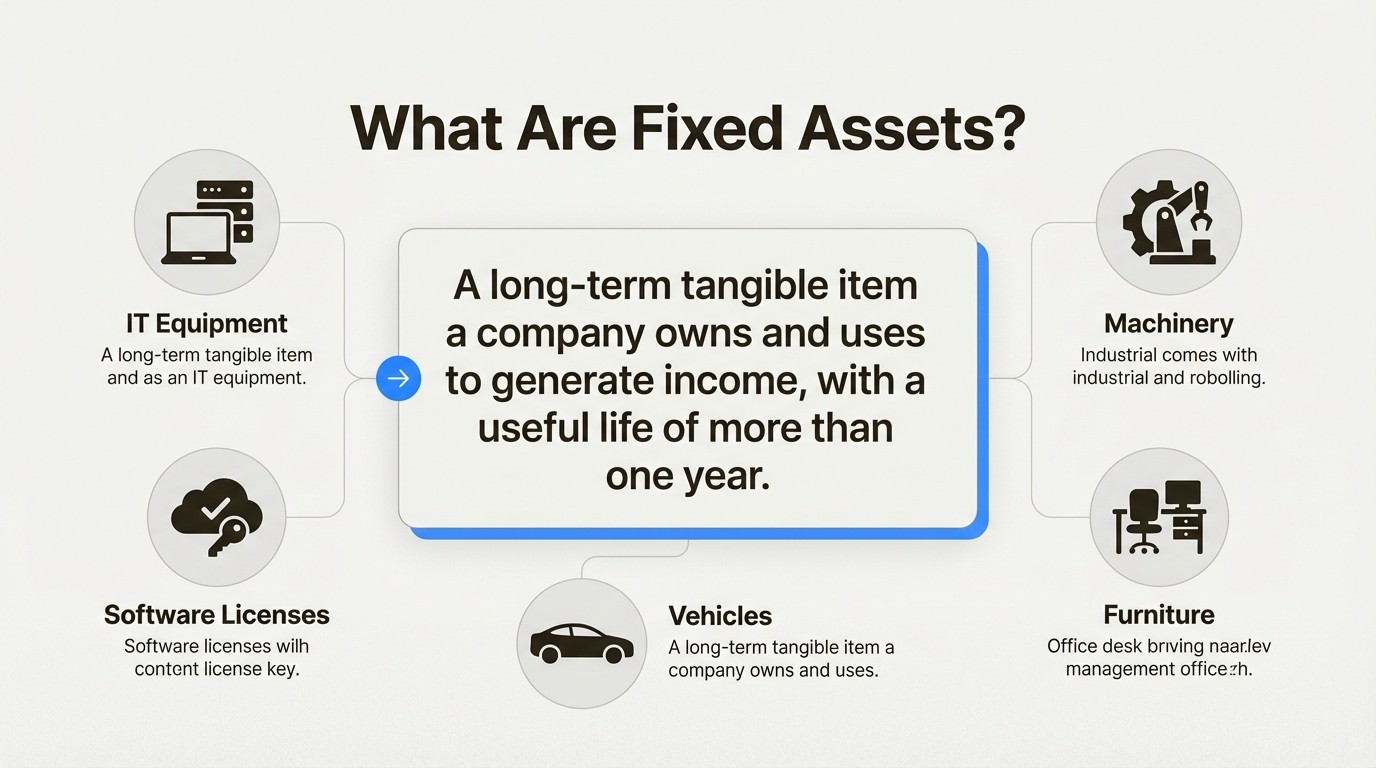
An infographic explaining the concept of fixed assets tracking with icons for IT equipment, software licenses, vehicles, furniture, and machinery.
So, fixed assets tracking is simply the process of keeping an eye on these items from the day you buy them to the day you get rid of them.
It's also important not to mix this up with inventory management. Inventory is what you sell to customers; fixed assets are what you use to run the business. For instance, some tools like AssetTiger offer inventory tracking for consumables as a separate add-on, which just goes to show how different the two practices are.
Why is fixed assets tracking important?
Fixed assets tracking might seem like a task solely for the finance team, but its benefits extend across an organization, impacting IT support, operations, and executive leadership. If you’re still not convinced, here’s why it matters.
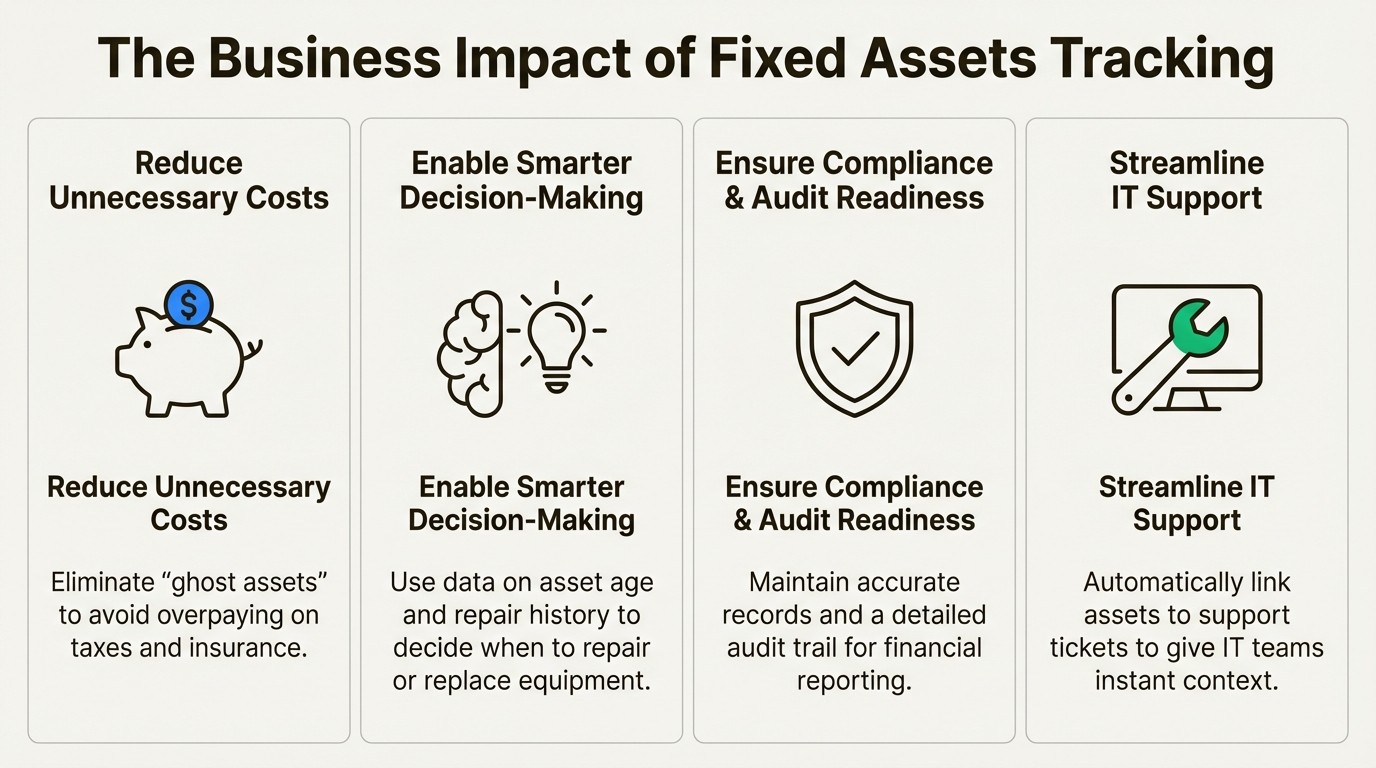
An infographic showing four key benefits of fixed assets tracking: reducing costs, making smarter decisions, ensuring compliance, and streamlining IT support.
Reduce unnecessary costs
Companies can lose a significant amount of money on assets they can't find. You end up with "ghost assets," which are on your books but physically missing, meaning you’re paying taxes and insurance on items you don't actually have. As one user of Asset Panda notes, an estimated 10 to 30 percent of fixed assets on a business’s books are ghost assets.
A solid tracking system helps you spot and eliminate these problems, so you’re not overpaying for insurance or buying duplicate equipment you already own but just couldn't find.
Enable smarter decision-making
When a company laptop starts acting up, should you repair it or replace it? Without knowing its age, warranty status, and repair history, you’re just guessing.
Good fixed assets tracking gives you the data you need to make informed calls. You can see which models are reliable, which ones are money pits, and when it’s time to upgrade. This proactive approach saves money and helps prevent unexpected equipment failures that can disrupt team workflows.
Ensure compliance and audit readiness
Audits require accurate and accessible records. Accurate asset data is vital for financial reporting, calculating depreciation, and staying compliant with regulations. Tools focused on compliance, like Sage Fixed Assets, even include built-in IRS tax forms to make reporting easier. A good tracking system gives you a detailed audit trail for every single asset, making audits smoother and lowering the risk of penalties.
Streamline IT support processes
An IT ticket comes in: "My laptop is slow." The first thing the IT person has to do is figure out what kind of laptop the user has, how old it is, and what software is on it. This back-and-forth can cause delays.
Screenshot of the Jira Service Management homepage, a platform used for fixed assets tracking and IT support.
Now, imagine that the moment the ticket is created, all the user’s assigned assets are automatically linked to it. That’s what integrated asset tracking can do. For teams already using Jira for support, a tool like Asset Management for Jira makes this a reality by connecting asset data directly to service tickets. This gives your support team instant context to solve issues more efficiently.
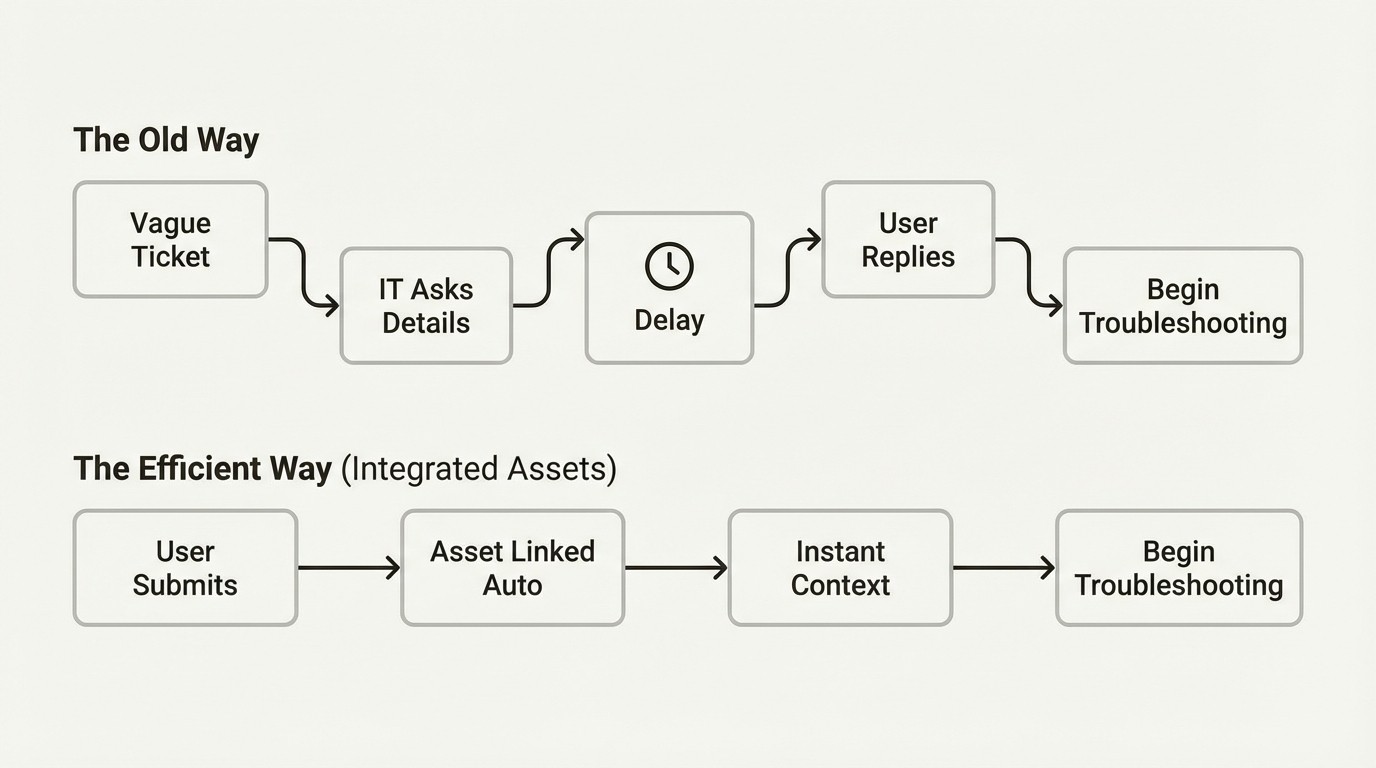
A workflow diagram comparing the IT support process before and after implementing integrated fixed assets tracking, showing how it speeds up resolution.
Common methods for fixed assets tracking
Most businesses know they should be tracking assets, but their methods vary. The journey usually starts simple and gets more complicated as the company grows. Here’s a look at the typical evolution.
Spreadsheet-based fixed assets tracking and its limitations
Many companies begin tracking assets with spreadsheets. A simple Excel or Google Sheet seems like an easy, free way to list your assets. For a tiny company with just a handful of items, it might work for a little while.
However, spreadsheets are prone to human error, have no real audit trail, and offer very limited reporting. As one AssetTiger user said after switching, "Those 4 spreadsheets are gone and we haven't looked back." Over time, this can result in a repository of outdated information, typos, and duplicate entries.
Standalone fixed assets tracking software
Dedicated software is another common solution. Tools like Sage Fixed Assets, Asset Panda, and AssetTiger offer a much more robust solution than spreadsheets.
Sage Fixed Assets is a powerhouse for finance teams. It focuses heavily on complex depreciation calculations and tax compliance, offering over 50 depreciation methods to meet IRS and GAAP rules. It's built for accountants, through and through.
Asset Panda is super flexible and known for its mobile app, making it great for tracking assets that move around a lot. Its pricing is based on both user count and the number of assets, with its Starter plan beginning at a five-user minimum.
AssetTiger is popular with small to mid-sized companies because it offers a generous free plan for up to 250 assets, making it an accessible starting point. Its paid plans scale by asset count, not by the number of users.
While these tools offer significant advantages, they can sometimes result in data silos. Your asset information lives in one system, while your IT support tickets live in another (like Jira). This forces your team to constantly switch between platforms, copy-pasting information between systems.
ERP modules for fixed assets tracking
Many large ERP systems have their own fixed asset modules, which seems great since it keeps everything under one roof. The catch is that these modules are often built with accounting as the main focus, not IT operations. According to Sage, many ERP solutions "struggle calculating depreciation for both GAAP and tax compliance." Their complexity may not always align with the needs of an IT team requiring quick access to operational data to resolve issues.
Integrated fixed assets tracking within Jira
Another approach is to manage assets within the platforms teams already use. For thousands of IT and support teams, that place is Jira. When your asset data lives natively inside your service management tool, you unlock a whole new level of speed and efficiency.
Benefits of native Jira integration
Connecting assets directly to Jira tickets isn't just a "nice-to-have" feature; it can significantly improve how a support team operates.
Resolve tickets faster: When an employee submits a request, their assigned assets can be automatically attached to the ticket. No more asking for serial numbers or device specs.
Create a true single source of truth: Everyone works from the same, up-to-date information. No more switching between a spreadsheet, an asset platform, and Jira.
Automate your workflows: Use Jira Automation to create a maintenance ticket when an asset’s warranty is about to expire or trigger alerts based on custom fields you define.
Asset Management for Jira: An integrated solution
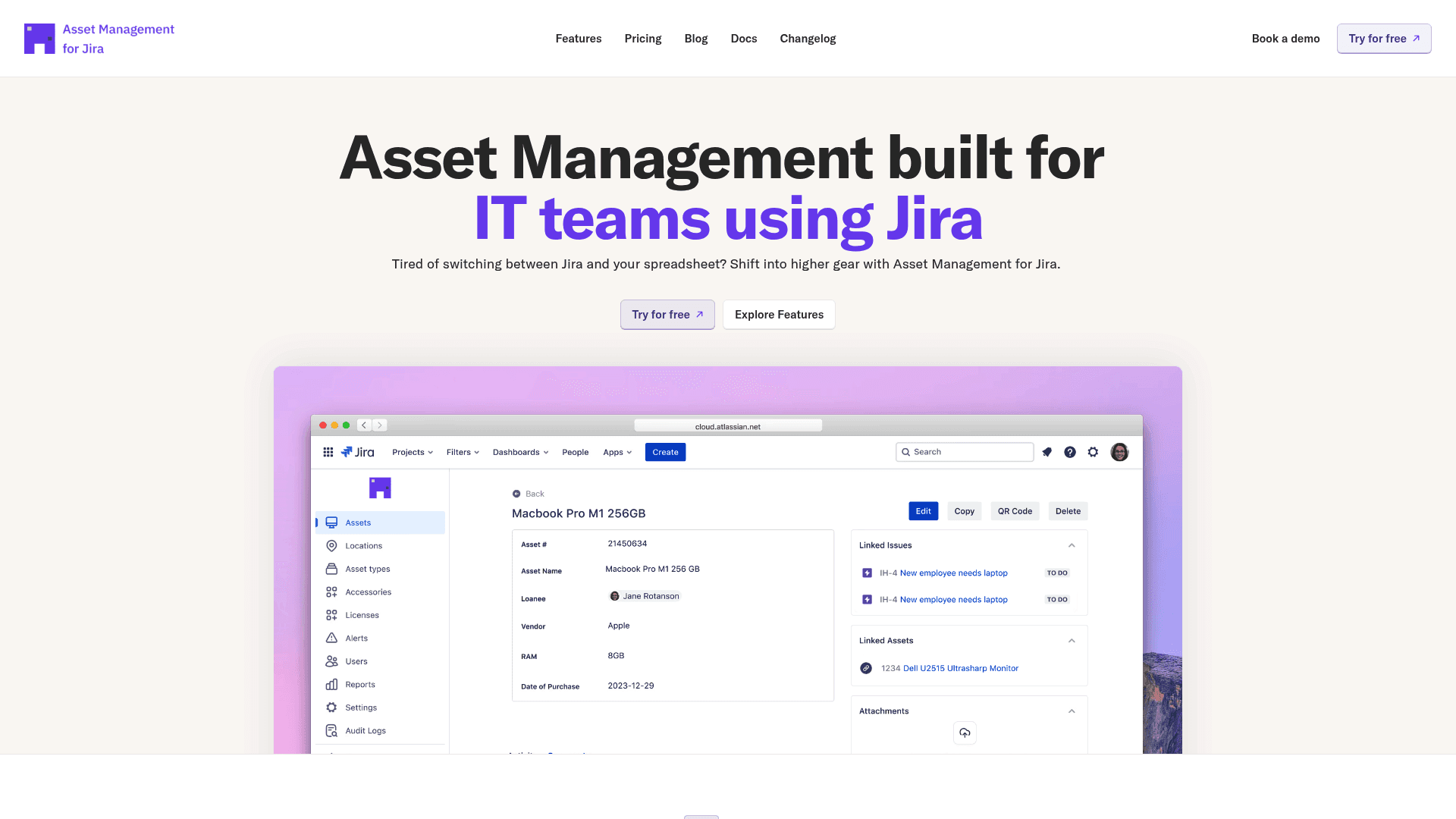
Screenshot of the Asset Management for Jira homepage, an app for integrated fixed assets tracking within Jira.
Tools like Asset Management for Jira (AMFJ) were created for this purpose. It is an app that lets you manage all your hardware, software, and accessories without ever leaving Jira. As Chris Hayes, CIO at Stickley, put it, "Asset Management for JIRA has been an extremely cost-effective way for us to track our assets. It provides the ability to associate users reported issues with hardware."
With AMFJ, you can:
Link assets directly to Jira issues and use asset fields in your filters, gadgets, and automation rules.
Sync your devices automatically from tools like Microsoft Intune, Jamf, and Kandji, which gets rid of tedious manual data entry.
Scan QR codes with a mobile app to update asset information on the go.
Generate custom reports to track depreciation, audit history, and license compliance instantly.
It is designed to integrate with the Jira user interface, which can help reduce the learning curve for teams.
Comparison of fixed assets tracking tools
Choosing the right tool depends on your team's needs, budget, and existing software. Here’s a high-level comparison to help you see where different solutions fit.
Feature | Asset Management for Jira | Sage Fixed Assets | Asset Panda | Atlassian Assets |
|---|---|---|---|---|
Primary Focus | IT asset tracking inside Jira | Financial depreciation & tax | Mobile-first physical asset tracking | Enterprise CMDB & object management |
Jira Integration | Native. Built for Jira. | None | Via API integration | Native. Built into JSM Premium. |
Key Strength | Simplicity and deep workflow integration for IT teams. | Advanced, compliant depreciation calculations (50+ methods). | Highly customizable & mobile-friendly with AI features. | Powerful and highly flexible data modeling. |
Best For | Teams who use Jira for service management and want a simple, integrated solution. | Finance and accounting departments needing deep compliance features. | Companies with a large, distributed inventory of physical assets. | Enterprises needing a complex CMDB with advanced automation. |
Pricing Model | Per-user subscription, starting at $10/month for 10 users. | Custom quote, typically enterprise-level pricing. | Per-user/month, with asset count tiers. | Bundled with Jira Service Management Premium/Enterprise plans. |
Upgrading your fixed assets tracking process
Effective fixed assets tracking is a core business process that can save money, reduce risk, and help an organization run more smoothly. While spreadsheets can be a useful starting point, they may not scale effectively with a growing business.
An integrated approach to asset management is becoming more common. This approach focuses on making information accessible to teams within their existing workflows. For IT and support teams that use Jira, integrating asset data into that platform can be an efficient solution.
For a deeper dive into the fundamentals of asset management and how to build a robust tracking strategy, the following video offers a comprehensive explanation of the asset lifecycle and the importance of tracking.
This video covers the fundamentals of fixed assets, the asset lifecycle, and the importance of tracking them.
To explore an integrated Jira solution, see Asset Management for Jira.



